WhatsApp CRM — Official Cloud API Platform | FOXAF
WhatsApp-native CRM built on Meta's official Cloud API. Shared inbox, AI chatbots, automation & broadcasts in one platform. Start free trial — no credit card required.

What is WhatsApp CRM?
WhatsApp CRM is a customer relationship management platform built specifically for WhatsApp Business API. It enables teams to manage customer conversations through a shared inbox, automate workflows with AI chatbots, send broadcast campaigns, and track leads — all within WhatsApp's official Cloud API infrastructure.
Most businesses struggle with fragmented customer conversations across personal WhatsApp accounts, email, and phone calls. A WhatsApp CRM centralizes all customer communication in one platform where teams can collaborate, automate repetitive tasks, and deliver consistent experiences at scale.
Millions of businesses worldwide use WhatsApp Business to communicate with customers. The challenge is managing these conversations efficiently as teams grow — that's where WhatsApp CRM becomes essential.
Why FOXAF is Different — WhatsApp-Native from the Ground Up
FOXAF is WhatsApp-native from the ground up — not a general CRM with WhatsApp integration added later. Built directly on Meta's official Cloud API with complete CRM functionality integrated from day one.
The FOXAF difference:
- WhatsApp-native design — Every feature built around WhatsApp workflows, not retrofitted onto a traditional CRM.
- One-click Meta Embedded Signup — Connect your WhatsApp number directly to your unified inbox, campaigns, and automation.
- Built-in CRM features — Inbox, automation, broadcasts, and analytics are native to the platform, not bolted-on integrations.
- Transparent pricing — You pay WhatsApp's per-message fees plus our platform fee — no hidden costs or markup.
Cloud API vs On-Premise vs Middleware Comparison
| Feature | FOXAF (Cloud API) | Middleware Solutions | On-Premise API |
|---|---|---|---|
| Setup Process | One-click Meta Embedded Signup | Multi-step configuration | Extensive technical setup |
| Infrastructure | Hosted by Meta | Third-party servers | Self-hosted |
| Reliability | Enterprise-grade | Depends on provider | Depends on infrastructure |
| Cost Structure | Direct + platform fee | Markup + platform fee | Infrastructure + maintenance |
| Updates | Automatic | Provider-dependent | Manual |
| CRM Integration | Native | Third-party | Custom build |
Meta announced that On-Premise API support will be sunset in favor of Cloud API, making direct Cloud API platforms like FOXAF the future-proof choice for WhatsApp business communication.
Core WhatsApp CRM Features
Shared Team Inbox
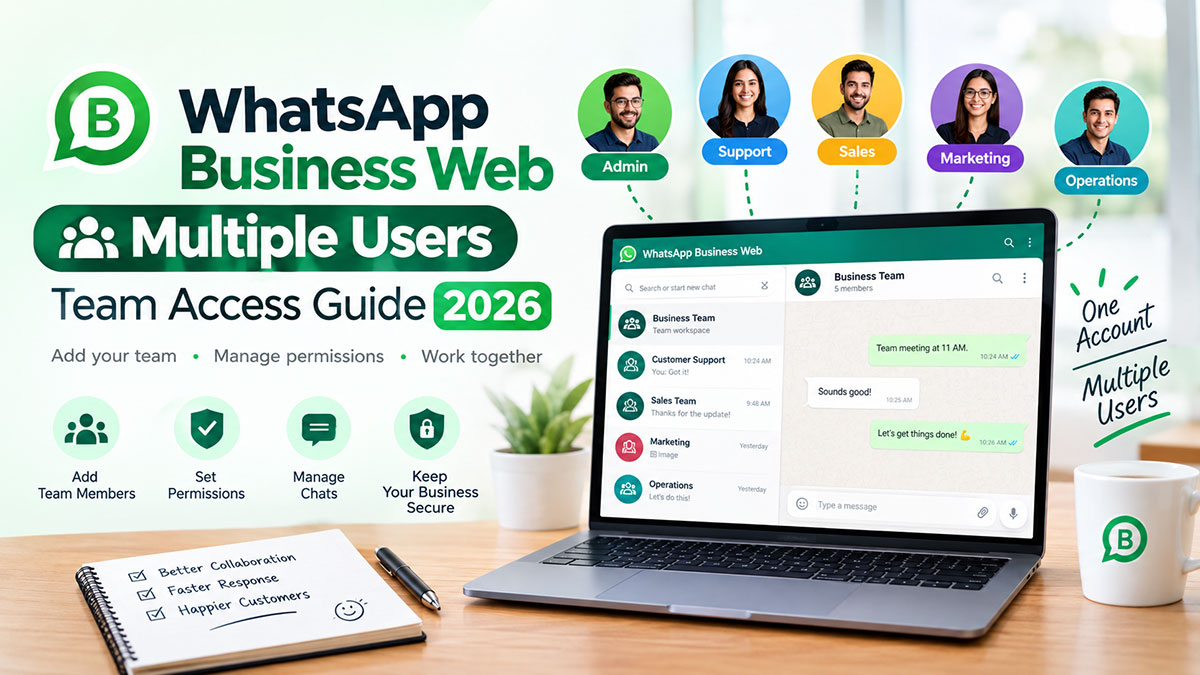
Manage all WhatsApp conversations from a unified dashboard where your entire team can collaborate. Multiple agents access the same WhatsApp Business number simultaneously with internal notes and conversation tags.
Key capabilities:
- Internal @mentions for team coordination
- Private notes visible only to agents
- Conversation tags and labels for organization
Learn more about our shared team inbox
AI Chatbots & Automation
Automate repetitive customer inquiries with AI-powered chatbots and visual workflow builder. Handle FAQs, qualify leads, and route conversations to the right agents without manual intervention.
Automation features:
- No-code workflow builder with drag-and-drop interface
- AI-powered FAQ automation trained on your knowledge base
- Lead qualification and scoring
- Business hours automation (auto-replies outside working hours)
- Conversation routing rules based on keywords, customer tags, or custom fields
- Integration with CRM pipeline for automatic lead creation
FOXAF's automation can handle the majority of routine inquiries, freeing your team for complex customer needs.
WhatsApp Broadcasts & Campaigns
Send bulk WhatsApp messages to customer segments using approved message templates. Create targeted campaigns for promotions, product launches, order updates, and re-engagement.
Broadcast capabilities:
- Template message creation and approval management
- Customer segmentation by tags, custom fields, or behavior
- Schedule broadcasts for optimal delivery times
- Personalization with dynamic fields (name, order details, etc.)
- Delivery analytics and read rate tracking
- A/B testing for template optimization
WhatsApp messages typically achieve higher open and response rates than email.
ee broadcast campaign features →
Omnichannel Support
Unify customer conversations from WhatsApp, email, web chat, and SMS in a single inbox. Your team sees complete conversation history across all channels with a unified customer profile.
Omnichannel features:
- WhatsApp + Email + Web Chat + SMS in one interface
- Cross-channel conversation threading
- Unified customer profile with interaction history
- Channel-specific response templates
- Consistent experience regardless of customer's preferred channel
Lead Management & CRM
Built-in CRM database stores customer information, conversation history, and custom fields. Track leads through your sales pipeline directly from WhatsApp conversations.
CRM capabilities:
- Contact database with custom fields
- Lead pipeline with customizable stages
- Lead scoring based on engagement and behavior
- Deal tracking and opportunity management
- Contact import/export (CSV, API integration)
- Integration with Shopify, Zapier, and popular CRMs
Analytics & Reporting
Real-time dashboards track team performance, conversation metrics, and customer engagement. Make data-driven decisions with comprehensive analytics built into the platform.
Analytics features:
- Team performance metrics (response time, resolution time, conversations handled)
- Conversation funnels (inquiry → qualified lead → conversion)
- Message delivery and read rates
- Broadcast campaign analytics
- Agent productivity tracking
- Custom date range reports and exports
Who WhatsApp CRM is For
Small Businesses (1-50 employees)
Small teams need efficient customer communication without enterprise complexity or cost. FOXAF provides professional WhatsApp business communication with simple setup and affordable pricing.
Common use cases:
- Local retailers managing customer inquiries and orders
- Service businesses scheduling appointments via WhatsApp
- Online sellers supporting customers across WhatsApp, email, and social media
- Consultants and freelancers maintaining client communication
Mid-Market (50-500 employees)
Growing companies need scalable collaboration tools and automation to handle increasing customer volume. FOXAF grows with your team from 5 agents to 100+ without platform limitations.
Common use cases:
- Multi-location businesses coordinating customer support across branches
- Ecommerce companies automating order updates and customer service
- Agencies managing client communication and project updates
- SaaS companies providing product support via WhatsApp
Enterprise (500+ employees)
Large organizations require API customization, advanced integrations, and enterprise-grade security. FOXAF's developer-friendly platform supports custom workflows and existing tech stack integration.
Common use cases:
- Retailers with hundreds of stores using WhatsApp for customer support
- Financial services maintaining secure customer communication
- Healthcare providers coordinating patient communication (HIPAA-compliant features available)
- Logistics companies tracking deliveries and driver coordination
Industry Verticals
Ecommerce — Order confirmations, shipping updates, abandoned cart recovery, customer support Learn more about WhatsApp CRM for ecommerce →
Real Estate — Lead qualification, property updates, showing scheduling, client follow-up Learn more about WhatsApp for real estate teams →
Logistics — Delivery tracking, driver coordination, customer notifications, proof of delivery
Agencies — Client communication, project updates, team collaboration, approval workflows
Healthcare — Appointment reminders, patient communication, lab result notifications (with compliance features)
Pricing & Plans
FOXAF pricing is designed for SMB and mid-market teams. You pay WhatsApp's per-message fees (charged by Meta) plus our platform fee based on the features and team size you need.
Transparent Pricing Structure
WhatsApp fees (charged by Meta, same for all platforms):
- Template messages: Varies by country and template category (Marketing, Utility, Authentication)
- Messages within 24-hour customer service windows: Free
FOXAF platform fees:
- Starter ($29/month): 1 workspace, 5,000 contacts, 25,000 sends/month, AI agents, shared inbox, automation
- Pro ($99/month): 3 workspaces, 50,000 contacts, 250,000 sends/month, AI agents, shared inbox, automation, advanced features, API access
- Enterprise Plan: Custom pricing (unlimited workspaces and features with dedicated support and SLA guarantees)
Pricing Comparison vs Competitors
| Feature | FOXAF | respond.io |
|---|---|---|
| Entry Pricing | $29/mo (1 workspace, 5K contacts) | $79/mo (5 users) |
| Mid-Tier Pricing | $99/mo (3 workspaces, 50K contacts) | $159/mo (10 users) |
| Top Tier Pricing | $99/mo (50K contacts) | Contact sales |
| Setup Fee | $0 | $0 |
| API Access | ✅ $99/mo plan | ✅ Higher plans only |
| Contract Requirement | Monthly | Monthly or Annual |
FOXAF delivers significant cost savings compared to respond.io for small to mid-market teams. See detailed FOXAF vs respond.io comparison →
Free 14-day trial — Test all features with no credit card required. Import your contacts, set up automation, and send test broadcasts before committing.
WhatsApp CRM vs Traditional CRM
Traditional CRMs were built for email and phone communication. WhatsApp CRM is purpose-built for how customers prefer to communicate today — via messaging.
Why WhatsApp Outperforms Email & Phone
Customers increasingly prefer messaging channels for business communication. Here's why:
WhatsApp vs Email:
- Engagement: WhatsApp messages typically achieve higher open and response rates than email
- Speed: Real-time messaging enables faster customer responses compared to email
- Customer preference: Messaging is increasingly preferred over email for business communication
WhatsApp vs Phone:
- Asynchronous communication (no hold times)
- Written records of conversation history
- Multimedia support (images, videos, PDFs)
- Customer can respond on their schedule
Comparison: WhatsApp CRM vs Salesforce/HubSpot
| Capability | FOXAF WhatsApp CRM | Salesforce/HubSpot |
|---|---|---|
| WhatsApp Integration | Native (built-in) | Third-party plugin required |
| Messaging Focus | Primary interface | Bolt-on feature |
| Setup Complexity | Simple, non-technical | Complex enterprise onboarding |
| Price for 3-5 Users | $29-99/mo | $300-600/mo |
| Best For | WhatsApp-first businesses | Multi-channel enterprises |
WhatsApp CRM doesn't replace traditional CRM for complex enterprise needs, but for businesses where WhatsApp is the primary customer communication channel, a purpose-built platform delivers better results at lower cost.
Getting Started — Simple Setup Process
FOXAF setup is designed for non-technical users. No IT team or developer required.
5-Step Setup Process
1. Sign up for free trial
- Create your FOXAF account at foxaf.com/free-trial
- No credit card required for 14-day trial
- Verify your email and log into dashboard
2. Connect WhatsApp Business Account
- Link your existing WhatsApp Business Account or create a new one through Meta Embedded Signup
- Verify your business phone number
- FOXAF handles Meta Business Manager setup automatically
- Your WhatsApp Business number is now live on the platform
3. Set up team inbox
- Invite team members via email based on your plan
- Assign agent roles (Admin, Agent, Viewer)
- Configure assignment rules (round-robin, load-based, or manual)
- Set business hours and auto-reply messages
4. Create automation workflows
- Use pre-built templates for common workflows (FAQ, lead qualification, business hours)
- Customize welcome messages and auto-responses
- Set up keyword-based routing (e.g., "pricing" → sales team)
- Enable AI chatbot for instant FAQ responses
5. Launch first broadcast campaign
- Import contacts via CSV or manual entry
- Choose from approved message templates or submit new ones for Meta approval
- Segment your audience by tags or custom fields
- Schedule your first campaign
Migration from Other Platforms
Switching from respond.io, wati, or another WhatsApp CRM? FOXAF migration is straightforward:
- Export contacts from your current platform (CSV format)
- Import to FOXAF — Use our CSV import tool with automatic field mapping
- Recreate workflows — FOXAF's simpler workflow builder often reduces complex automation to a few steps
- Train your team — Onboarding session included with Enterprise plans, available for all plans
- Disconnect old platform — Once verified, deactivate your previous WhatsApp CRM
Need help? Our support team provides migration assistance for Pro and Enterprise plans.
FAQ
What is WhatsApp CRM software?
WhatsApp CRM software is a customer relationship management platform specifically designed for WhatsApp Business API. It combines a shared team inbox, automation tools, broadcast messaging, and customer database to help businesses manage WhatsApp customer conversations at scale. Unlike personal WhatsApp, WhatsApp CRM enables multiple team members to collaborate on the same business number with features like assignment rules, analytics, and workflow automation.
How much does WhatsApp CRM cost?
WhatsApp CRM pricing has two components: Meta's per-message fees (charged by WhatsApp for template messages) and the platform fee. FOXAF pricing starts at $29/month for the Starter plan (1 workspace, 5,000 contacts, 25,000 sends/month) and $99/month for the Pro plan (3 workspaces, 50,000 contacts, 250,000 sends/month). Enterprise plans with unlimited contacts and custom pricing are available for larger teams. WhatsApp template message fees vary by country and template category (Marketing, Utility, Authentication). Messages within 24-hour customer service windows are free. Total cost depends on your message volume and workspace needs. View detailed pricing →
What's the difference between WhatsApp Business App and WhatsApp Business API?
WhatsApp Business App is a free mobile app for single-user businesses with basic features like away messages and quick replies. WhatsApp Business API is an enterprise solution that enables multiple team members to access the same business number simultaneously, with advanced features like automation, broadcasts, CRM integration, and API access. The API requires a business solution provider (BSP) like FOXAF to access.
Can multiple team members use WhatsApp CRM?
Yes. The shared team inbox lets your whole team work one WhatsApp number together, with conversation assignment, internal notes and per-user roles. You can assign conversations to specific agents, set up routing rules, add internal notes, and track team performance.
Does FOXAF integrate with Shopify, Zapier, or other tools?
Yes. FOXAF integrates with Shopify for ecommerce automation (order updates, abandoned cart recovery), Zapier for connecting 5,000+ apps, and provides webhooks and REST API for custom integrations. You can sync customer data with existing CRMs, trigger automation from external events, and export conversation data for analytics.
How long does setup take?
FOXAF setup is straightforward for non-technical users. You'll create an account, connect your WhatsApp Business number through Meta Embedded Signup, invite team members, and configure basic automation in one session. Advanced features like complex workflow automation and custom integrations may require additional configuration based on your needs.
Is WhatsApp CRM GDPR compliant?
Yes. FOXAF is GDPR compliant with features including customer data encryption, right-to-deletion tools, data export capabilities, and consent management. WhatsApp messages are end-to-end encrypted by Meta. FOXAF stores customer data on secure servers with TLS encryption in transit and encrypted credentials at rest. Contact us for detailed compliance documentation.
Can I migrate from respond.io/wati to FOXAF?
Yes. Migration from respond.io, wati, or other WhatsApp CRMs is straightforward. Export your contacts from your current platform, import to FOXAF via CSV, recreate automation workflows (often simplified in FOXAF), and train your team. Our support team provides migration assistance for Pro and Enterprise plans. See comparison: FOXAF vs wati →
What AI features does WhatsApp CRM support in 2026?
Modern WhatsApp CRMs like FOXAF now include AI-powered automation beyond simple chatbots. Features include natural language understanding for intent detection, AI agents that handle complex multi-step workflows (order tracking, appointment scheduling, lead qualification), sentiment analysis for prioritizing urgent conversations, and AI-assisted response suggestions for agents. FOXAF's AI agents can be trained on your specific knowledge base, product catalog, and historical conversations to provide accurate, contextual responses. These AI capabilities reduce repetitive work for agents and improve response times for customers.
How does WhatsApp message pricing work in 2026?
WhatsApp Business API pricing changed in July 2025 to per-message pricing. Businesses now pay per template message sent (business-initiated messages like promotions, order updates, or notifications), with rates varying by country and message category. Marketing messages cost more than utility messages (order confirmations, shipping updates). Messages within 24-hour customer service windows are free. When a customer initiates contact and you respond within 24 hours, a 72-hour Free Entry Point window opens where all message types are free. Only business-initiated template messages outside these windows incur charges. Rates vary by country and template category (Marketing, Utility, Authentication), with different pricing for each market. FOXAF passes these costs through at Meta's published rates with no markup, so you pay Meta directly for message fees and only pay FOXAF's flat platform subscription. View Meta's official pricing →
What changed in the WhatsApp Cloud API Terms of Service in April 2026?
Meta updated the WhatsApp Business Platform Cloud API Terms on April 2, 2026, introducing a new Contact Book feature and expanded data usage provisions. The Contact Book stores customer name, phone number, and basic profile data during active conversations to enable personalized service without repeated information requests — enabled by default but can be disabled via Meta Business Suite. Meta also expanded data usage to include service optimization, spam/abuse prevention, and anonymized platform usage reports (message content remains end-to-end encrypted and auto-deleted after 30 days). Businesses using WhatsApp CRM platforms like FOXAF should review their privacy notices to reference Meta's anonymized data usage and decide whether to enable or disable Contact Book based on their compliance requirements. For GDPR-regulated businesses or high-compliance environments, consult legal counsel on Contact Book implications. Read the full Terms update →
What happens if we need to expand beyond WhatsApp to email, SMS, or social channels later?
Most businesses start with WhatsApp and expand to multi-channel support as they grow. FOXAF's omnichannel inbox unifies WhatsApp, email, web chat, and SMS in a single interface without requiring migration or switching platforms. All channels share the same customer database, agent workspace, and automation workflows — so adding new channels is a configuration change, not a platform replacement. If you later need channels FOXAF doesn't support (like Facebook Messenger or Instagram DM), our API and webhook integrations enable you to connect third-party channel providers while keeping FOXAF as your unified agent workspace. This approach avoids the "lock-in then rip-and-replace" cycle common with single-channel tools: you can grow from WhatsApp-only to full omnichannel without data migration, agent retraining, or workflow rebuilds. For teams evaluating whether to start with a WhatsApp-focused platform or a full omnichannel solution from day one, consider your 12-month channel roadmap — if WhatsApp will remain your primary channel (80%+ of conversations), a WhatsApp CRM delivers better features and lower cost than generic omnichannel platforms that dilute focus across 10+ channels.
Can I get the WhatsApp Business verified green badge for my account?
The green checkmark (official business account badge) on WhatsApp is managed entirely by Meta through their Business Verification process — not by FOXAF or any WhatsApp CRM platform. Meta grants verified badges to businesses that complete Meta Business Verification, which requires submitting legal business documents (business registration, tax ID, articles of incorporation) and submit your documentation for Meta's review team approval. This badge appears on your WhatsApp profile when customers view your business details and signals that Meta has confirmed your business identity. FOXAF supports verified accounts by displaying your Meta-approved verified business name in customer conversations and tracking your verification status in the platform dashboard. To apply for verification, log into Meta Business Manager, navigate to Security Center → Business Verification, and submit your documentation for Meta's review team approval. Verification is separate from WhatsApp Business API access (you can use the API without being verified), but verified status improves customer trust and enables higher messaging tier limits (more unique contacts you can message daily) as verified businesses scale faster through Meta's quality tier system. FOXAF automatically syncs your verified name and verification status from Meta, so once Meta approves your business verification, it appears immediately in your FOXAF workspace with no additional configuration.
What happens if my WhatsApp Business account gets suspended, or can I port my number to another platform?
WhatsApp Business account suspensions are enforced by Meta (not your platform provider) for policy violations like spam, prohibited content, or exceeding quality rating thresholds. If suspended, Meta restricts messaging on that phone number across all platforms — switching from FOXAF to another WhatsApp CRM won't restore a suspended number. Prevention is critical: maintain high message quality ratings by sending only opt-in messages, using approved templates, responding promptly to customer inquiries, and avoiding aggressive marketing practices. FOXAF's compliance tools help prevent violations with template approval workflows, opt-out management, broadcast frequency caps, and quality score monitoring in your dashboard. For phone number portability, WhatsApp Business API phone numbers are owned by your Meta Business Manager account (not locked to FOXAF or any platform provider). You can migrate your number to a different platform by disconnecting it from FOXAF's WABA (WhatsApp Business Account) in Meta Business Manager and reconnecting it to your new provider's WABA. This process preserves your phone number, verified business status, and message templates — though conversation history remains with the platform where it originated (export conversation archives before migrating). FOXAF provides CSV export for contacts, conversation transcripts, and automation configurations to facilitate clean platform migrations. For businesses evaluating lock-in risk, ask potential platforms: (1) Do I own the phone number through my own Meta Business Manager? (2) Can I export all customer data and conversation history? (3) What's the number migration process if I switch platforms? FOXAF answers yes to ownership, provides full export capabilities, and documents the migration process transparently because your business continuity matters more than platform lock-in.
How does WhatsApp's free 24-hour service window work?
WhatsApp provides a free 24-hour customer service window that opens whenever a customer messages your business first. During this window, you can send unlimited service messages (responses, follow-ups, support) at no charge — you only pay for business-initiated template messages sent outside this window. The window resets each time the customer sends a message, meaning active conversations with engaged customers generate minimal WhatsApp fees. This pricing structure favors businesses with high customer engagement and quick response times. FOXAF's inbox shows the window timer for each conversation so your team knows when responses are free vs when a template message fee applies.
Ready to Get Started?
Start your free 14-day trial — No credit card required. Full access to all features.
See transparent pricing — Compare plans and calculate your total cost including WhatsApp fees.
Talk to our team — Book a 15-minute demo to see FOXAF in action.
Sources & References
- WhatsApp Cloud API Changes April 2026 - EZContact: https://ezcontact.ai/en/blog/whatsapp-cloud-api-changes-april-2026-privacy/
- WhatsApp Business Verification Guide - Kanal: https://getkanal.com/blog/whatsapp-business-verification-green-tick
- respond.io Pricing: https://respond.io/pricing
- Wati Pricing: https://wati.io/pricing
Frequently asked questions
What is WhatsApp CRM software?
WhatsApp CRM software is a customer relationship management platform specifically designed for WhatsApp Business API. It combines a shared team inbox, automation tools, broadcast messaging, and customer database to help businesses manage WhatsApp customer conversations at scale. Unlike personal WhatsApp, WhatsApp CRM enables multiple team members to collaborate on the same business number with features like assignment rules, analytics, and workflow automation.
How much does WhatsApp CRM cost?
WhatsApp CRM pricing has two components: Meta's per-message fees (charged by WhatsApp for template messages) and the platform fee. FOXAF pricing starts at $29/month for the Starter plan (1 workspace, 5,000 contacts, 25,000 sends/month) and $99/month for the Pro plan (3 workspaces, 50,000 contacts, 250,000 sends/month). Enterprise plans with unlimited contacts and custom pricing are available for larger teams. WhatsApp template message fees vary by country and template category (Marketing, Utility, Authentication). Messages within 24-hour customer service windows are free. Total cost depends on your message volume and workspace needs. View detailed pricing →
What's the difference between WhatsApp Business App and WhatsApp Business API?
WhatsApp Business App is a free mobile app for single-user businesses with basic features like away messages and quick replies. WhatsApp Business API is an enterprise solution that enables multiple team members to access the same business number simultaneously, with advanced features like automation, broadcasts, CRM integration, and API access. The API requires a business solution provider (BSP) like FOXAF to access.
Can multiple team members use WhatsApp CRM?
Yes. The shared team inbox lets your whole team work one WhatsApp number together, with conversation assignment, internal notes and per-user roles. You can assign conversations to specific agents, set up routing rules, add internal notes, and track team performance.
Does FOXAF integrate with Shopify, Zapier, or other tools?
Yes. FOXAF integrates with Shopify for ecommerce automation (order updates, abandoned cart recovery), Zapier for connecting 5,000+ apps, and provides webhooks and REST API for custom integrations. You can sync customer data with existing CRMs, trigger automation from external events, and export conversation data for analytics.
How long does setup take?
FOXAF setup is straightforward for non-technical users. You'll create an account, connect your WhatsApp Business number through Meta Embedded Signup, invite team members, and configure basic automation in one session. Advanced features like complex workflow automation and custom integrations may require additional configuration based on your needs.
Is WhatsApp CRM GDPR compliant?
Yes. FOXAF is GDPR compliant with features including customer data encryption, right-to-deletion tools, data export capabilities, and consent management. WhatsApp messages are end-to-end encrypted by Meta. FOXAF stores customer data on secure servers with TLS encryption in transit and encrypted credentials at rest. Contact us for detailed compliance documentation.
Can I migrate from respond.io/wati to FOXAF?
Yes. Migration from respond.io, wati, or other WhatsApp CRMs is straightforward. Export your contacts from your current platform, import to FOXAF via CSV, recreate automation workflows (often simplified in FOXAF), and train your team. Our support team provides migration assistance for Pro and Enterprise plans. See comparison: FOXAF vs wati →
What AI features does WhatsApp CRM support in 2026?
Modern WhatsApp CRMs like FOXAF now include AI-powered automation beyond simple chatbots. Features include natural language understanding for intent detection, AI agents that handle complex multi-step workflows (order tracking, appointment scheduling, lead qualification), sentiment analysis for prioritizing urgent conversations, and AI-assisted response suggestions for agents. FOXAF's AI agents can be trained on your specific knowledge base, product catalog, and historical conversations to provide accurate, contextual responses. These AI capabilities reduce repetitive work for agents and improve response times for customers.
How does WhatsApp message pricing work in 2026?
WhatsApp Business API pricing changed in July 2025 to per-message pricing. Businesses now pay per template message sent (business-initiated messages like promotions, order updates, or notifications), with rates varying by country and message category. Marketing messages cost more than utility messages (order confirmations, shipping updates). Messages within 24-hour customer service windows are free. When a customer initiates contact and you respond within 24 hours, a 72-hour Free Entry Point window opens where all message types are free. Only business-initiated template messages outside these windows incur charges. Rates vary by country and template category (Marketing, Utility, Authentication), with different pricing for each market. FOXAF passes these costs through at Meta's published rates with no markup, so you pay Meta directly for message fees and only pay FOXAF's flat platform subscription. View Meta's official pricing →
What changed in the WhatsApp Cloud API Terms of Service in April 2026?
Meta updated the WhatsApp Business Platform Cloud API Terms on April 2, 2026, introducing a new Contact Book feature and expanded data usage provisions. The Contact Book stores customer name, phone number, and basic profile data during active conversations to enable personalized service without repeated information requests — enabled by default but can be disabled via Meta Business Suite. Meta also expanded data usage to include service optimization, spam/abuse prevention, and anonymized platform usage reports (message content remains end-to-end encrypted and auto-deleted after 30 days). Businesses using WhatsApp CRM platforms like FOXAF should review their privacy notices to reference Meta's anonymized data usage and decide whether to enable or disable Contact Book based on their compliance requirements. For GDPR-regulated businesses or high-compliance environments, consult legal counsel on Contact Book implications. Read the full Terms update →
What happens if we need to expand beyond WhatsApp to email, SMS, or social channels later?
Most businesses start with WhatsApp and expand to multi-channel support as they grow. FOXAF's omnichannel inbox unifies WhatsApp, email, web chat, and SMS in a single interface without requiring migration or switching platforms. All channels share the same customer database, agent workspace, and automation workflows — so adding new channels is a configuration change, not a platform replacement. If you later need channels FOXAF doesn't support (like Facebook Messenger or Instagram DM), our API and webhook integrations enable you to connect third-party channel providers while keeping FOXAF as your unified agent workspace. This approach avoids the "lock-in then rip-and-replace" cycle common with single-channel tools: you can grow from WhatsApp-only to full omnichannel without data migration, agent retraining, or workflow rebuilds. For teams evaluating whether to start with a WhatsApp-focused platform or a full omnichannel solution from day one, consider your 12-month channel roadmap — if WhatsApp will remain your primary channel (80%+ of conversations), a WhatsApp CRM delivers better features and lower cost than generic omnichannel platforms that dilute focus across 10+ channels.
Can I get the WhatsApp Business verified green badge for my account?
The green checkmark (official business account badge) on WhatsApp is managed entirely by Meta through their Business Verification process — not by FOXAF or any WhatsApp CRM platform. Meta grants verified badges to businesses that complete Meta Business Verification, which requires submitting legal business documents (business registration, tax ID, articles of incorporation) and submit your documentation for Meta's review team approval. This badge appears on your WhatsApp profile when customers view your business details and signals that Meta has confirmed your business identity. FOXAF supports verified accounts by displaying your Meta-approved verified business name in customer conversations and tracking your verification status in the platform dashboard. To apply for verification, log into Meta Business Manager, navigate to Security Center → Business Verification, and submit your documentation for Meta's review team approval. Verification is separate from WhatsApp Business API access (you can use the API without being verified), but verified status improves customer trust and enables higher messaging tier limits (more unique contacts you can message daily) as verified businesses scale faster through Meta's quality tier system. FOXAF automatically syncs your verified name and verification status from Meta, so once Meta approves your business verification, it appears immediately in your FOXAF workspace with no additional configuration.
What happens if my WhatsApp Business account gets suspended, or can I port my number to another platform?
WhatsApp Business account suspensions are enforced by Meta (not your platform provider) for policy violations like spam, prohibited content, or exceeding quality rating thresholds. If suspended, Meta restricts messaging on that phone number across all platforms — switching from FOXAF to another WhatsApp CRM won't restore a suspended number. Prevention is critical: maintain high message quality ratings by sending only opt-in messages, using approved templates, responding promptly to customer inquiries, and avoiding aggressive marketing practices. FOXAF's compliance tools help prevent violations with template approval workflows, opt-out management, broadcast frequency caps, and quality score monitoring in your dashboard. For phone number portability, WhatsApp Business API phone numbers are owned by your Meta Business Manager account (not locked to FOXAF or any platform provider). You can migrate your number to a different platform by disconnecting it from FOXAF's WABA (WhatsApp Business Account) in Meta Business Manager and reconnecting it to your new provider's WABA. This process preserves your phone number, verified business status, and message templates — though conversation history remains with the platform where it originated (export conversation archives before migrating). FOXAF provides CSV export for contacts, conversation transcripts, and automation configurations to facilitate clean platform migrations. For businesses evaluating lock-in risk, ask potential platforms: (1) Do I own the phone number through my own Meta Business Manager? (2) Can I export all customer data and conversation history? (3) What's the number migration process if I switch platforms? FOXAF answers yes to ownership, provides full export capabilities, and documents the migration process transparently because your business continuity matters more than platform lock-in.