WhatsApp Business App vs API: Complete 2026 Comparison Guide
App vs API features, pricing, migration compare karna — decision framework, cost calculator, aur complete migration checklist included

What is WhatsApp Business?
WhatsApp Business is Meta's business messaging solution available in two tiers: (1) WhatsApp Business App — a free mobile app for small businesses with 1 user and basic features; (2) WhatsApp Business API — a paid enterprise platform for teams requiring automation, integrations, and unlimited users. Both use the same WhatsApp network but serve different business scales.
WhatsApp Business App: Overview
The WhatsApp Business App is a free mobile application (iOS and Android) built for micro-businesses and solopreneurs. It provides basic business messaging features without the complexity of enterprise platforms.
Who it's for: Solopreneurs, freelancers, and micro-businesses handling fewer than 100 messages per day.
Key Features
The app includes:
- Business profile — Add your business address, operating hours, product catalog, and website link
- Quick replies — Save up to 50 frequently-used responses for faster replies
- Labels — Organize contacts with color-coded categories (New customer, Pending payment, etc.)
- Broadcast lists — Send one message to up to 256 contacts simultaneously
- Basic analytics — Track messages sent, delivered, and read
Hard Limitations
The app's technical constraints include:
- 4 devices maximum — 1 primary phone plus 4 linked devices via WhatsApp Web (confirmed in Meta's official documentation)
- 1 user only — No team collaboration or shared access to the business number
- No automation — All replies must be sent manually; no chatbots or AI agents
- No CRM integration — Cannot connect to external platforms like Salesforce, HubSpot, or Zapier
- No API access — Cannot build custom integrations or workflows
- 256-contact broadcast limit — Cannot send bulk messages to larger audiences
Pricing: Free forever. No subscription fees, no per-message charges, no hidden costs.
WhatsApp Business API: Overview
The WhatsApp Business API (also called WhatsApp Business Platform) is Meta's enterprise messaging infrastructure. Unlike the free app, the API is accessed through official Business Solution Providers (BSPs) like FOXAF, Respond.io, and WATI.
Who it's for: Growing teams, e-commerce businesses, agencies, and enterprises handling 100+ messages daily with 2 or more agents.
Key Features
The API unlocks:
- Unlimited users and devices — Entire teams can access the same business number from a shared inbox
- Message templates — Pre-approved message formats for business-initiated conversations (required by Meta)
- Chatbots and AI automation — Build automated workflows, FAQ bots, and AI agents (platforms like FOXAF include Claude and GPT AI agents on all paid plans)
- CRM and helpdesk integrations — Connect to any business system via API, Zapier, or Make
- Unlimited broadcast contacts — Send messages to your entire customer base (no 256-contact limit)
- Advanced analytics — Track conversion rates, agent performance, customer satisfaction, and revenue attribution
- Omnichannel support — Manage WhatsApp, Instagram, email, and SMS from one inbox
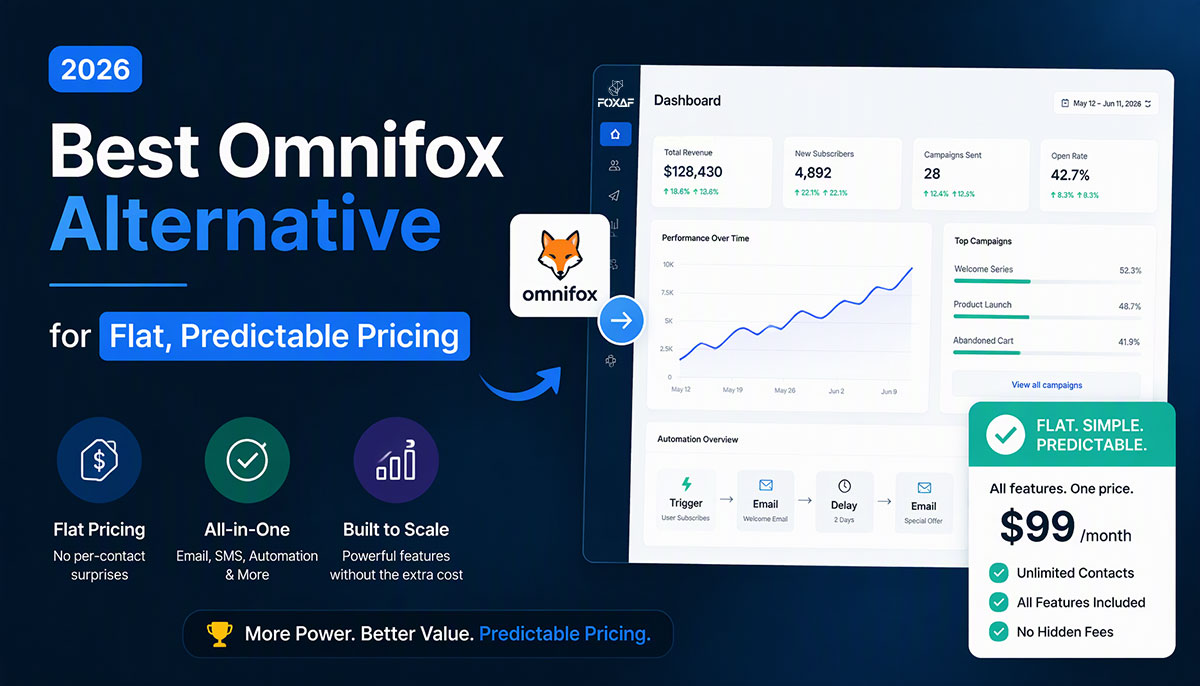
Pricing: Per-message pricing (Meta charges per message sent, effective July 1, 2025) plus BSP platform fees. Entry-level platforms start at $29-49/month; FOXAF pricing is $29/month for 1,000 leads, $49/month for 3 workspaces, and $99/month for unlimited contacts.
WhatsApp Business App vs API: Feature Comparison Table
| Feature | WhatsApp Business App | WhatsApp Business API |
|---|---|---|
| Device limit | 1 phone + 4 linked devices | Unlimited devices |
| User access | 1 user only | Unlimited team members |
| Message types | Quick replies only | Pre-approved message templates |
| Automation | None (manual replies) | Chatbots, AI agents, workflows |
| Broadcast limit | 256 contacts maximum | Unlimited contacts |
| CRM integration | None | Full integration (Zapier, Make, API webhooks) |
| Analytics | Basic (read receipts only) | Advanced (conversion, agent performance, CSAT) |
| Multi-channel | WhatsApp only | Omnichannel (WhatsApp, Instagram, email, SMS) |
| Customer support | Community forums | Dedicated BSP support (FOXAF provides support across all plans) |
| Pricing | Free forever | Per-message pricing + platform fees |
| Setup time | Quick (download app, verify number) | Business days (BSP onboarding, template approval, integrations) |
| Best for | Solopreneurs, micro-businesses | Growing teams, e-commerce, agencies, enterprises |
When to Use WhatsApp Business App
The app is the right choice when you:
- Operate as a solopreneur or freelancer (1-person business)
- Handle fewer than 100 messages per day
- Work from a single device or location
- Don't need automation, integrations, or team collaboration
- Manage fewer than 256 contacts
- Can handle all replies manually without burnout
Real-World Examples
The app works well for:
- Freelance photographer managing 20-30 client inquiries per week, scheduling shoots, and sharing previews
- Local bakery taking custom cake orders from neighborhood customers via WhatsApp
- Independent consultant coordinating meetings with 10-15 active clients
If your business matches any of these profiles and you have no plans to scale a team, the free app delivers everything you need.
5 Signs You've Outgrown the WhatsApp Business App
Most businesses eventually hit one or more breaking points where the app's limitations block growth. Watch for these five signals.
Sign 1: You're Hiring a Second Support Agent
The app allows 1 user only. The moment you hire agent #2, you need the API for a shared team inbox.
Pain point: Two agents cannot reply from the same business number without the API. You're forced to choose: (1) give your second agent your personal phone (security risk), (2) use a separate WhatsApp number (confusing for customers), or (3) upgrade to the API.
Sign 2: You're Hitting the 256-Contact Broadcast Limit
The app caps broadcast lists at 256 contacts. If your customer base grows beyond this, the API is required for unlimited broadcasts.
Pain point: Splitting campaigns across multiple personal numbers looks unprofessional and creates tracking chaos. Customers receive mixed branding and you lose unified analytics.
Sign 3: You're Copy-Pasting the Same Replies 10+ Times Per Day
The app's quick replies are limited to pre-saved text snippets you manually send. The API offers chatbots, AI agents, and templated workflows.
Pain point: Manual repetitive work leads to agent burnout and slow response times. Customers expect instant answers to FAQs like "What are your hours?" or "Do you offer refunds?" — automation solves this.
Sign 4: You Need to Integrate WhatsApp with Your CRM or Helpdesk
The app has zero integration capabilities. The API connects to any CRM via webhooks, Zapier, or Make.
Pain point: Manually copying contact details from WhatsApp to your CRM (Salesforce, HubSpot, Pipedrive) wastes hours per week and introduces data entry errors. Automated sync eliminates duplicate work.
Sign 5: You're Managing WhatsApp + Instagram DMs + Email Separately
The app is WhatsApp-only. The API enables an omnichannel inbox — one interface for all channels.
Pain point: Switching between 4+ apps to answer messages creates chaos. Customers message you on WhatsApp, DM you on Instagram, and email your support address — you need a unified view to track conversations without losing context.
Migration from WhatsApp Business App to API: Complete Checklist
Switching from the app to the API requires a structured migration plan. Follow these six steps for a smooth transition.
Step 1: Export Your Contacts from the App
How: WhatsApp Business app → Settings → Business tools → Export chat history
What you get: Contact names, phone numbers, and chat history in text format
Export your data before you migrate. Once your number moves to the API, the app is signed out automatically (except for Coexistence mode).
Step 2: Choose a Business Solution Provider (BSP)
What is a BSP: An official WhatsApp API partner verified by Meta. BSPs provide the platform software, API access, and customer support. Examples: FOXAF, Respond.io, WATI.
How to choose: Compare pricing transparency, feature depth, onboarding speed, and support quality.
FOXAF advantage: Streamlined WhatsApp Business API onboarding, free migration call included on Pro and Enterprise plans, no per-user or per-contact markup fees.
Step 3: Apply for API Access via Your BSP
Requirements: Facebook Business Manager account and business verification documents (government ID or business registration).
Meta approval typically completes within business days.
FOXAF handles this: We submit the application on your behalf, so you don't need to navigate Meta's setup manually.
Step 4: Set Up Message Templates
Why: The API requires pre-approved message templates for business-initiated conversations. This is a Meta policy — you cannot send outbound messages without approved templates.
How: Draft common messages (order confirmations, booking reminders, support replies), then submit them to Meta for approval.
Template approval is handled by Meta's review team.
FOXAF template library: 20+ pre-approved templates you can clone and customize immediately.
Step 5: Train Your Team on the New Inbox
What changes: Your team moves from mobile-only replies to a shared inbox interface accessible from desktop, tablet, and mobile.
Training resources: FOXAF provides a 1-hour onboarding call plus video tutorials and help documentation.
Step 6: Import Conversation History (Optional)
Limitation: WhatsApp API does not auto-import old chats from the app (Meta policy).
Workaround: Export chat history from the app (Step 1), then manually upload important contacts and notes to your CRM.
FOXAF migration service: Pro and Enterprise plans include free workflow rebuild — we recreate your top 5 workflows in the new system so you don't start from scratch.
Cost Comparison: WhatsApp Business App vs API
Understanding the real cost requires looking beyond sticker price. The app is free but consumes your time; the API charges fees but automates hours of manual work.
WhatsApp Business App: $0 (Always Free)
- No subscription fees
- No per-message charges
- No hidden costs
Hidden cost: Your time. Manual replies, no automation, and single-user limits consume significant hours each week in message management.
WhatsApp Business API: Per-Message Pricing
Meta's pricing (effective July 1, 2025):
WhatsApp switched from conversation-based pricing to per-message pricing on July 1, 2025. Meta charges per message sent, with rates varying by country and message category:
- Marketing messages — Promotional content about products or services
- Utility messages — Transactional messages like order confirmations and booking updates
- Authentication messages — Security-related account verification codes
- Service messages — Customer support replies (free within 24-hour customer service window)
24-hour customer service window: When a customer messages you first, a free 24-hour window opens. All non-template replies and utility templates sent during this window are free. After 24 hours, you can only send pre-approved templates (which incur per-message charges).
Exact per-message rates vary by country. Check Meta's official pricing page for your region: https://whatsappbusiness.com/products/platform-pricing/
Platform fees (BSP charges):
- Entry-level BSPs: $29-49/month (FOXAF: $29/month for 1,000 leads)
- Mid-tier BSPs: $99-299/month
- Enterprise BSPs: $500+/month
FOXAF pricing transparency:
- $29/month: 1,000 leads/month, 1 workspace, 1 WhatsApp QR + 1 WhatsApp Cloud + 1 email channel, 20,000 contacts
- $49/month: 3 workspaces, 3 WhatsApp QR + 2 WhatsApp Cloud + 1 email channel, 50,000 contacts
- $99/month: Unlimited contacts, 5 WhatsApp QR + 5 WhatsApp Cloud + 3 email channels
No per-user fees, no per-contact markups. AI agents (Claude and GPT) included on every paid plan.
Understanding the Real Cost
App cost: $0 in subscription fees, but manual work consumes significant time—every message requires your direct attention without automation support.
API cost: $29/month (FOXAF platform fee) + Meta's per-message charges based on volume and country.
Value delivered: Automation handles routine inquiries, broadcasts reach unlimited contacts, and team collaboration scales without adding tools.
The API investment pays for itself when automation time savings exceed the platform fee.
WhatsApp Business App vs API: Which Should You Choose?
Use this decision matrix to determine the right platform for your business.
Choose the App if:
- You're a 1-person business with no plans to scale a team
- You handle fewer than 100 messages per day
- You're comfortable with manual replies (no automation needed)
- Your contact list is under 256 people
- Your budget is $0 and you can absorb the time cost
Choose the API if:
- You have 2+ team members or plan to hire soon
- You handle 100+ messages per day
- You need automation (WhatsApp chatbot, auto-replies, AI agents, automation workflows)
- You want to integrate WhatsApp with your CRM or helpdesk
- You're managing multiple channels (WhatsApp + Instagram + email)
- You need to send broadcasts to 256+ contacts
- You want analytics and reporting beyond basic read receipts
Migration Timeline Recommendation
- If you're hitting 2+ of the "5 signs you've outgrown the app" → Migrate in the next 30 days before the limitations block growth
- If you're hiring agent #2 → Migrate BEFORE they start (easier to onboard directly to the API than retrain from the app)
- If you're at 200+ contacts → Migrate NOW before hitting the 256 broadcast limit and fragmenting your audience
FAQ
Can I use both WhatsApp Business App and API at the same time?
No. A phone number can only be registered on one platform at a time. You must choose: app OR API (not both). If you migrate to the API, your number is removed from the app automatically.
Exception: Meta offers a Coexistence mode that allows you to keep using the WhatsApp Business app on your phone while simultaneously connecting the same number to the API. Chat history syncs both ways. Not all BSPs support this mode; verify with your provider.
Do I lose my contacts when migrating from app to API?
No. You can export your contacts and chat history from the app before migrating (Settings → Business tools → Export chat history). Most BSPs provide migration tools to import your contact list into the new system. FOXAF includes a free migration service on Pro and Enterprise plans.
Is WhatsApp Business API free?
No. The API uses per-message pricing (Meta charges per message sent) plus platform fees charged by your BSP. Entry-level pricing starts at approximately $29-49/month plus Meta's per-message charges. Total monthly cost depends on message volume and country-specific rates.
What is a BSP (Business Solution Provider)?
A BSP is an official WhatsApp API partner verified by Meta. BSPs provide the software platform, API access, technical support, and compliance management for businesses using the WhatsApp Business API. Examples include FOXAF, Respond.io, WATI, and Twilio. You cannot access the API directly from Meta — you must use a BSP.
How long does it take to migrate from app to API?
Migration requires Meta API approval, template approval, and team training. FOXAF streamlines the onboarding process for verified businesses.
Can I switch back to the app after using API?
Technically yes, but not recommended. Switching back means losing all API features (automation, team inbox, integrations, unlimited broadcasts). Most businesses never switch back once they experience API benefits. If you're unsure, start with a 14-day trial on platforms that offer one.
Do I need technical skills to use WhatsApp Business API?
No. BSPs like FOXAF provide no-code interfaces (drag-and-drop workflow builders, visual chatbot designers). You don't need developers or technical skills — if you can use WhatsApp, you can use the API platform. Technical complexity is handled by the BSP.
What's the difference between WhatsApp Business and WhatsApp Business Platform?
"WhatsApp Business Platform" is Meta's official term for the API. It's the same as "WhatsApp Business API" — just different naming. The app is called "WhatsApp Business App" or just "WhatsApp Business."
Can I automate replies with the WhatsApp Business app?
No. The app only supports quick replies (pre-saved messages you manually send). Full automation (chatbots, AI agents, triggered workflows) requires the API. If you need automation, you've outgrown the app.
How many users can access WhatsApp Business API?
Unlimited. Unlike the app (1 user only), the API supports unlimited team members, each with their own login and permissions. This enables true team collaboration on a shared business number.
Ready to scale beyond the WhatsApp Business app? FOXAF provides streamlined WhatsApp API access with no setup complexity. Get started with transparent pricing: $29/month for 1,000 leads, AI agents included on every paid plan, and free migration support on Pro and Enterprise plans.
Compare FOXAF's WhatsApp CRM features and see why growing teams choose our platform for WhatsApp automation.
Sources
- Meta Developers - WhatsApp Pricing: https://developers.facebook.com/docs/whatsapp/pricing (per-message pricing model effective July 1, 2025)
- Meta WhatsApp Business Platform: https://whatsappbusiness.com/products/platform-pricing/ (official pricing page)
- FOXAF Product Knowledge Base - Product Overview (workspace limits, channel types, AI agents)
- FOXAF Product Knowledge Base - WhatsApp Cloud API (device limits, setup process, message templates)
- FOXAF Product Knowledge Base - AI Agents (Claude and GPT integration, automation capabilities)
- FOXAF Site Facts (pricing: $29/$49/$99, migration service confirmation, AI agents included on all paid plans)
Frequently asked questions
Can I use both WhatsApp Business App and API at the same time?
No. A phone number can only be registered on one platform at a time. You must choose: app OR API (not both). If you migrate to the API, your number is removed from the app automatically. Exception: Meta offers a Coexistence mode that allows you to keep using the WhatsApp Business app on your phone while simultaneously connecting the same number to the API. Chat history syncs both ways. Not all BSPs support this mode; verify with your provider.
Do I lose my contacts when migrating from app to API?
No. You can export your contacts and chat history from the app before migrating (Settings → Business tools → Export chat history). Most BSPs provide migration tools to import your contact list into the new system. FOXAF includes a free migration service on Pro and Enterprise plans.
Is WhatsApp Business API free?
No. The API uses per-message pricing (Meta charges per message sent) plus platform fees charged by your BSP. Entry-level pricing starts at approximately $29-49/month plus Meta's per-message charges. Total monthly cost depends on message volume and country-specific rates.
What is a BSP (Business Solution Provider)?
A BSP is an official WhatsApp API partner verified by Meta. BSPs provide the software platform, API access, technical support, and compliance management for businesses using the WhatsApp Business API. Examples include FOXAF, Respond.io, WATI, and Twilio. You cannot access the API directly from Meta — you must use a BSP.
How long does it take to migrate from app to API?
Migration requires Meta API approval, template approval, and team training. FOXAF streamlines the onboarding process for verified businesses.
Can I switch back to the app after using API?
Technically yes, but not recommended. Switching back means losing all API features (automation, team inbox, integrations, unlimited broadcasts). Most businesses never switch back once they experience API benefits. If you're unsure, start with a 14-day trial on platforms that offer one.
Do I need technical skills to use WhatsApp Business API?
No. BSPs like FOXAF provide no-code interfaces (drag-and-drop workflow builders, visual chatbot designers). You don't need developers or technical skills — if you can use WhatsApp, you can use the API platform. Technical complexity is handled by the BSP.
What's the difference between WhatsApp Business and WhatsApp Business Platform?
"WhatsApp Business Platform" is Meta's official term for the API. It's the same as "WhatsApp Business API" — just different naming. The app is called "WhatsApp Business App" or just "WhatsApp Business."
Can I automate replies with the WhatsApp Business app?
No. The app only supports quick replies (pre-saved messages you manually send). Full automation (chatbots, AI agents, triggered workflows) requires the API. If you need automation, you've outgrown the app.
How many users can access WhatsApp Business API?
Unlimited. Unlike the app (1 user only), the API supports unlimited team members, each with their own login and permissions. This enables true team collaboration on a shared business number.