WhatsApp Business Web: Complete Guide 2026
WhatsApp Business Web: Complete Guide 2026 WhatsApp Business Web is the browser and desktop extension of the WhatsApp Business mobile app, allowing businesses to manage customer co...
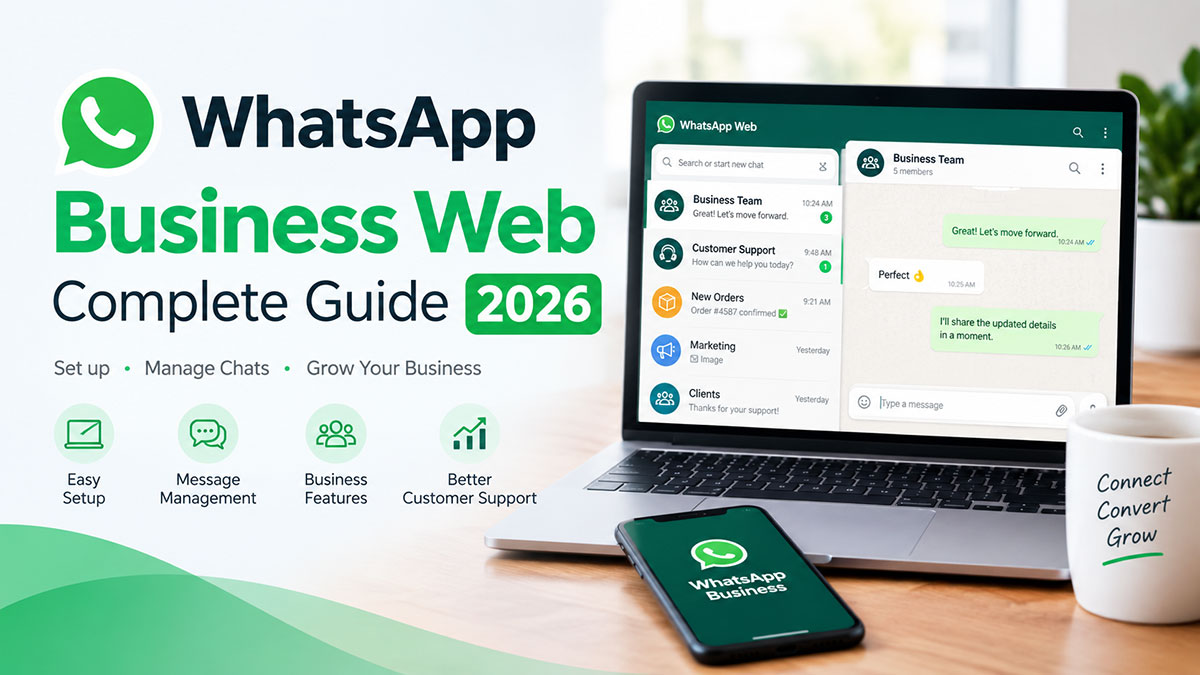
WhatsApp Business Web is the browser and desktop extension of the WhatsApp Business mobile app, allowing businesses to manage customer conversations from a computer. Accessible at web.whatsapp.com, it mirrors your phone's chats on desktop, supporting up to 4 linked devices with independent operation after the 2021 multi-device update.
What is WhatsApp Business Web?
WhatsApp Business Web extends the WhatsApp Business mobile app to your computer browser, allowing you to send and receive business messages from a desktop keyboard without constantly picking up your phone. Unlike the consumer WhatsApp Web, the business version includes tools like quick replies, labels, and message templates designed for customer communication.
How it works: Link your WhatsApp Business phone app to your computer by scanning a QR code at web.whatsapp.com. After linking, your chats sync in real-time between desktop and mobile. You can type faster on a full keyboard, copy-paste information from spreadsheets, and manage conversations without touching your phone.
Multi-device support: WhatsApp Business Web supports up to 4 linked devices (computers or tablets) simultaneously. With a Meta Verified subscription ($14.99/month for app subscriptions), you can link additional devices beyond the free 4-device limit. The 2021 multi-device update means your computer works independently from your phone — you just need to connect your phone to the internet once every 14 days for authentication.
Cost: Free to use. You only need a WhatsApp Business account on your phone (also free) to access the web interface.
Access: No installation required. Open any modern browser (Chrome, Firefox, Safari, Edge) and navigate to web.whatsapp.com.
How to Set Up WhatsApp Business Web (Step-by-Step)
Setting up WhatsApp Business Web:
- Open web.whatsapp.com in your computer browser.
- Open WhatsApp Business app on your phone.
- Tap the menu (three dots in top-right corner on Android, Settings tab on iPhone).
- Tap "Linked Devices".
- Tap "Link a Device" (you may need to verify with fingerprint/PIN).
- Scan the QR code displayed on your computer screen.
- Your chats sync instantly — you're ready to message from desktop.
Pro tips:
- Keep your phone connected to the internet once every 14 days to maintain the link.
- You can link up to 4 computers or tablets to the same WhatsApp Business account (additional devices available with Meta Verified).
- All linked devices sync in real-time — messages you send from desktop appear on mobile instantly.
- To unlink a device: open Linked Devices on your phone and tap the device to remove it.
WhatsApp Business Web Features (What You Can Do)
WhatsApp Business Web brings most mobile features to your desktop:
Desktop messaging: Type messages on a full keyboard, switch between conversations without scrolling through your phone, and keep WhatsApp open in a browser tab while you work.
Media & file sharing: Send images, documents (PDFs, Word files, spreadsheets up to 100MB), voice notes, location pins, and contact cards directly from your computer.
Quick Replies: Create keyboard shortcuts for common responses. Type "/" followed by your shortcut (like "/hours" for business hours) to insert saved messages instantly.
Labels: Organize conversations with color-coded labels like "New Customer," "Pending Payment," "Shipped," or "Follow-up." Filter your chat list by label to focus on specific customer groups.
Business profile: Update your business description, opening hours, physical address, website URL, and product catalog from the web interface.
Voice and video calls: WhatsApp Business Web added 1-on-1 voice and video calls in February 2026. Group video calls (up to 32 participants) are rolling out to desktop browsers through 2026.
Message templates: Access your saved message templates for recurring communications like order confirmations, appointment reminders, or shipping updates.
Chat sync: All conversations synchronize instantly between your phone and all linked desktop devices, so you can start a conversation on mobile and finish it on desktop seamlessly.
WhatsApp Business Web Limitations (What You CAN'T Do)
Understanding what WhatsApp Business Web cannot do helps you identify when you've outgrown it:
No broadcast campaigns: WhatsApp Business Web limits broadcasts to 256 contacts maximum. You cannot segment audiences, schedule sends, or track campaign analytics. For marketing campaigns to thousands of customers, you need the WhatsApp Business API.
No automation: WhatsApp Web offers no chatbot capabilities, automated responses outside of away messages, workflow triggers, or message sequences. Every message requires manual typing or quick reply insertion.
No team collaboration: Only one person can access a WhatsApp Business Web account at a time. You cannot assign conversations to team members, add internal notes, track who responded to which customer, or create a shared team inbox for multiple agents.
No CRM integration: WhatsApp Business Web operates as a standalone messaging app. You cannot sync contacts to HubSpot, Salesforce, or custom CRMs. No lead scoring, no pipeline tracking, no deal stages, no conversation history linked to customer records.
No API access: WhatsApp Web provides a graphical interface only. You cannot trigger messages programmatically, integrate with e-commerce platforms, send order confirmations automatically, or build custom workflows.
No lead management: No tools for qualifying leads, assigning follow-up tasks, setting reminders, or moving prospects through a sales funnel. Customer information lives in individual chats without centralized organization.
Device limit: Maximum 4 linked devices (additional devices available with Meta Verified subscription at $14.99/month). Large teams cannot all access the same business number simultaneously.
When you hit these limits: Most businesses outgrow WhatsApp Web when they hire a second team member who needs access to customer conversations, when they want to automate repetitive questions, or when they need to send announcements to more than 256 contacts. See the "When You Need More Than WhatsApp Web" section below for upgrade scenarios.
WhatsApp Business Web vs WhatsApp Business API
| Feature | WhatsApp Business Web | WhatsApp Business API |
|---|---|---|
| Cost | Free | Paid (usage-based) |
| Team access | Single user only | Unlimited team members (shared inbox) |
| Automation | None (manual messages only) | Full chatbot & workflow automation |
| Broadcast | 256 contacts max | Unlimited (segmented campaigns) |
| CRM integration | No | Yes (native integrations) |
| Analytics | Basic (message counts only) | Advanced dashboard & reporting |
| Lead management | No | Yes (scoring, qualification, pipeline) |
| Multi-channel | WhatsApp only | Omnichannel (WhatsApp + email + live chat) |
| Setup | Quick (QR code scan) | Requires WhatsApp Business Solution Provider |
| Best for | Solo entrepreneurs, 1-5 person teams | Growing teams, e-commerce, agencies |
Key insight: WhatsApp Business Web works perfectly for getting started with WhatsApp business messaging. Once you need team collaboration, automation capabilities, or campaigns beyond 256 contacts, the WhatsApp Business API becomes essential. The API isn't a "better version" of Web — it's a different tier designed for scale, automation, and team workflows.
When You Need More Than WhatsApp Business Web
You've outgrown WhatsApp Business Web when you experience these scenarios:
1. You have a team: Multiple people need simultaneous access to the same WhatsApp business number. Your sales team, support team, and operations team all need to see and respond to customer conversations without sharing login credentials or passing a single phone around.
2. You're drowning in repetitive questions: Customers ask the same 5-10 questions constantly (business hours, pricing, return policy, order status). You want an AI chatbot to handle FAQs automatically 24/7 so your team focuses on complex inquiries.
3. You want to run campaigns: You need to send announcements, promotions, or updates to 1,000+ contacts with audience segmentation (customers who bought Product A, contacts in London, VIP customers). WhatsApp Web's 256-contact broadcast limit blocks WhatsApp marketing software campaigns.
4. You need automation: You want to trigger messages based on customer actions — send an abandoned cart reminder 2 hours after browsing, confirm orders automatically when payment clears, send appointment reminders 24 hours before scheduled time, or follow up 3 days after delivery.
5. You're scaling: Managing 100+ conversations per day in WhatsApp Web becomes unmanageable. You need conversation routing (new leads to sales, support questions to support team), priority flags, SLA tracking, and response time metrics.
6. You need analytics: You want to measure team performance (average response time, conversations per agent, resolution rate), campaign effectiveness (broadcast open rates, click-through rates), and customer satisfaction (CSAT scores, conversation ratings).
7. You use a CRM: Your business runs on HubSpot, Salesforce, Pipedrive, or a custom CRM. You need WhatsApp conversations synced automatically — new WhatsApp contacts added to CRM, conversation history attached to customer records, deal stages updated based on WhatsApp interactions.
What the WhatsApp Business API Unlocks
When you move from WhatsApp Business Web to the WhatsApp Business API (through a platform like FOXAF), you gain these capabilities:
Shared team inbox: Your entire team sees the same conversations in one dashboard. Assign specific chats to team members, add internal notes colleagues can see (customers cannot), tag conversations for organization, and track who responded to each inquiry. No more "Did you reply to Sarah?" confusion.
AI chatbots: Deploy AI agents (Claude, GPT, or custom models) that handle frequently asked questions automatically, qualify leads by asking pre-set questions and routing high-intent prospects to sales, book appointments by checking calendar availability and confirming times, and provide instant answers to common questions like pricing, hours, or product specs. AI hands off to humans when it detects complex questions or customers explicitly request human support.
Workflow automation: Build no-code workflows that trigger messages based on conditions. Examples: send a welcome sequence when someone messages you for the first time, follow up 2 hours after a customer browses your catalog without buying, confirm orders automatically when your e-commerce system registers a payment, remind customers 24 hours before appointments, or send re-engagement campaigns to contacts who haven't messaged in 60 days.
Broadcast campaigns: Send targeted announcements to thousands of contacts simultaneously with segmentation (by tags, location, purchase history, or custom fields). Schedule campaigns for optimal send times, track delivery and read rates, measure click-through rates on links, and comply with opt-in requirements automatically.
CRM integration: Sync WhatsApp contacts to your CRM automatically, attach full conversation history to customer records, trigger CRM workflows when conversations contain specific keywords, update deal stages when customers respond to offers, and create unified customer profiles combining WhatsApp, email, phone, and web interactions.
Analytics dashboard: Monitor team performance metrics (average first response time, average resolution time, conversations handled per agent, customer satisfaction scores), track conversation volume trends (daily/weekly message counts, peak hours, busiest days), measure campaign effectiveness (broadcast delivery rates, template approval rates, conversion rates), and export reports for stakeholders.
Omnichannel inbox: Manage WhatsApp alongside email, Instagram DMs, website live chat, and SMS from one unified interface. Customers can start conversations on WhatsApp and continue on email without your team switching platforms or losing context.
FOXAF: WhatsApp Business API Platform
FOXAF provides access to the WhatsApp Business API with the team collaboration and automation features described above:
- Shared team inbox for unlimited agents managing WhatsApp conversations collaboratively
- AI chatbots (Claude & GPT) included on all paid plans — no separate AI add-on fees
- Workflow automation builder with no-code visual interface for creating message sequences and triggers
- Broadcast campaigns with audience segmentation and scheduling
- Omnichannel inbox managing WhatsApp, email, Instagram, and website live chat in one place
- Official WhatsApp Cloud API access without middleware or BSP markup on Meta's per-message pricing
- Starting at $29/month with no per-contact fees or per-user seat charges
Start your free trial or Book a demo to see how FOXAF extends WhatsApp beyond the web interface.
FAQs
1. Is WhatsApp Business Web free?
Yes, WhatsApp Business Web is free to use. You only need a free WhatsApp Business account on your phone to link it to your computer at web.whatsapp.com. Meta does not charge for WhatsApp Business Web access or usage.
2. How many devices can I link to WhatsApp Business Web?
You can link up to 4 devices (computers or tablets) to one WhatsApp Business account for free. With a Meta Verified subscription ($14.99/month for app subscriptions), you can link additional devices beyond the free tier. All linked devices sync conversations in real-time and work independently after the 2021 multi-device update.
3. Can I use WhatsApp Business Web without my phone?
Yes, since the 2021 multi-device update, WhatsApp Business Web operates independently from your phone. Your phone only needs to connect to the internet once every 14 days to re-authenticate the link. Previously, your phone had to stay connected to the internet constantly for desktop to work.
4. Does WhatsApp Business Web support voice and video calls?
Yes, WhatsApp Business Web added 1-on-1 voice and video calls in February 2026. You can make and receive voice calls, video calls with camera support, and screen sharing during calls. Group video calls (up to 32 participants) are rolling out to desktop browsers throughout 2026.
5. Can multiple team members use WhatsApp Business Web?
No, WhatsApp Business Web is single-user only. While you can link up to 4 devices, they all access the same account — you cannot have different team members logged in simultaneously with separate permissions or assigned conversations. For team collaboration with role-based access and conversation assignment, you need the WhatsApp Business API with a shared inbox provider like FOXAF.
6. Can I send broadcast campaigns on WhatsApp Business Web?
You can create broadcast lists on WhatsApp Business Web with a maximum of 256 contacts per list. You cannot segment audiences, schedule sends, track open rates, or send to thousands of customers. For marketing campaigns beyond 256 recipients with analytics and scheduling, you need the WhatsApp Business API.
7. Does WhatsApp Business Web have chatbots or automation?
No, WhatsApp Business Web does not support chatbots, automated responses (except basic away messages), workflow triggers, or message sequences. Every customer message requires manual reply or quick reply insertion. Chatbot capabilities and automation workflows require the WhatsApp Business API.
8. What's the difference between WhatsApp Web and WhatsApp Business Web?
WhatsApp Web (web.whatsapp.com) is for personal WhatsApp accounts. WhatsApp Business Web is for WhatsApp Business accounts and includes business-specific features: labels for organizing customer conversations, quick replies with keyboard shortcuts, message templates for recurring communications, business profile with hours/address/catalog, and messaging statistics. Both use the same URL (web.whatsapp.com) but show different features depending on whether you link a personal or business account.
9. Can I integrate WhatsApp Business Web with my CRM?
No, WhatsApp Business Web operates as a standalone messaging application with no CRM integration capabilities. You cannot sync contacts to HubSpot, Salesforce, or other CRMs, cannot trigger CRM workflows from WhatsApp conversations, and cannot access CRM customer data within WhatsApp. CRM integration requires the WhatsApp Business API with a WhatsApp CRM platform.
10. How do I switch from WhatsApp Business Web to the API?
Switching to the WhatsApp Business API requires signing up with a WhatsApp Business Solution Provider (BSP) like FOXAF. The BSP handles Meta verification paperwork, migrates your phone number to the API (keeping your existing chats and contacts), sets up the shared inbox and automation tools, and provides the team dashboard. Most BSPs offer free migration assistance and dedicated onboarding calls to rebuild your workflows in the new platform.
Sources
- WhatsApp multi-device announcement (2021 update): https://blog.whatsapp.com/introducing-multi-device-beta
- WhatsApp linked devices FAQ (4 device limit): https://faq.whatsapp.com/1317564962315842/
- Meta Verified for WhatsApp Business (additional devices): https://about.fb.com/news/2024/06/new-ai-tools-meta-verified-and-more-for-businesses-on-whatsapp/
- WhatsApp broadcast list limits (256 contacts): https://faq.whatsapp.com/general/about-broadcast-lists/
- WhatsApp Business Web voice/video calls (Feb 2026): Competitor guides (Wati, ChatMaxima, Kanal verification)
Frequently asked questions
1. Is WhatsApp Business Web free?
Yes, WhatsApp Business Web is free to use. You only need a free WhatsApp Business account on your phone to link it to your computer at web.whatsapp.com. Meta does not charge for WhatsApp Business Web access or usage.
2. How many devices can I link to WhatsApp Business Web?
You can link up to 4 devices (computers or tablets) to one WhatsApp Business account for free. With a Meta Verified subscription ($14.99/month for app subscriptions), you can link additional devices beyond the free tier. All linked devices sync conversations in real-time and work independently after the 2021 multi-device update.
3. Can I use WhatsApp Business Web without my phone?
Yes, since the 2021 multi-device update, WhatsApp Business Web operates independently from your phone. Your phone only needs to connect to the internet once every 14 days to re-authenticate the link. Previously, your phone had to stay connected to the internet constantly for desktop to work.
4. Does WhatsApp Business Web support voice and video calls?
Yes, WhatsApp Business Web added 1-on-1 voice and video calls in February 2026. You can make and receive voice calls, video calls with camera support, and screen sharing during calls. Group video calls (up to 32 participants) are rolling out to desktop browsers throughout 2026.
5. Can multiple team members use WhatsApp Business Web?
No, WhatsApp Business Web is single-user only. While you can link up to 4 devices, they all access the same account — you cannot have different team members logged in simultaneously with separate permissions or assigned conversations. For team collaboration with role-based access and conversation assignment, you need the WhatsApp Business API with a shared inbox provider like FOXAF.
6. Can I send broadcast campaigns on WhatsApp Business Web?
You can create broadcast lists on WhatsApp Business Web with a maximum of 256 contacts per list. You cannot segment audiences, schedule sends, track open rates, or send to thousands of customers. For marketing campaigns beyond 256 recipients with analytics and scheduling, you need the WhatsApp Business API.
7. Does WhatsApp Business Web have chatbots or automation?
No, WhatsApp Business Web does not support chatbots, automated responses (except basic away messages), workflow triggers, or message sequences. Every customer message requires manual reply or quick reply insertion. Chatbot capabilities and automation workflows require the WhatsApp Business API.
8. What's the difference between WhatsApp Web and WhatsApp Business Web?
WhatsApp Web (web.whatsapp.com) is for personal WhatsApp accounts. WhatsApp Business Web is for WhatsApp Business accounts and includes business-specific features: labels for organizing customer conversations, quick replies with keyboard shortcuts, message templates for recurring communications, business profile with hours/address/catalog, and messaging statistics. Both use the same URL (web.whatsapp.com) but show different features depending on whether you link a personal or business account.
9. Can I integrate WhatsApp Business Web with my CRM?
No, WhatsApp Business Web operates as a standalone messaging application with no CRM integration capabilities. You cannot sync contacts to HubSpot, Salesforce, or other CRMs, cannot trigger CRM workflows from WhatsApp conversations, and cannot access CRM customer data within WhatsApp. CRM integration requires the WhatsApp Business API with a WhatsApp CRM platform.
10. How do I switch from WhatsApp Business Web to the API?
Switching to the WhatsApp Business API requires signing up with a WhatsApp Business Solution Provider (BSP) like FOXAF. The BSP handles Meta verification paperwork, migrates your phone number to the API (keeping your existing chats and contacts), sets up the shared inbox and automation tools, and provides the team dashboard. Most BSPs offer free migration assistance and dedicated onboarding calls to rebuild your workflows in the new platform.