WhatsApp CRM for Shopify Stores in Pakistan: COD, Carts, and Conversions
How Pakistani Shopify stores use a WhatsApp CRM to confirm COD orders, recover abandoned carts, and cut RTO rates. Compare top options with PKR pricing.
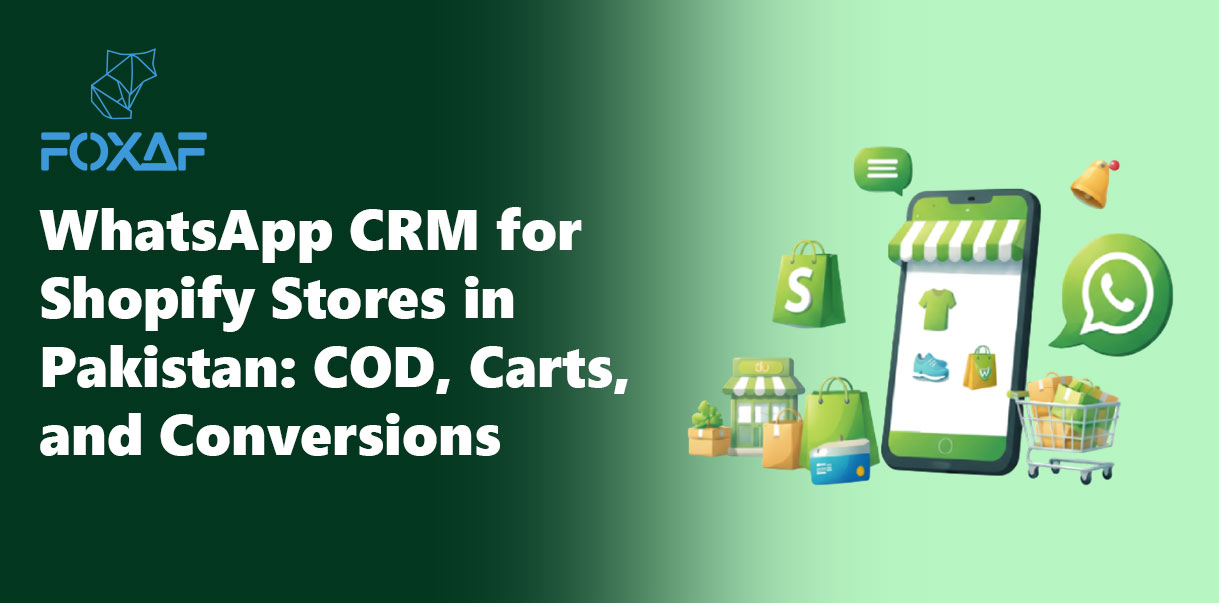
A WhatsApp CRM connects your Shopify store to WhatsApp so you can confirm COD orders before dispatch, recover abandoned carts with automated messages, and manage every customer conversation in one inbox. For Pakistani Shopify stores where 80%+ of orders are Cash on Delivery, this is the difference between a 35% return rate and a 12% one.
This guide explains exactly what a WhatsApp CRM does for Shopify, why Pakistani ecommerce stores need one in 2026, and which platforms are worth evaluating — with honest pricing in PKR where available.
Why Pakistani Shopify stores need a WhatsApp CRM
Pakistan has over 100 million WhatsApp users. Your customers are already on WhatsApp. They check it before email, before SMS, before any app notification. A WhatsApp CRM puts your store's conversations, orders, and sales pipeline on the channel your customers actually use.
But the real reason is not reach — it is money.
The COD problem that eats your margins
Cash on Delivery accounts for over 80% of Pakistani ecommerce transactions. COD is how Pakistan shops online — credit card penetration is still low, and buyer trust in prepaid is growing but not there yet.
The problem: COD orders have a Return to Origin (RTO) rate between 20% and 40%. Some fashion stores report rates above 40%. Every returned order costs you:
- Forward shipping — PKR 150–300
- Return shipping — PKR 150–300
- Packaging — PKR 50–100
- Product handling / damage risk — variable
- Lost opportunity cost — the item sat in transit instead of being available for a real buyer
At a 35% RTO rate on 100 daily orders, you are losing 35 shipments per day. At PKR 400–600 per round trip, that is PKR 14,000–21,000 daily — up to PKR 630,000/month in wasted logistics alone. That does not include the revenue you never collected.
How a WhatsApp CRM fixes this
A WhatsApp CRM automates a confirmation step between order placement and dispatch:
- Customer places a COD order on your Shopify store.
- The CRM sends an automated WhatsApp message within seconds: "Hi [Name], you placed an order for [Product] — PKR [Amount], Cash on Delivery. Reply CONFIRM to proceed or CANCEL to cancel."
- Confirmed orders ship. Unconfirmed orders are paused and followed up.
- Fake, duplicate, and impulse orders are caught before they cost you shipping.
Stores that implement this flow report RTO reductions from 35% down to 12–18% within the first month. On 100 daily orders, that saves 17–23 shipments/day, or PKR 200,000–400,000/month in recovered logistics costs.
That one automation pays for the CRM subscription many times over.
The five workflows every Pakistani Shopify store should automate
1. COD order confirmation
The workflow above. It is the highest-ROI automation for any COD-heavy store. The best implementations include:
- Two-button replies (Confirm / Cancel) instead of free-text — higher response rates
- Automatic follow-up after 2 hours if no reply — catches customers who saw but forgot
- Auto-cancel after 24 hours with no confirmation — prevents ghost shipments
This is different from a basic notification. A notification tells the customer their order was placed. A confirmation asks them to commit — and pauses the order until they do. The distinction matters because it filters out impulse and fake orders before you spend money shipping them.
Read more: How to reduce COD returns with WhatsApp
2. Abandoned cart recovery
Shopify's average cart abandonment rate is 70–80%. In Pakistan, it is often higher because buyers browse on mobile, get distracted, or compare prices across stores. Email recovery works poorly — open rates on transactional email in Pakistan hover around 15–20%.
WhatsApp recovery messages get 45–60% open rates and 15–25% click-through rates. The message is simple:
"Hi [Name], you left [Product] in your cart. Complete your order here: [link]. Need help? Reply to this message."
Timing matters: send the first message 30–60 minutes after abandonment (while intent is fresh), a second reminder at 24 hours, and optionally a discount nudge at 48 hours. Most WhatsApp CRMs let you build this as a timed sequence.
3. Order status updates
Instead of SMS (which costs PKR 0.5–1.5 per message and has low read rates), send order updates over WhatsApp:
- Order confirmed
- Shipped + tracking link
- Out for delivery
- Delivered — ask for a review
This reduces "where is my order" support messages by 40–60% and builds the kind of post-purchase experience that turns one-time buyers into repeat customers.
4. COD-to-prepaid conversion
Some stores offer a small discount (5–10%) if the customer switches from COD to prepaid at confirmation time. The WhatsApp message includes a payment link (JazzCash, Easypaisa, or bank transfer):
"Your order for [Product] is confirmed — PKR 2,500 COD. Pay online now and save PKR 250: [payment link]."
Even a 10–15% conversion rate from COD to prepaid significantly reduces your RTO exposure. Prepaid orders have near-zero RTO because the customer already paid.
5. Post-purchase review and repeat campaigns
After delivery confirmation, trigger a review request. After 14–30 days, send a replenishment or cross-sell broadcast:
"Hi [Name], customers who bought [Product A] also love [Product B]. Shop now: [link]."
WhatsApp broadcast campaigns to opted-in past buyers consistently outperform email and Meta ads on cost-per-reorder for Pakistani ecommerce brands.
What to look for in a WhatsApp CRM for Shopify
Not every WhatsApp tool is a CRM, and not every CRM connects to Shopify. Here is what actually matters:
| Feature | Why it matters |
|---|---|
| Official WhatsApp Business API | Unofficial tools get banned. The API is the only compliant way to send automated messages at scale. |
| Shopify integration | Orders, cart events, and customer data sync automatically — no manual exports. |
| COD confirmation workflow | The highest-value automation. Should support buttons, follow-ups, and auto-cancel. |
| Abandoned cart triggers | Fires on Shopify's cart abandonment event, not a manual list upload. |
| Broadcast campaigns | Send promotional messages to opted-in segments — new arrivals, restocks, flash sales. |
| Shared team inbox | Multiple agents handle conversations without duplicating replies. |
| Sales pipeline / deal tracking | Track every lead from first message to purchase — not just conversations, but revenue. |
| PKR pricing or flat USD | Avoid per-message platform markups that inflate costs as volume grows. |
| Contact management | Tags, segments, custom fields, order history attached to each contact. |
The CRM distinction matters
Most "WhatsApp for Shopify" tools are inbox or notification tools. They send messages and show replies. That is useful, but it is not a CRM.
A real WhatsApp CRM also tracks:
- Which stage each lead is in (browsing → cart → confirmed → shipped → delivered → repeat)
- Deal values and close rates
- Agent performance and response times
- Revenue attribution per campaign or workflow
If you are running a store that does PKR 500,000+ in monthly revenue, you need this visibility. An inbox alone will not tell you which products, campaigns, or agents are driving your numbers.
Top WhatsApp CRM options for Shopify stores in Pakistan (2026)
Here is an honest comparison of the platforms Pakistani Shopify stores are evaluating right now. We include Foxaf (our product), but this is a fair assessment — every platform has strengths and trade-offs.
Foxaf
Foxaf is a WhatsApp-native, AI-first CRM that combines inbox, sales pipelines, AI agents, broadcast campaigns, workflow automation, booking, and forms in one platform.
- Shopify integration: On the roadmap (not yet live). Currently connects via webhooks and API. Native Shopify sync is coming — it is a priority given the Pakistan ecommerce focus.
- COD confirmation: Built-in workflow with button replies and auto-follow-up.
- Pricing: Free plan (forever). Starter $29/month. Pro $49/month (3 AI agents, unlimited broadcasts). Plus $99/month (10 users, 20 pipelines). Flat pricing — no per-message markup. PKR pricing available on the Plus plan.
- Strength: The only option on this list that is a complete CRM — pipelines, deal tracking, revenue attribution, AI agents, booking, and forms are all built in. You do not need a separate CRM subscription.
- Trade-off: Shopify integration is not yet native (webhook-based today). Newer platform, building its review base.
WeTarseel
WeTarseel is a Pakistani WhatsApp Business API provider and automation platform with direct Shopify integration.
- Shopify integration: Native — order sync, COD confirmation, cart recovery.
- COD confirmation: Yes, with button replies. Built for the Pakistani COD workflow.
- Pricing: From ~PKR 14,000/month ($50) + per-message API charges.
- Strength: Local market understanding, PKR billing, strong Shopify integration.
- Trade-off: A BSP and messaging tool, not a full CRM. No sales pipelines, deal tracking, or revenue reporting. You need a separate CRM for those.
Interakt
Interakt (backed by Jio Haptik) is a WhatsApp commerce platform popular with Indian and South Asian D2C brands.
- Shopify integration: Native — catalog sync, abandoned cart, COD confirmation, COD-to-prepaid flows.
- COD confirmation: Yes, including COD-to-prepaid conversion with payment links.
- Pricing: From $15/month (Growth plan). Per-message charges on top. Message markup reported at ~39% above Meta rates on some plans.
- Strength: Mature Shopify integration, large feature set for ecommerce, strong in India.
- Trade-off: Per-message markup inflates costs at volume. No sales pipeline or deal tracking — it is a commerce messaging platform, not a CRM. India-focused; PKR pricing not available.
AiSensy
AiSensy is a WhatsApp marketing and engagement platform used widely in India and growing in Pakistan.
- Shopify integration: Via Shopify app — cart recovery, order notifications, COD confirmation.
- COD confirmation: Yes, with automated flows.
- Pricing: From $20/month. Per-conversation charges on top.
- Strength: Easy setup, good broadcast tools, established platform.
- Trade-off: A marketing/notification tool, not a CRM. No pipelines, no deal tracking. India-centric pricing and support.
Dondy
Dondy is a Shopify-native WhatsApp app used by over 33,000 stores globally, with 24.8% of its user base in Pakistan.
- Shopify integration: Native Shopify app — one-click install.
- COD confirmation: Basic order notification; advanced COD flows may require custom setup.
- Pricing: Free plan available; paid plans from $6.99/month.
- Strength: Easiest setup for Shopify. Very popular in Pakistan. Affordable entry point.
- Trade-off: A notification and chat widget, not a CRM or automation platform. Limited workflow automation. No pipelines, no campaigns, no AI agents.
Comparison table
| Feature | Foxaf | WeTarseel | Interakt | AiSensy | Dondy |
|---|---|---|---|---|---|
| Full CRM (pipelines, deals) | Yes | No | No | No | No |
| Shopify integration | Webhook/API (native coming) | Native | Native | Via app | Native |
| COD confirmation | Yes | Yes | Yes | Yes | Basic |
| Abandoned cart recovery | Yes | Yes | Yes | Yes | Limited |
| Broadcast campaigns | Yes (unlimited) | Yes | Yes | Yes | No |
| AI agents | Yes (3 on Pro) | No | No | No | No |
| Sales pipeline | Yes | No | No | No | No |
| Booking calendar | Yes | No | No | No | No |
| PKR pricing | Plus plan | Yes | No | No | No |
| Per-message markup | None | API rates | ~39% markup | Per-conversation | None |
| Free plan | Yes | No | No | No | Yes |
| Starting price | Free / $29 | ~$50 | $15 | $20 | Free / $6.99 |
How to set up a WhatsApp CRM for your Shopify store
Step 1: Get WhatsApp Business API access
You need an official WhatsApp Business API account. You cannot automate messages at scale with the free WhatsApp Business app — it is limited to one device, no API, and Meta will ban you for using unofficial automation tools.
To get API access in Pakistan, you go through a Business Solution Provider (BSP). The main options are:
- 360dialog — direct API access, pay-as-you-go, popular globally
- Gupshup — large BSP, strong in South Asia
- WeTarseel — Pakistan-focused, PKR billing
- WAB2C — Pakistan-based, 500+ business clients
You need a verified Facebook Business Manager, a dedicated phone number (not your personal WhatsApp), and your business registration (NTN/CNIC for sole proprietors). The approval process takes 1–5 business days.
Read more: How to choose a WhatsApp Business API provider in Pakistan
Step 2: Connect your CRM to Shopify
If your CRM has a native Shopify integration, install it from the Shopify App Store and authenticate. If it uses webhooks or API (like Foxaf today), you configure the connection in your store's settings — typically a webhook URL that fires on order creation, cart abandonment, and fulfilment events.
The key data points that should sync:
- New orders — triggers COD confirmation flow
- Cart abandonment — triggers recovery sequence
- Fulfilment updates — triggers shipping/delivery notifications
- Customer data — name, phone, order history, tags
Step 3: Build your COD confirmation workflow
This is your first and highest-ROI automation. The flow:
- Trigger: New COD order in Shopify
- Action: Send WhatsApp message with order details + Confirm/Cancel buttons
- Wait: 2 hours
- If no reply: Send follow-up reminder
- Wait: 22 hours (total 24 hours from order)
- If still no reply: Auto-cancel order, notify warehouse
- If confirmed: Update order status, proceed to dispatch
Step 4: Add abandoned cart recovery
Set up a timed sequence:
- 30–60 minutes after abandonment: friendly reminder with product image and cart link
- 24 hours: second reminder, optional incentive ("free shipping on this order")
- 48 hours: final nudge or let it go
Do not send more than three messages. Anything beyond that feels aggressive and triggers opt-outs.
Step 5: Set up order status updates
Map your Shopify fulfilment statuses to WhatsApp template messages:
- Order confirmed → WhatsApp message
- Shipped → WhatsApp message with tracking link (TCS, Leopards, or your courier)
- Out for delivery → WhatsApp message
- Delivered → WhatsApp message + review request
Step 6: Launch broadcast campaigns to past buyers
Once you have an opted-in customer list from your order flow, segment by purchase history and send targeted campaigns:
- Restock alerts for consumable products
- New collection launches to past fashion buyers
- Seasonal sales (Eid, 11.11, Black Friday) to your full list
WhatsApp broadcasts to warm audiences consistently deliver 3–5x the engagement of email campaigns in Pakistan.
How much does it cost? (PKR breakdown)
Here is a realistic monthly cost breakdown for a Pakistani Shopify store doing 50–100 orders/day:
| Cost item | Typical range |
|---|---|
| WhatsApp CRM subscription | PKR 0 (Foxaf Free) to PKR 14,000 ($50, WeTarseel) |
| WhatsApp API message costs | PKR 1.5–4 per conversation (Meta rates, varies by category) |
| Monthly message volume (COD confirm + cart + updates) | 3,000–8,000 conversations |
| Total API message cost | PKR 4,500–32,000/month |
| Total CRM + messages | PKR 4,500–46,000/month |
Compare this to the PKR 200,000–630,000/month you lose to unnecessary RTO on COD orders without confirmation. The ROI is not close.
If you use Foxaf Pro ($49/month ≈ PKR 14,000) with no per-message markup, your total cost is the subscription plus Meta's direct API rates — typically PKR 18,000–22,000/month for a mid-volume store. That is the cost of about 50 wasted COD shipments — which you were losing every day before the CRM.
Common mistakes to avoid
1. Using unofficial WhatsApp automation tools. Meta permanently bans numbers that use unofficial APIs, Chrome extensions, or scraping tools. Use only official Business API through a registered BSP. There is no shortcut here — a banned number means you lose your entire customer communication channel.
2. Sending messages without opt-in. WhatsApp requires explicit customer consent before you send marketing messages. Your Shopify checkout should include an opt-in checkbox ("Receive order updates and offers on WhatsApp"). Without it, customers can report your messages as spam, and Meta will restrict your account.
3. Over-messaging. Two or three messages per order event is the right cadence. Sending daily promotional blasts to your full list will tank your quality rating and get your number restricted. Segment your audience and send relevant messages to relevant people.
4. Treating WhatsApp as SMS. WhatsApp is a conversation channel, not a broadcast-only channel. When a customer replies to your COD confirmation or cart recovery message, a human (or AI agent) should respond. If replies go into a void, you lose the sale and the customer's trust.
5. Ignoring the CRM side. Sending automated messages is step one. Tracking which orders confirmed, which carts recovered, which agents converted, and which campaigns drove revenue — that is where the business intelligence lives. If your tool only sends messages but does not track outcomes, you are flying blind.
Frequently asked questions
What is a WhatsApp CRM for Shopify?
A WhatsApp CRM for Shopify is a platform that connects your Shopify store to the WhatsApp Business API so you can manage customer conversations, automate order confirmations, recover abandoned carts, and track sales — all from one inbox with a sales pipeline attached. It is different from a basic chat widget because it includes CRM features like contact management, deal tracking, and workflow automation.
Can I use WhatsApp to reduce COD returns on my Shopify store?
Yes. The most effective method is an automated COD order confirmation flow: when a customer places a COD order, the CRM sends a WhatsApp message asking them to confirm or cancel before dispatch. Stores that implement this report RTO reductions from 35% down to 12–18%. This single automation typically saves PKR 200,000–400,000/month for stores processing 100+ daily orders.
Is it legal to send automated WhatsApp messages in Pakistan?
Yes, if you use the official WhatsApp Business API through a registered Business Solution Provider and have customer opt-in consent. Using unofficial tools, Chrome extensions, or scrapers violates WhatsApp's terms of service and will result in a permanent number ban. Ensure your Shopify checkout includes a WhatsApp opt-in checkbox.
How much does a WhatsApp CRM cost for a Shopify store in Pakistan?
CRM subscription costs range from free (Foxaf Free plan) to PKR 14,000/month ($50, WeTarseel). On top of the subscription, you pay WhatsApp API message costs directly to Meta — typically PKR 1.5–4 per conversation. A mid-volume store (50–100 orders/day) should budget PKR 18,000–46,000/month total, depending on the platform and message volume.
Does Foxaf integrate with Shopify?
Foxaf connects to Shopify today via webhooks and API — order events, cart data, and customer information sync into the CRM. A native Shopify App Store integration is on the roadmap and is a development priority given Foxaf's focus on Pakistani ecommerce. The COD confirmation, cart recovery, and broadcast workflows all work with the current webhook integration.
Which WhatsApp CRM is best for Pakistani Shopify stores?
It depends on your priority. If you want a full CRM with pipelines, AI agents, and flat pricing, Foxaf is the best value — especially at the Pro tier ($49/month, no per-message markup). If you want the most mature native Shopify integration with PKR billing, WeTarseel is the local leader. If you want the cheapest entry point, Dondy's free plan or Foxaf's free plan gets you started. See the comparison table above for a detailed breakdown.
What is the ROI of a WhatsApp CRM for COD ecommerce?
For a store processing 100 COD orders/day with a 35% RTO rate, the wasted logistics cost is approximately PKR 420,000–630,000/month. A WhatsApp CRM with COD confirmation typically reduces RTO to 12–18%, saving PKR 200,000–400,000/month. The CRM costs PKR 18,000–46,000/month. The net ROI is 5–20x the cost of the tool.
Can I convert COD orders to prepaid using WhatsApp?
Yes. When confirming a COD order via WhatsApp, include a payment link (JazzCash, Easypaisa, or bank transfer) with a small discount incentive — typically 5–10% off. Even a 10–15% conversion rate from COD to prepaid significantly reduces your RTO exposure, because prepaid orders have near-zero return rates.
How many WhatsApp messages can I send per day from my Shopify store?
New WhatsApp Business API accounts start with a messaging limit of 1,000 unique contacts per 24-hour period. As your quality rating stays high, Meta automatically increases your limit to 10,000, then 100,000, and eventually unlimited. Most Pakistani Shopify stores reach the 10,000 tier within 2–4 weeks of consistent, high-quality messaging.
Do I need a separate phone number for WhatsApp Business API?
Yes. You need a dedicated phone number that is not already registered on the WhatsApp Business app or personal WhatsApp. A Pakistani mobile number (03xx) or landline works. Your BSP will guide you through the number migration or setup process.