WhatsApp Business API: Official Cloud API Guide & Webhooks
Official WhatsApp Cloud API with a built-in CRM: message status webhooks (sent, delivered, read, failed), templates, automation and broadcasts.

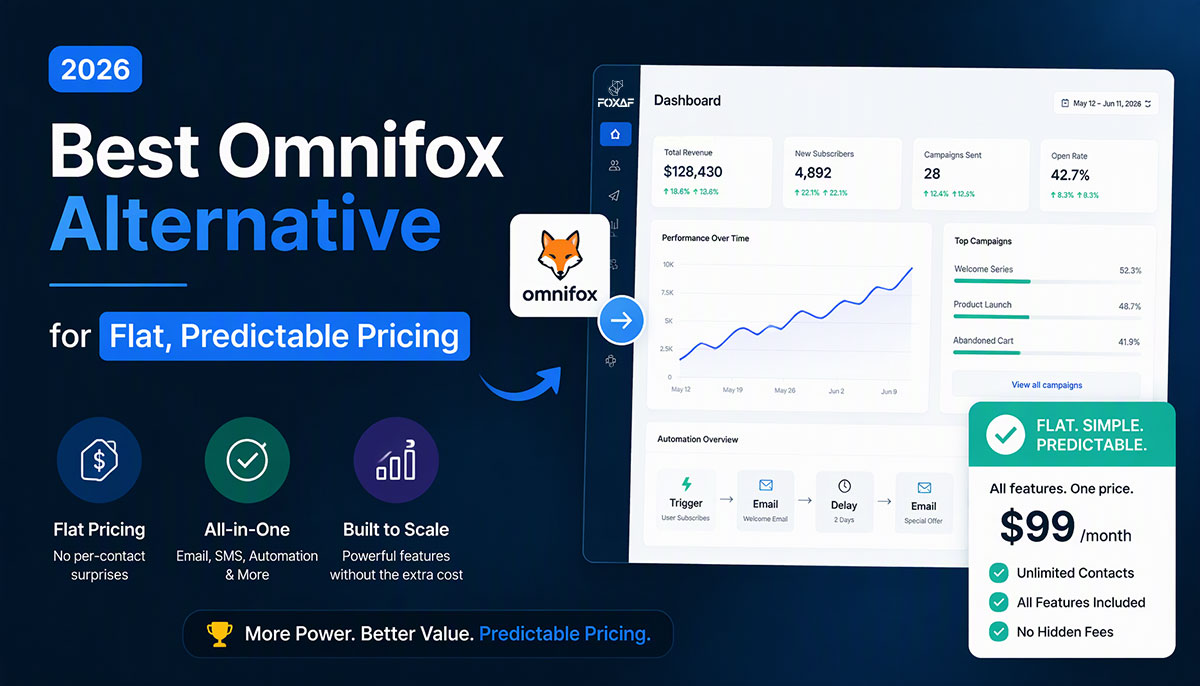
Official WhatsApp Cloud API access without middleware. FOXAF combines Meta's Business API with a full-featured CRM — inbox, automation, broadcasts, and analytics in one platform. No BSP markup. Developer-friendly with webhooks, REST endpoints, and comprehensive documentation.
What is WhatsApp Business API?
WhatsApp Business API is an enterprise messaging solution that enables businesses to send and receive WhatsApp messages at scale through integrations. Unlike WhatsApp Business App (mobile-only, single user), the API supports multiple agents, automation, CRM integrations, and programmatic access via webhooks and REST endpoints.
The API serves businesses that need more than a basic messaging app. If your team handles customer conversations across multiple agents, requires automated workflows, or integrates WhatsApp with existing systems, you need the Business API — not the standard WhatsApp Business App.
API vs WhatsApp Business App:
The WhatsApp Business App works for solo entrepreneurs and small teams. One phone number, one device, basic automation through quick replies. The Business API removes these constraints.
With the API, you get:
- Multi-agent access (unlimited team members)
- Programmatic message sending via REST endpoints
- Webhook notifications for real-time message events
- Template message approvals for outbound campaigns
- Integration with CRMs, helpdesks, and custom applications
- Higher rate limits
The Business App caps at 256 contacts per broadcast. The API supports segmented campaigns to millions of contacts. The Business App requires manual responses. The API enables full automation through chatbots and workflow triggers.
Meta positions the API for businesses sending more than 1,000 messages per month or requiring enterprise features like integrations and multi-user access (WhatsApp Business Platform).
Cloud API vs On-Premise API
Meta offers two deployment options: Cloud API (hosted on Meta's infrastructure) and On-Premise API (self-hosted). The Cloud API is the current standard. Meta announced plans to sunset the On-Premise solution, recommending Cloud API for all new implementations (Meta Business Messaging).
| Feature | Cloud API | On-Premise API |
|---|---|---|
| Setup Time | Minimal configuration (Meta hosts) | Extended provisioning (self-hosted infrastructure) |
| Infrastructure Cost | $0 (Meta hosts) | $2,000-5,000/month servers |
| Maintenance | Meta handles updates | Your DevOps team |
| Scalability | Auto-scales to millions | Manual capacity planning |
| Rate Limits | Scales by tier | Self-managed |
| Compliance | Meta's SOC 2, ISO 27001 | Your responsibility |
| Cost Per Message | Meta's standard pricing | Same + infrastructure |
Why Cloud API is the future:
Meta stopped issuing new On-Premise credentials in 2022. Existing On-Premise implementations get support through 2025, then mandatory migration to Cloud API. The economics favor Cloud API — zero infrastructure, automatic updates, built-in DDoS protection, and global CDN for media delivery.
Cloud API also ships new features first. Template categories, marketing opt-in flows, and advanced analytics arrive on Cloud API months before On-Premise receives updates.
FOXAF's Cloud API implementation:
FOXAF connects directly to Meta's Cloud API infrastructure. No middleware layer. When you send a message through FOXAF, it routes through Meta's servers — same path as if you called the API directly. The difference: FOXAF adds the CRM layer (inbox, contact database, automation builder) without touching the messaging layer.
You get official Cloud API access with the developer experience of a complete platform. API keys, webhook configuration, and template management all work through FOXAF's dashboard, but the underlying API calls hit Meta's endpoints directly.
FOXAF's WhatsApp Business API Platform
Most Business Solution Providers (BSPs) layer middleware between you and WhatsApp. You send an API request to their servers, they translate it, then forward to Meta. This adds latency, creates single points of failure, and limits your control.
FOXAF works differently.
Direct Cloud API access:
Your FOXAF account includes direct credentials to Meta's Cloud API. Webhook events arrive from Meta's servers in real-time. Message delivery confirmations bypass intermediary systems. When Meta releases new API features (payment messages, flow builder components), FOXAF users access them immediately — no waiting for BSP implementation.
This architecture matters for developers. You can use FOXAF's pre-built UI for team collaboration while simultaneously calling Meta's API directly for custom integrations. Same WhatsApp Business Account, two access methods.
Built-in CRM features:
The Cloud API handles message transport. FOXAF adds everything else:
Unified Inbox: All WhatsApp conversations in one interface. Assign chats to team members, add internal notes, tag contacts, set reminders. Multiple agents see the same conversation history. No "agent logged in on another device" errors.
Contact Database: CRM fields sync with WhatsApp contacts. Store purchase history, lead source, deal value. Segment by custom attributes. Export to CSV or push to external CRMs via webhooks.
Broadcast Manager: Send template messages to contact segments. Schedule campaigns, A/B test message variations, track open rates and reply rates. Built on Meta's template approval system — no compliance risk.
Automation Builder: Visual workflow editor for chatbots and auto-responses. Trigger actions based on keywords, contact attributes, or time delays. Connect to external APIs via webhook actions.
Analytics Dashboard: Message delivery rates, agent response times, conversation resolution metrics. Real-time API usage monitoring and rate limit tracking.
All CRM features run on FOXAF's infrastructure. The messaging layer stays on Meta's Cloud API. Clean separation of concerns.
Developer-friendly:
API documentation at foxaf.com/docs covers every endpoint with code examples in cURL, Python, Node.js, and PHP. Webhook payload schemas include sample JSON for all event types. Postman collection available for testing.
REST API endpoints for:
- Sending messages (text, media, interactive buttons, lists)
- Managing contacts (create, update, search, tag)
- Creating broadcasts (template selection, recipient lists, scheduling)
- Retrieving analytics (conversation metrics, message logs, agent performance)
Webhook events for:
- Incoming messages (text, image, video, audio, document, location, contact)
- Message status updates (sent, delivered, read, failed)
- Template approvals and rejections
- Account quality rating changes
Rate limits follow Meta's tiering system. New accounts start at 250 unique users per 24 hours. Pass verification and message volume thresholds to unlock higher levels: 2,000/day, 10,000/day, 100,000/day, and Unlimited (WhatsApp Messaging Limits).
API Features & Capabilities
Messaging API
The core API enables bidirectional messaging: send messages programmatically, receive incoming messages via webhooks.
Send messages:
POST https://graph.facebook.com/v17.0/{phone_number_id}/messages
Supported message types:
- Text: Up to 4,096 characters, markdown formatting, preview links
- Media: Images (JPEG, PNG), videos (MP4), audio (MP3, OGG), documents (PDF, DOCX), stickers (WEBP)
- Interactive: Quick reply buttons (up to 3 buttons), list messages (up to 10 rows), reply buttons with custom payloads
- Location: Share map coordinates, address
- Contact: Share vCard with name, phone, email
- Template: Pre-approved message templates with variable placeholders
Receive messages:
Configure webhook URL in FOXAF dashboard. Meta sends POST requests to your endpoint for every incoming message and status update. Webhook payloads include:
- Message content (text, media URLs, button responses)
- Sender profile (name, phone number, WhatsApp ID)
- Message metadata (timestamp, message ID, context for replies)
- Status updates (message delivered, read by recipient)
Webhook delivery SLA: 95% of events within 60 seconds of occurrence (Meta Developer Docs).
Webhooks
Webhooks enable real-time integrations. When a customer replies, Meta fires a webhook to your URL. Your application processes the event, queries your database, and sends a response — all within seconds.
Common webhook use cases:
- Order status lookups: Customer texts order number → webhook triggers → query logistics API → send tracking link
- Lead qualification: Customer expresses interest → webhook captures contact info → create lead in CRM → notify sales team
- Support ticket creation: Customer reports issue → webhook creates ticket in helpdesk → assign to agent → send confirmation
FOXAF supports webhook forwarding. Configure external webhook URLs in the automation builder. Incoming messages trigger HTTP POST requests to your endpoints with full message payload. This lets you integrate WhatsApp with existing systems without rebuilding your tech stack.
Cloud API webhook payload: message statuses (sent, delivered, read, failed)
Every message you send through the WhatsApp Cloud API reports its progress back as a status webhook. Each status arrives in the statuses array of the webhook payload with the message ID, the new status (sent, delivered, read or failed), a timestamp and the recipient. A failed status also carries an errors array explaining why.
{"statuses": [{"id": "wamid.HBgM...", "status": "delivered", "timestamp": "1728370000", "recipient_id": "923001234567"}]}
The field-by-field reference is in Meta's official docs: status messages webhook reference.
Webhook authentication via signature verification. Each webhook request includes X-Hub-Signature-256 header with HMAC signature. Verify against your app secret to prevent spoofed requests (Webhook Security Guide).
Template Management
WhatsApp requires pre-approval for all business-initiated messages (messages sent outside the 24-hour response window). Templates solve this constraint.
How templates work:
- Create template in FOXAF dashboard (or via API)
- Define message content with optional variables ({{1}}, {{2}}, etc.)
- Submit to Meta for review
- Meta approval timing varies by template type and review load
- Use approved template to send messages at any time
Template categories determine use cases:
- Utility: Order confirmations, shipping updates, appointment reminders (highest approval rate)
- Authentication: OTP codes, login verification (requires explicit opt-in)
- Marketing: Promotional offers, product launches (requires opt-in, subject to 24-hour throttling)
Templates include rich media support. Add header images, videos, or documents. Include up to 3 quick reply buttons or 2 call-to-action buttons (call phone, visit website).
FOXAF's template manager tracks approval status, usage counts, and performance metrics. See which templates drive highest reply rates. Pause underperforming templates. A/B test variations.
Broadcast API
Send template messages to contact segments via API or FOXAF's UI.
API workflow:
- Upload contact list (CSV or via contacts API)
- Create segment with filter criteria (tags, custom fields, last interaction date)
- Select approved template and set variable values
- Schedule broadcast for immediate or future delivery
- Monitor delivery via analytics API
Meta's messaging limits apply to business-initiated messages sent outside customer service windows. New accounts start at 250 unique users per 24 hours. Higher levels unlock through verification and usage:
- Level 1: 250 unique users per 24 hours
- Level 2: 2,000 unique users per 24 hours
- Level 3: 10,000 unique users per 24 hours
- Level 4: 100,000 unique users per 24 hours
- Level 5: Unlimited unique users per 24 hours
Limits apply per phone number. Run multiple phone numbers to scale beyond single-number limits (WhatsApp Messaging Limits).
Broadcast analytics:
Track per-campaign metrics:
- Messages sent (accepted by Meta API)
- Messages delivered (reached recipient device)
- Messages read (opened by recipient)
- Reply rate (percentage of recipients who responded)
- Click-through rate (for messages with buttons/links)
Delivery failures categorized by reason: invalid number, user blocked business, user's phone offline, template paused by Meta.
Contact API
FOXAF's contact API extends Meta's basic contact management with full CRM capabilities.
Standard fields:
- Name, phone number, email
- Profile picture (synced from WhatsApp)
- Last message timestamp
- Conversation status (open, resolved, waiting)
Custom fields:
- Create unlimited custom fields (text, number, date, boolean, dropdown)
- Use for lead qualification (budget, timeline, source)
- Use for customer data (order count, lifetime value, subscription tier)
- Use for segmentation (industry, company size, location)
Contact API endpoints:
GET /api/v1/contacts — List all contacts with filters
POST /api/v1/contacts — Create new contact
PUT /api/v1/contacts/{id} — Update contact fields
DELETE /api/v1/contacts/{id} — Delete contact
POST /api/v1/contacts/{id}/tags — Add tags
GET /api/v1/contacts/search — Full-text search across all fields
Contacts sync bidirectionally with WhatsApp. When a new user messages your WhatsApp number, FOXAF auto-creates contact record. Update contact fields in FOXAF, and the data is available for broadcast segmentation and automation rules.
Analytics API
Pull conversation metrics and message logs programmatically.
Metrics API:
GET /api/v1/analytics/conversations — Conversation counts by date range
GET /api/v1/analytics/messages — Message volume (sent/received)
GET /api/v1/analytics/agents — Agent performance (response time, resolution rate)
GET /api/v1/analytics/templates — Template delivery and reply rates
Message logs API:
GET /api/v1/messages — Paginated message history with filters
Filters support:
- Date range (start/end timestamps)
- Contact ID or phone number
- Message type (inbound/outbound)
- Status (sent, delivered, read, failed)
- Agent assignment
Export logs to CSV or stream to data warehouse via webhook. Retention: 90 days in FOXAF by default.
Response time tracking calculates first response time (time from customer message to first agent reply) and average response time across all messages.
Pricing & Cost Calculator
WhatsApp Business API uses per-message pricing. Meta charges only for delivered template messages — all other message types are free when sent within open customer service windows.
How per-message billing works (effective July 1, 2025):
Meta bills exclusively for template messages that reach recipients. You pay based on:
- Template category (Marketing, Utility, or Authentication)
- Recipient's country (rates vary by country calling code)
Meta's per-message rates — United States (2026):
- Marketing: $0.0250 per delivered template message
- Utility: $0.0040 per delivered template message
- Authentication: $0.0135 per delivered template message
- Service messages: Free (when sent within customer service windows)
Free messaging:
Multiple message types incur zero charges:
- Customer service window messages: When a customer messages you first, you get a 24-hour customer service window. All non-template messages (text, media, interactive buttons) sent within that window are free.
- Utility templates in service windows: Utility templates sent during active customer service windows are also free.
- Free entry point windows: Click-to-WhatsApp ads and Facebook Page call-to-action buttons open 72-hour free messaging windows.
This means customer support conversations (customer asks question → agent responds with non-template messages) cost nothing.
FOXAF platform fee:
FOXAF's Starter plan ($29/month, 14-day free trial) includes:
- CRM features (unified inbox, contacts, automation, campaigns, analytics)
- Up to 5,000 contacts and 1 WhatsApp Cloud channel
- Email + chat support
Pro plan ($99/month) adds:
- Full REST API + outbound webhooks for custom integrations
- Unlimited contacts and 3 WhatsApp Cloud channels
- Extended CRM limits (10 AI agents, 50 workflows, 10 pipelines)
Enterprise plans include:
- Unlimited contacts, channels, and team users
- Dedicated account manager
- 99.9% uptime SLA
No per-message markup. You pay Meta directly for WhatsApp message fees (billed to your Meta Business account). FOXAF charges only a flat monthly platform subscription — no per-contact, per-message, or per-template markup on top of Meta's rates.
See /pricing for complete plan comparison and feature details.
Cost example (US-based e-commerce business):
Monthly activity:
- 500 marketing template messages (promotional broadcasts): 500 × $0.0250 = $12.50 to Meta
- 1,000 service messages (customer-initiated support, non-template replies): $0 to Meta (free within customer service windows)
- Your platform fee to FOXAF or other BSP
Why FOXAF costs less:
Unlike BSPs that add per-message markups ($0.003–$0.01 per template message) or charge per-contact fees, FOXAF uses transparent flat-rate subscription pricing. You pay Meta directly for WhatsApp message fees (billed to your Meta Business account) + one monthly FOXAF platform subscription.
No hidden charges: No per-contact fees that scale with database size, no per-message markup on top of Meta's rates, no surprises. For businesses with 5,000+ contacts, this model saves hundreds per month compared to per-contact pricing platforms.
Example: For 500 marketing templates to US recipients, typical BSPs charge Meta's $12.50 + $1.50–$5 markup = $14–$17.50 total. FOXAF charges only Meta's $12.50 (you pay Meta directly) + your flat FOXAF subscription fee.
Implementation & Migration
Setup steps (new accounts):
- Create FOXAF account: Sign up at crm.foxaf.com/register, verify email
- Connect phone number: Link existing WhatsApp Business Account or register new number through FOXAF
- Business verification: Submit business documents to Meta (required for API access)
- API credentials: Generate API key in FOXAF dashboard (Settings → API)
- Webhook configuration: Add webhook URL and verify ownership via challenge request
- Send test message: Use API reference to send first message, confirm delivery
Migration from On-Premise to Cloud API:
Meta provides migration tool for existing On-Premise implementations. Process:
- Export templates, contacts, and message history from On-Premise system
- Create Cloud API account via FOXAF
- Import templates (resubmit for approval — Meta does not auto-approve migrated templates)
- Import contacts to FOXAF CRM
- Update application code to point to Cloud API endpoints (URL change from on-prem server to
graph.facebook.com) - Test in parallel (send messages via both systems, confirm Cloud API delivers correctly)
- Cutover (redirect traffic to Cloud API, decommission On-Premise servers)
Critical: You cannot run On-Premise and Cloud API simultaneously on the same WhatsApp phone number. Plan cutover during low-traffic window.
Migration from BSPs (WATI, respond.io):
Most BSPs lock you into their platform. WhatsApp phone number belongs to their Business Account, not yours. Migrating requires creating new WhatsApp Business Account with new phone number.
Option 1: New phone number (recommended)
- Register new number via FOXAF
- Notify customers of new WhatsApp contact (email campaign, website banner, SMS)
- Run both numbers in parallel for 30 days
- Archive old BSP account
Option 2: Port existing number (complex)
- Request BSP to transfer WhatsApp Business Account ownership to your Meta Business Manager
- BSPs rarely cooperate (they lose revenue if you migrate)
- If BSP agrees, transfer process involves Meta Business Account coordination
- Connect transferred account to FOXAF via Embedded Signup flow
We recommend Option 1. New phone number avoids BSP negotiations.
Developer documentation:
Full implementation guides are in the API documentation:
- Authentication (API key setup, token refresh)
- Webhook configuration (URL verification, signature validation)
- Message sending (request structure, media uploads, error handling)
- Contact management (CRUD operations, bulk import)
- Broadcast automation (template selection, scheduling, analytics)
Code samples available in GitHub repo (link in developer docs).
Developer Documentation
FOXAF's API follows RESTful conventions. All endpoints use HTTPS, JSON request/response bodies, and standard HTTP verbs (GET, POST, PUT, DELETE).
Authentication:
Generate API key in FOXAF dashboard. Include in all requests via Authorization header:
Authorization: Bearer YOUR_API_KEY
API keys do not expire but can be rotated manually. Rotate after team member departures or suspected compromise.
Webhook setup guide:
- Configure webhook URL in FOXAF dashboard (Settings → Webhooks → Add Endpoint)
- FOXAF sends verification request:
GET https://your-server.com/webhook?hub.mode=subscribe&hub.verify_token=YOUR_TOKEN&hub.challenge=CHALLENGE
- Your server responds with
hub.challengevalue (plain text response, no JSON) - FOXAF confirms webhook, begins sending events
Event payload example:
{
  "event": "message.received",
  "timestamp": 1720598400,
  "data": {
    "message_id": "wamid.HBgNMTIzNDU2Nzg5MDEyMxUCABIYFjNBMzQwRjQwRkQ2QzFFRjY4QThGAA==",
    "from": "+1234567890",
    "type": "text",
    "text": {
      "body": "What's your refund policy?"
    },
    "contact": {
      "id": "contact_abc123",
      "name": "John Smith"
    }
  }
}
Full webhook reference in the API documentation includes all event types, payload schemas, retry logic, and error handling.
Code examples:
Send text message (cURL):
curl -X POST https://api.foxaf.com/v1/messages/send \
  -H "Authorization: Bearer YOUR_API_KEY" \
  -H "Content-Type: application/json" \
  -d '{
    "to": "+1234567890",
    "type": "text",
    "text": "Order #12345 shipped. Track: https://tracking.example.com/12345"
  }'
Create contact (Python):
import requests

url = "https://api.foxaf.com/v1/contacts"
headers = {
    "Authorization": "Bearer YOUR_API_KEY",
    "Content-Type": "application/json"
}
data = {
    "phone": "+1234567890",
    "name": "Jane Doe",
    "email": "jane@example.com",
    "custom_fields": {
        "lead_source": "Website",
        "budget": 5000
    }
}

response = requests.post(url, headers=headers, json=data)
print(response.json())
Send broadcast (Node.js):
const axios = require('axios');

const broadcast = async () => {
  const response = await axios.post('https://api.foxaf.com/v1/broadcasts', {
    template_id: 'template_xyz789',
    segment_id: 'segment_abc123',
    schedule: '2026-07-15T10:00:00Z',
    variables: {
      '1': 'Summer Sale',
      '2': '30% off'
    }
  }, {
    headers: {
      'Authorization': 'Bearer YOUR_API_KEY',
      'Content-Type': 'application/json'
    }
  });

  console.log(response.data);
};

broadcast();
Postman collection:
Download the complete API collection from the API documentation. Includes pre-configured requests for all endpoints, environment variables for API key, and example responses.
Use Cases by Industry
Ecommerce
Order updates: Send automated shipping notifications when orders ship. Include tracking link and estimated delivery date. Customer preference for WhatsApp delivery notifications continues to grow year-over-year.
Abandoned cart recovery: Trigger template message 4 hours after cart abandonment. Include product images, discount code, direct checkout link. Higher recovery rates compared to email-only campaigns.
Customer support: Integrate WhatsApp with Shopify. Customer messages "Where's my order?" → webhook queries Shopify API → auto-respond with tracking details. No agent involvement.
Loyalty programs: Send personalized offers based on purchase history. Customer bought running shoes → send template with matching accessories. Significantly higher click-through rates compared to email campaigns.
Integration: Connect FOXAF to Shopify via Zapier or direct integration. Sync orders, products, customer data. Trigger WhatsApp messages on order events (placed, shipped, delivered, refunded).
Real Estate
Lead qualification: Customer messages "Interested in 3BR apartments" → automation asks budget, location, timeline → assigns qualified leads to agents → unqualified leads get auto-response with listings.
Property broadcasts: Segment contacts by property preferences. New listing matches criteria → send template with photos, price, virtual tour link. Higher reply rates compared to email broadcasts.
Appointment scheduling: Customer requests viewing → chatbot shows available time slots → customer picks time → creates calendar event → sends confirmation with address and agent contact.
Post-sale follow-up: Automate check-ins at 30, 60, 90 days post-purchase. Ask for referrals, reviews, address concerns. Builds long-term relationships.
Real estate agencies using WhatsApp API report faster lead response times and higher conversion rates compared to email-only workflows.
Logistics
Delivery tracking: Send real-time location updates. Driver picks up package → customer receives "Out for delivery" message → driver 5 minutes away → "Arriving soon" alert. Significantly reduces "Where's my package?" support tickets.
Driver coordination: Dispatch assigns route → driver receives WhatsApp message with stop details → driver confirms pickup/delivery via quick reply buttons → updates sync to dispatch system.
Proof of delivery: Driver sends photo of delivered package via WhatsApp → photo uploads to FOXAF → triggers "Delivered" notification to customer with timestamp and image.
Exception handling: Address invalid or customer unreachable → automated message asks customer to update address → customer replies with correct details → dispatch reroutes driver.
Logistics companies report measurable reductions in failed deliveries after implementing WhatsApp tracking.
Agencies
Client communication: Centralize all client WhatsApp conversations in shared inbox. Team members collaborate on responses, see full conversation history, no messages lost.
Project updates: Automate milestone notifications. Design approved → trigger WhatsApp message to client → include next steps and timeline. Keeps clients informed without manual follow-ups.
Approval workflows: Send design proofs via WhatsApp → client reviews on mobile → replies with feedback or approval → triggers next phase in project management tool.
Lead nurturing: Marketing agency captures leads → automated WhatsApp sequence (day 1: intro, day 3: case study, day 7: calendar link) → human agent takes over when lead responds.
Agencies report reduced client email overload and faster approval cycles using WhatsApp for project communication.
FAQ
1. What's the difference between WhatsApp Business API and WhatsApp Business App?
WhatsApp Business App is a mobile app for solo entrepreneurs. One device, one user, basic automation. WhatsApp Business API is for teams: unlimited agents, full automation, CRM integrations, programmatic access via REST endpoints. If you need more than one person managing conversations or require integration with existing systems, you need the API.
2. How much does WhatsApp Business API cost?
Two costs: (1) Meta's per-message charges for delivered template messages ($0.0040–$0.0250 for US recipients, depending on category — marketing, utility, authentication), and (2) your BSP platform fee. Non-template messages sent within customer service windows are free. FOXAF uses flat monthly subscription pricing with no per-message markup. See /pricing for plan details.
3. Can I use WhatsApp Business API without a BSP like WATI or respond.io?
Yes. Meta's Cloud API allows direct access without a Business Solution Provider. You can call Meta's API endpoints directly and build your own interface. FOXAF provides Cloud API access with a pre-built CRM, but the API layer connects directly to Meta — no middleware. Developers can use FOXAF's UI for team collaboration while simultaneously calling Meta's API for custom workflows.
4. What is the WhatsApp Business API approval process?
Two approval processes: (1) Meta business verification requires business document submission and review. (2) Template message approval timing varies — utility templates (order updates, shipping notifications) typically process faster than marketing templates (promotional offers).
5. Does FOXAF support webhooks?
Yes. Configure webhook URLs in FOXAF dashboard. Receive real-time notifications for incoming messages, message status updates (sent, delivered, read), template approvals, and account events. Webhook payloads include full message content, sender details, and metadata. Use webhooks to integrate WhatsApp with external systems (CRMs, helpdesks, custom applications). See webhook setup guide for implementation details.
6. Can I migrate from On-Premise to Cloud API?
Yes. Export templates, contacts, and message history from your On-Premise system. Create Cloud API account via FOXAF. Import data (templates require resubmission for approval). Update application code to point to Cloud API endpoints (URL change only, request/response structure identical). Test in parallel, then cutover. Critical: same WhatsApp number cannot run On-Premise and Cloud API simultaneously — plan cutover during low-traffic window. Meta provides migration tools and documentation.
7. What's the message rate limit for WhatsApp Business API?
Meta uses tiered messaging limits based on unique users reached per 24-hour period. New accounts start at Level 1: 250 unique users per 24 hours for business-initiated messages. Pass verification and volume thresholds to unlock higher levels: Level 2 (2,000/day), Level 3 (10,000/day), Level 4 (100,000/day), and Level 5 (Unlimited). Customer-initiated messages (customer messages you first) do not count toward these limits. See Meta's messaging limits documentation.
8. Is WhatsApp Business API GDPR compliant?
WhatsApp uses end-to-end encryption for all messages — Meta cannot read message content. Meta processes metadata (phone numbers, timestamps, message delivery status) under GDPR compliance. Meta holds ISO 27001, SOC 2 Type II certifications. FOXAF stores conversation data in EU data centers for GDPR compliance (configurable per account). Users control data retention periods (default 90 days). Right to deletion: customers can request data deletion via API or UI. See FOXAF privacy policy and Meta's GDPR documentation.
9. Can I integrate AI chatbots with WhatsApp Business API?
Yes. WhatsApp Business API supports integration with AI chatbot platforms and custom AI models. FOXAF includes built-in AI agent capabilities — connect OpenAI, Claude, or custom LLMs to automatically handle FAQs, qualify leads, and respond to common questions 24/7. Use the API's webhook system to route messages to your AI endpoint, process intent, and send automated responses. AI agents can access conversation history and contact CRM data to provide contextual replies. Set fallback rules to hand off to human agents when AI confidence is low or customer explicitly requests human support. See AI agents documentation for implementation guide.
10. What new features did Meta add to WhatsApp Business API in 2026?
Meta continues expanding Cloud API capabilities. Recent additions include enhanced Flow Builder (interactive multi-step forms for lead capture and surveys without leaving WhatsApp), improved Analytics Dashboard integration with Meta Business Suite (consolidated cross-platform reporting), and expanded template media support (carousel templates with up to 10 cards). Meta improved template approval speed in 2026 — utility templates process faster than in 2025. FOXAF surfaces all new API features immediately upon Meta release — no waiting for BSP implementation cycles. See Meta's Business Messaging changelog for detailed feature announcements.
11. Can I use the same AI agent across WhatsApp and other channels?
Yes. Modern platforms like FOXAF support multi-channel AI agents that handle conversations consistently across WhatsApp, SMS, email, and website chat from a single configuration. Configure one AI agent (system prompt, knowledge base, handoff rules), then attach it to multiple channels. The agent maintains the same personality and capabilities whether a customer reaches you via WhatsApp Business API, website Live Chat, or email. This eliminates the need to configure separate chatbots for each channel or maintain multiple knowledge bases. The AI can also process WhatsApp voice notes (automatic transcription) and images (vision), then provide contextual replies. When the AI cannot resolve an inquiry or detects handoff keywords, it routes the conversation to your human team through the unified inbox. This approach reduces setup complexity while ensuring consistent customer experience across all touchpoints. See AI agents documentation for multi-channel configuration details.
12. How do I get the WhatsApp green checkmark (Official Business Account badge) in 2026?
The green checkmark appears next to your business name in WhatsApp chats and signals Meta verification. Two requirements: (1) Business Account verification (gray check) — submit your business registration documents, utility bill under 90 days old, and complete Meta Business Manager verification, and (2) Official Business Account status (green check) — demonstrate brand notability through media coverage (4-6+ articles in major publications within 24 months), significant social following (10,000+ followers on one platform or 100,000+ across multiple), domain authority 30+, or Wikipedia presence. Submit your Official Business Account request through your WhatsApp Business API platform after completing gray-check verification. Meta reviews notability proof; approval timeline varies. First-pass approval rate is approximately 38%; appeal success approximately 52%. Both badges are completely free — Meta does not offer paid expedites. The green checkmark improves customer trust and message deliverability. FOXAF helps businesses through the verification process by ensuring your WhatsApp Business API setup meets Meta's technical requirements (display name matches legal business name, two-factor authentication enabled, policy compliance). See Kanal's WhatsApp Business Verification guide for detailed notability criteria.
13. Can I manage multiple WhatsApp Business API numbers for different departments or regions?
Yes. Growing businesses often deploy multiple WhatsApp numbers to separate departments (sales, support, logistics), geographic regions (US, EU, APAC), or brands under one parent company. FOXAF supports up to 3 WhatsApp Business API phone numbers on Pro plans and unlimited on Enterprise plans. Each number connects as a separate channel within the same workspace — shared team inbox, unified contact database, cross-number analytics dashboard. This multi-number architecture solves several operational challenges: (1) Department isolation — sales team sees only sales conversations without cluttering support inbox, (2) Regional compliance — EU customer data stays on EU phone number with GDPR-compliant storage, separate from US operations, (3) Rate limit scaling — each phone number has independent Meta messaging limits (up to 100,000 unique users per 24 hours at Level 4, unlimited at Level 5), (4) Brand separation — manage client WhatsApp accounts from one platform without cross-contamination. Configure department-specific automation rules, templates, and workflows while maintaining centralized reporting. Contacts can message different numbers and their conversation history unifies in the CRM. Meta allows number transfers between Business Managers, so you can consolidate numbers acquired through acquisitions or migrate from other BSPs. The alternative — running separate platforms per number — creates data silos, duplicate work, and higher total cost. Multi-number management has become increasingly common in 2026 as businesses recognize WhatsApp as a primary customer communication channel requiring the same infrastructure investment as phone systems or email domains.
14. How does WhatsApp Business API handle security and compliance in 2026?
WhatsApp Business API security combines Meta's infrastructure protections with platform-level controls. Meta provides end-to-end encryption for all message content (Meta cannot read message text), SOC 2 Type II and ISO 27001 certifications for Cloud API infrastructure, and TLS 1.3 for API transport security. On the FOXAF platform side: API keys use bearer token authentication with manual rotation capabilities, webhook payloads include HMAC signature verification (X-Hub-Signature-256 header) to prevent spoofed requests, two-factor authentication (TOTP or email codes) secures account access, and role-based access control (RBAC) restricts team members to authorized modules and data. Data retention follows configurable policies — FOXAF stores conversation logs for 90 days by default, with deleted workspace data purged from production within 30 days and encrypted backups within 90 days. For compliance frameworks: GDPR requirements are met through per-channel consent tracking (unsubscribe links and STOP keywords), right-to-deletion via bulk contact export and workspace deletion tools, and data processing agreements available on request. CCPA compliance follows similar data rights implementation. Industry-specific needs: HIPAA-covered entities should use Business Associate Agreements (BAAs) and configure extended retention policies for audit trails; financial services firms can leverage audit logs tracking all API calls and message delivery confirmations. In 2026, regulatory scrutiny of customer messaging platforms has increased significantly — automated compliance features (consent audit trails, data residency controls, retention enforcement) have shifted from enterprise-only to standard expectations across all business sizes. FOXAF addresses this through transparent data handling (no selling or advertising use of customer data), sub-processor disclosure (Resend for email, Meta for WhatsApp, Stripe tokenization for payments), and security documentation at /privacy and /terms. For API security best practices: rotate API keys quarterly, validate webhook signatures on every inbound request, implement IP allowlisting for production webhooks, enable 2FA for all team members with API access, and monitor API usage analytics for anomalous patterns (sudden volume spikes, unusual endpoint access, unexpected geographies).
Start Using WhatsApp Business API
FOXAF gives you official Cloud API access with the CRM features your team needs. No middleware. No BSP markup. Just direct WhatsApp integration with inbox, automation, and analytics.
Start Free Trial — Test API in sandbox environment, send test messages, configure webhooks.
View API Pricing — Calculate costs based on your message volume.
Read Developer Docs — API reference, code examples, webhook guides.
Sources
- WhatsApp Business Platform — Meta for Developers
- About the WhatsApp Business Platform — Meta for Developers
- WhatsApp Cloud API Get Started — Meta for Developers
- WhatsApp Pricing — Meta for Developers
- WhatsApp Messaging Limits — Meta for Developers
- WhatsApp Business Policy
- Graph API Webhooks — Meta for Developers
- WhatsApp Business Verification 2026: How to Get the Green Tick — Kanal
- FOXAF CRM Knowledge Base: Product Overview, Plans & Billing, WhatsApp Cloud API Setup