
An AI social media manager that learns your brand and drafts the month for you
Tell it about your business once. The AI social media manager audits your Facebook and Instagram pages, proposes a strategy, plans the posts and writes the captions and comment replies. You approve what goes out, or let Autopilot handle the parts you trust it with.
- Learns from your website and documents
- Up to 40 post ideas per plan
- An audit with a proposed strategy
- Drafts wait for your approval
Works with Facebook Pages and Instagram professional accounts. Runs on an AI agent in your workspace (Claude or GPT).
Teach it your brand once
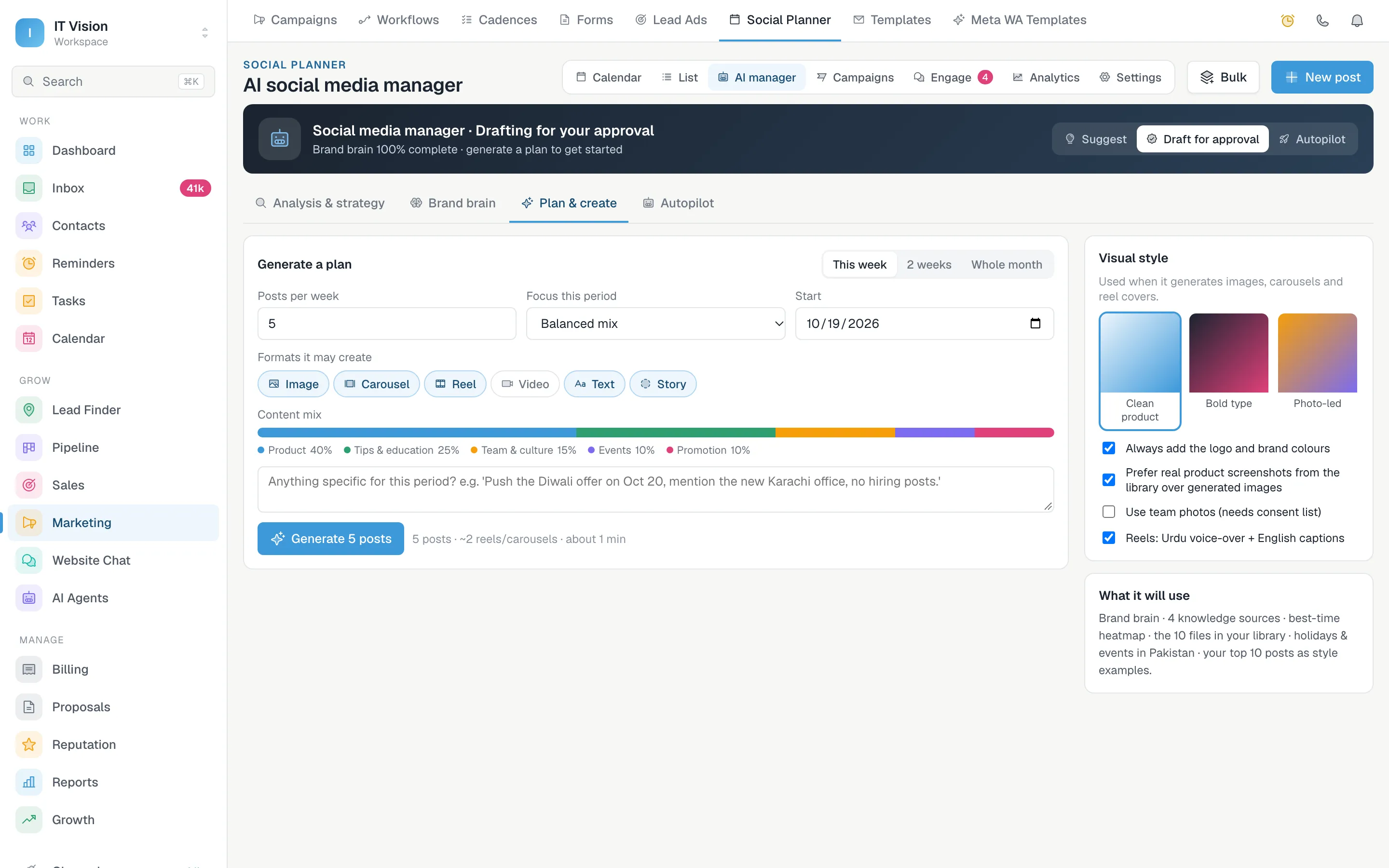
Everything it writes starts from the brand brain: what you sell, who you sell to and how you talk. Fill it in once and every plan, caption and reply uses it.
- Step 1
Add your website and documents
It reads your website and the files you add, such as a brochure or a price list, so it writes about what you actually offer.
- Step 2
List your products and rules
Add your products, your audience, a tone of voice and the things it must never say. Replies that break a rule go to a person instead.
- Step 3
Choose the language
English, English with a short Urdu line, Roman Urdu or Urdu. Posts and replies are written that way.
A month of post ideas in one click
Pick how many posts a week you want, what to focus on and which formats it may use. Add a note for the period, such as an offer to push or a topic to avoid. It works out the dates and writes each caption, so you get an AI content calendar you can read in one sitting.
Approve the posts you like, skip the rest, or ask for a rewrite with an instruction. Regenerating keeps the posts you already approved. It picks images from your media library and does not generate photos or video.
- Up to 40 post ideas per plan, for this week, two weeks or the whole month
- Images, carousels, Reels and text posts in the content mix you set
- Fills your free posting slots at your best times, around holidays and campaigns already on the calendar
- Reel scripts with a shot list, and carousel or quote cards from your brand template
An honest social media audit of your pages
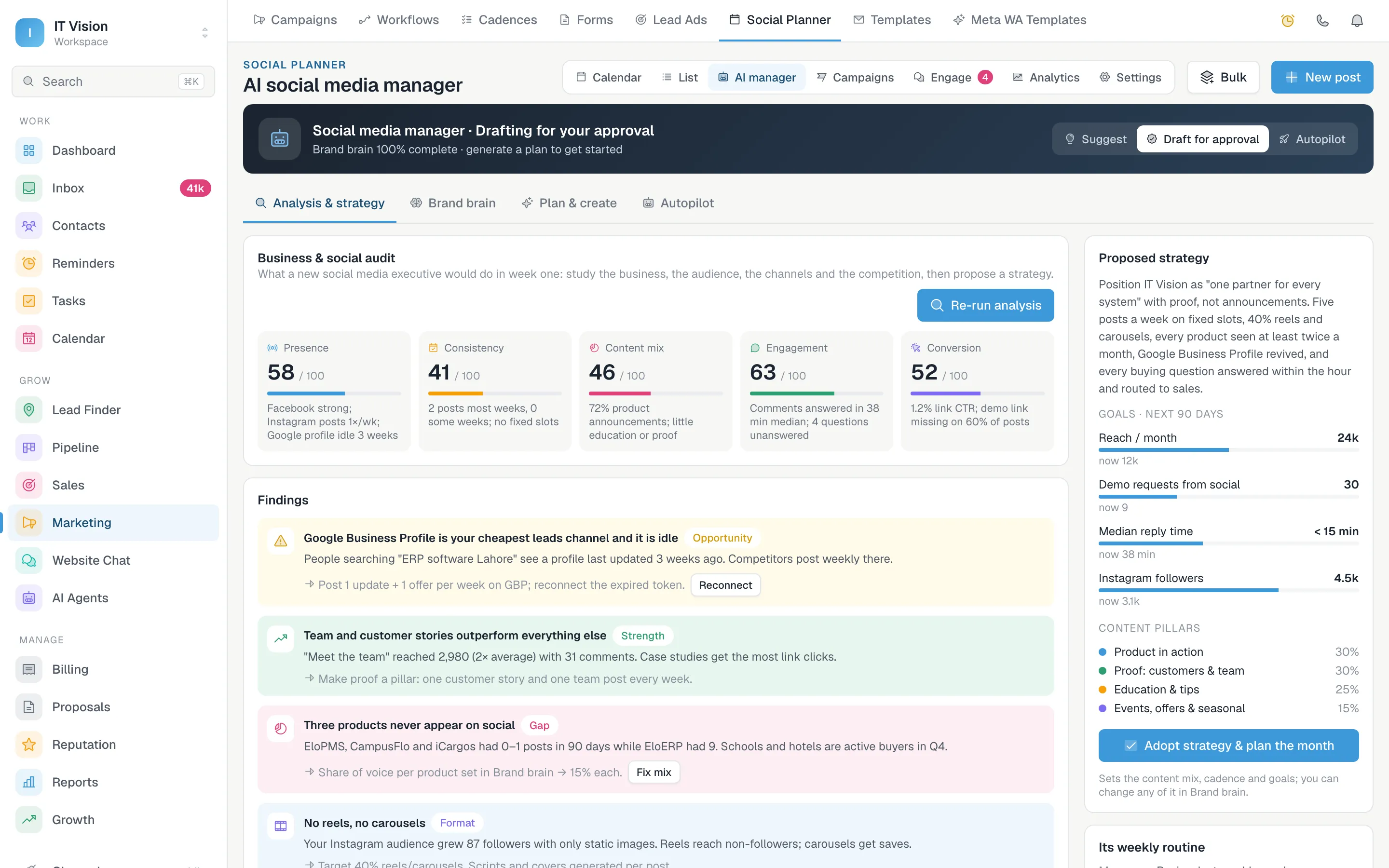
It starts the way a new social media executive would: by looking at what you have posted, how often, in which formats, how quickly you answer comments and how many people click through.
The scores come from your data, so running the audit again on the same numbers gives the same result. Adopting the strategy sets the content mix, the posts per week and the goals that the next plan uses.
- Five scores out of 100: presence, consistency, content mix, engagement and conversion
- Each score is measured from your own posts and results, with the reason in one line
- Findings that name what is working, what is missing and what to do next
- A proposed strategy with goals and content pillars you can adopt in one click
Social media automation, with you in control
There are three modes. Suggest only gives ideas. Draft for approval, the default, prepares posts and replies and waits for you. Autopilot acts on its own, but only for the jobs you have set to Auto.
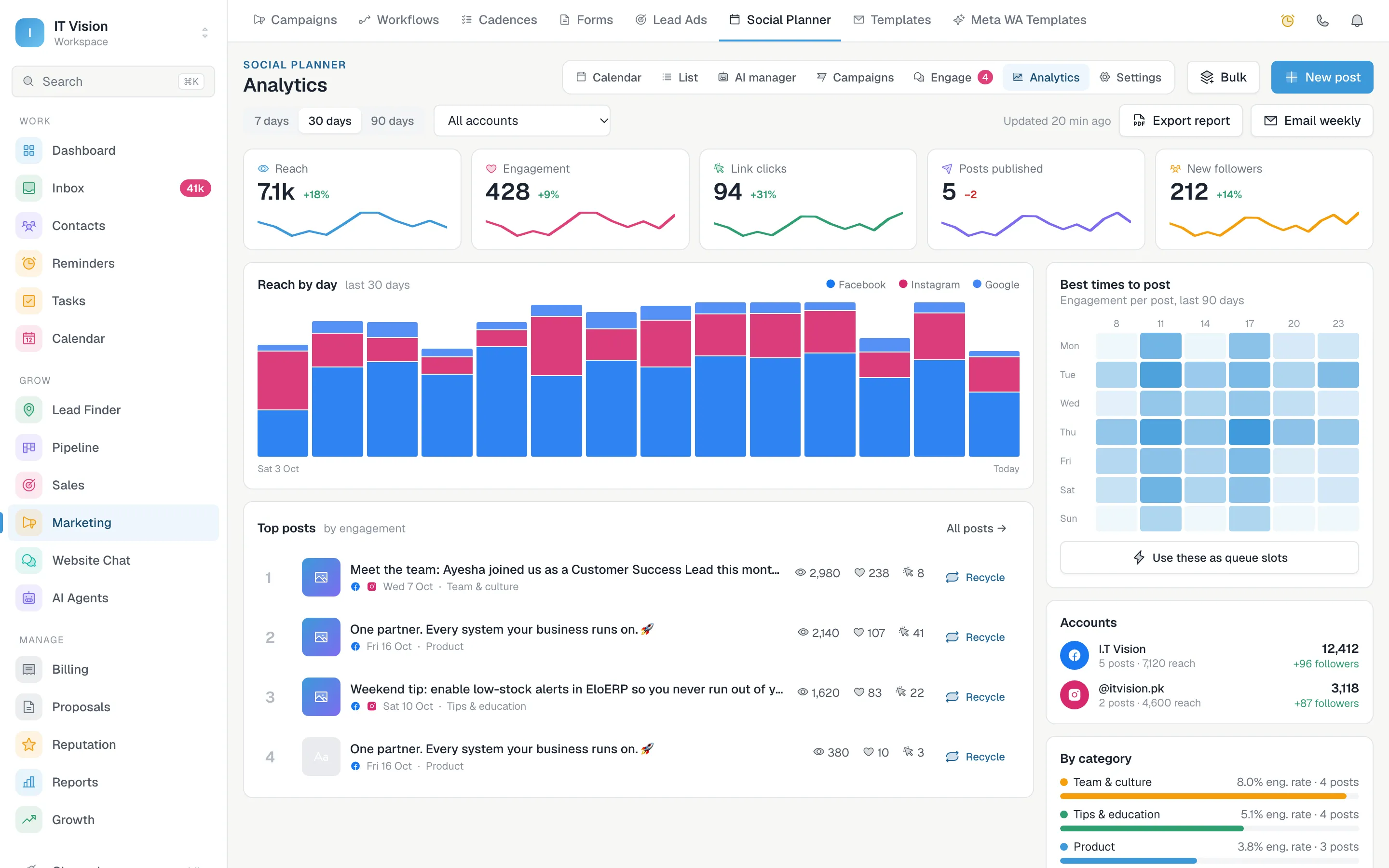
It plans the week every Monday from your best times and top posts. On Fridays it can bring back a strong post from one to three months ago and sends you a weekly report with three recommendations.
- Off, Ask me or Auto for each job: writing, visuals, scheduling, publishing, replies and recycling
- A weekly limit you set, up to 50 posts a week
- Quiet hours you choose, when nothing goes out on its own
- Pauses itself for 7 days if engagement drops sharply, and tells you on WhatsApp
- Every action is logged with its reason, with an undo where it can be reversed
Replies to comments, drafted for you
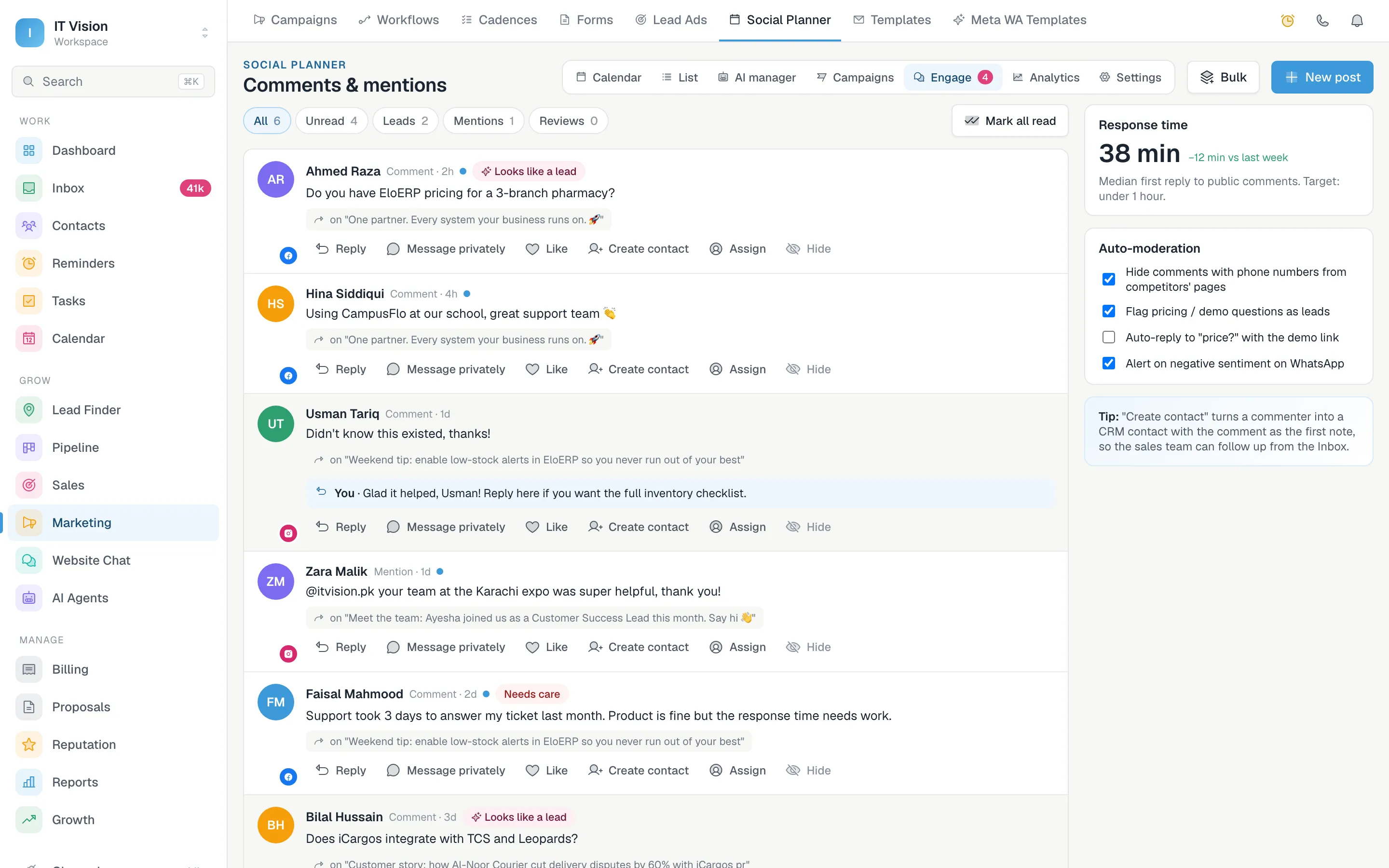
Open a comment and the reply is already in the box. Read it, change a word if you need to, and press Reply. It only answers on its own if you set replies to Auto in Autopilot.
Instagram and Facebook comments arrive in the same place, so one person can clear them all. A question that turns into a sales conversation can move to a private message and on into your pipeline.
- Drafts come from your FAQ, your knowledge sources and the brand brain
- Refunds, complaints, legal threats and prices it cannot confirm go to a person, with a WhatsApp alert
- Its own draft is checked against the same rules before it is sent
- Comments that look like leads are flagged, and a commenter becomes a CRM contact in one click
AI social media manager, answered
What does an AI social media manager do?
In FOXAF it does the work a new social media executive would do: it studies your business and your pages, proposes a strategy, plans posts in your content mix, writes the captions and drafts replies to comments. You decide how much of that it may do on its own.
Will it post without my approval?
Not unless you tell it to. A new workspace starts in Draft for approval, so posts and replies wait for you. Posts only go out on their own when you switch to Autopilot and set publishing to Auto, and even then it keeps to your weekly limit and your quiet hours.
Can it generate social media posts from my website?
Yes. Add your website, documents, products and brand rules to the brand brain once. Every post, plan and reply it writes starts from that, so the AI social media post generator writes about what you actually sell.
What is in the social media audit?
Five scores out of 100 for presence, consistency, content mix, engagement and conversion, each with the reason behind it. The scores are measured from your own posts and results, so running it again on the same data gives the same numbers. You also get findings to act on and a proposed strategy with goals and content pillars.
Does it create images and videos?
It picks images from your media library and builds carousel and quote cards from your brand template. For Reels it writes a script with a shot list for you to film. It does not generate photos or video.
Can it write in Urdu?
Yes. Choose English, English with a short Urdu line, Roman Urdu or Urdu in the brand brain, and it writes your posts and replies that way.
Which AI does it use?
It runs on an AI agent in your own workspace, using Claude or GPT with your connected AI provider. You can choose which agent the planner writes with in its settings.
Does it reply to comments on its own?
It drafts replies for you to send. It only replies by itself if you set replies to Auto in Autopilot. A comment about refunds, a complaint, a legal threat or a price it cannot confirm from your knowledge sources always goes to a person, with a WhatsApp alert.
Part of one CRM, not another app to log into
The calendar, approvals and analytics the AI manager plans into.
AI that answers your customers on WhatsApp, website chat and email.
Answer DMs and comments with an AI agent and keyword replies.
Every channel in one queue for your whole team.
Get next month planned before this one ends
Fill in your brand brain, run the audit and generate your first plan. Nothing is posted until you approve it.