
Proposals your clients open, read and sign, sent on WhatsApp
FOXAF is proposal software built into your CRM. Put a proposal together from blocks or a template, send it to the client on WhatsApp or email, see when they open it, and let them sign on their phone.
- Block editor and templates
- Your logo and colours
- Sent from your inbox
- Signed online, PDF kept
Clients do not need an account. They open a link, read the proposal and sign it in the browser.
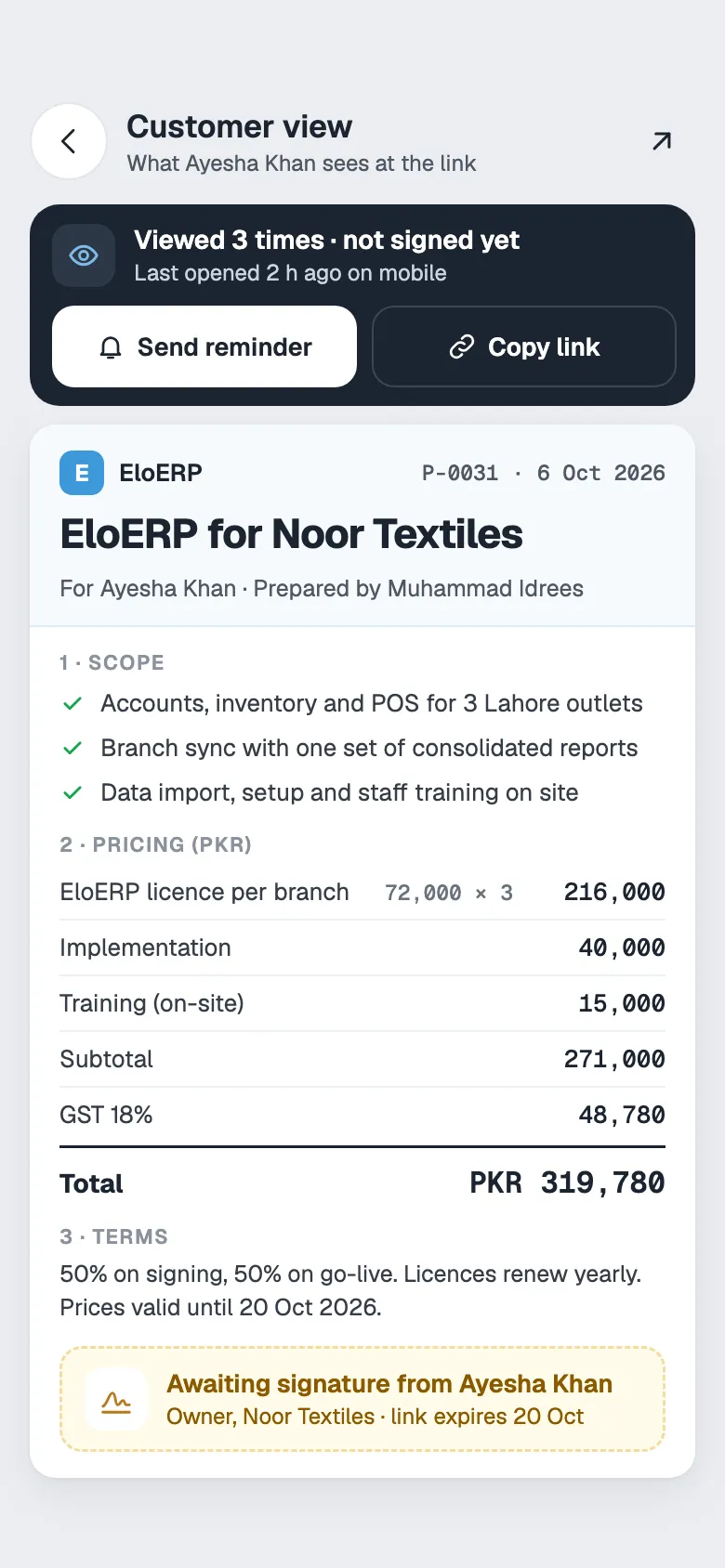
Build from blocks or a proposal template
A proposal is a stack of blocks. Add the ones you need, move them into order and fill them in. Save the result as a template so the next one takes minutes.
Cover and quote header
A cover page with your logo and the client’s name, then a header with the proposal number, dates and who it is for.
Text, headings and feature lists
Explain the scope in plain sections. Merge fields fill in the client’s name, company and the dates for you.
Pricing tables and packages
Line items with quantities, one-time and recurring prices, side-by-side packages and tiered fee schedules.
Terms
Payment terms, validity and anything else the client should agree to, in a block you reuse.
Signature block
Your company signature on one side and a space for the client to sign on the other.
Brand kit
Set your logo, accent colours, company details, header and footer banners once. Every proposal uses them.
Start each proposal from a template
Most businesses send the same few proposals with different names and numbers. Templates handle the repeat work.
- Step 1
Pick a template
Start from a template in your library. Keep one for each product line or service, with its own default WhatsApp and email message.
- Step 2
Choose the client
Their name, company, phone and address fill the Bill To block from the CRM contact.
- Step 3
Let AI write the opening
Optional: the AI reads your recent conversation with the client and drafts the cover subtitle and an intro paragraph for you to edit.
Send on WhatsApp, see when it is opened
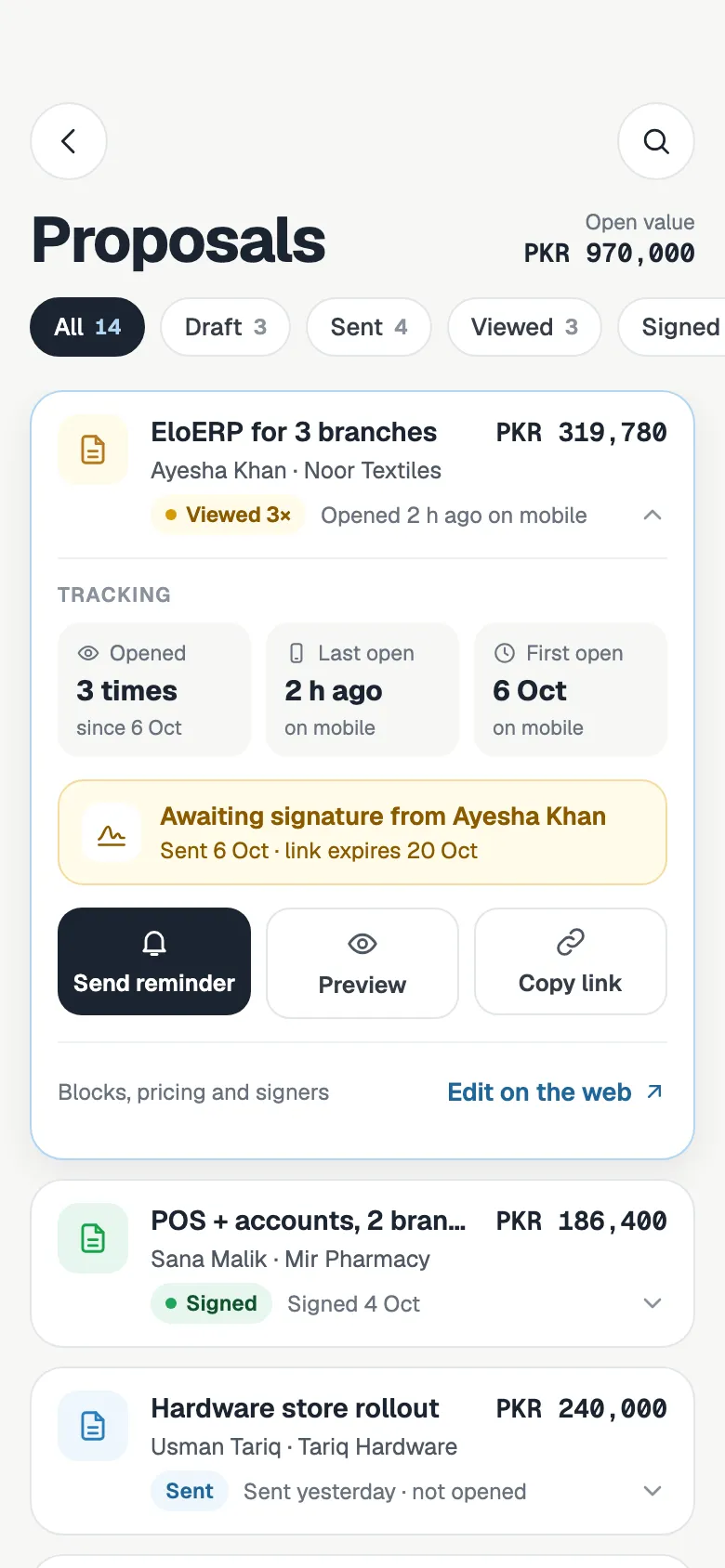
Pick the WhatsApp line or email account the client already talks to you on, and FOXAF sends the proposal from there. The reply comes back into the same thread, so the whole team can see where the deal stands.
On the official WhatsApp API, Meta only allows free-form messages within 24 hours of the client’s last message. Outside that window, FOXAF asks you to pick an approved template, which can carry the PDF.
- Send on WhatsApp or email, with the PDF attached and a link to sign
- The message lands in the client’s conversation in your shared inbox
- See the status change to Viewed, how many times it was opened and when
- Send a reminder with one tap if it has not been signed
Pricing tables that add up
Totals are worked out from the lines, so the number on the cover always matches the table.
One-time and recurring
Mark each line as one-time, monthly or yearly. The proposal shows a one-time total and the recurring amounts separately.
Optional extras
Mark a line as optional. The client ticks the extras they want on the proposal, and the total updates as they do.
Packages and tiers
Show two or three packages side by side, or a fee schedule with volume tiers.
Any currency
Set the currency on each proposal, so PKR, AED, INR and USD clients each see their own.
Revisions
Duplicate a sent proposal as the next revision, or as a fresh proposal for another client.
PDF on demand
Download an A4 or Letter PDF of any proposal, for email, print or your records.
Signed from the client’s phone
No printing, scanning or sending photos of signed pages.
- Step 1
The client opens the link
The proposal opens in the browser on any phone or computer, with your branding.
- Step 2
They type their name and sign
They draw their signature with a finger or a mouse. They can also decline and tell you why.
- Step 3
You get the signed copy
FOXAF records the name, time and IP address, keeps a signed PDF and logs it on the contact’s timeline.
Need a simple quote instead?
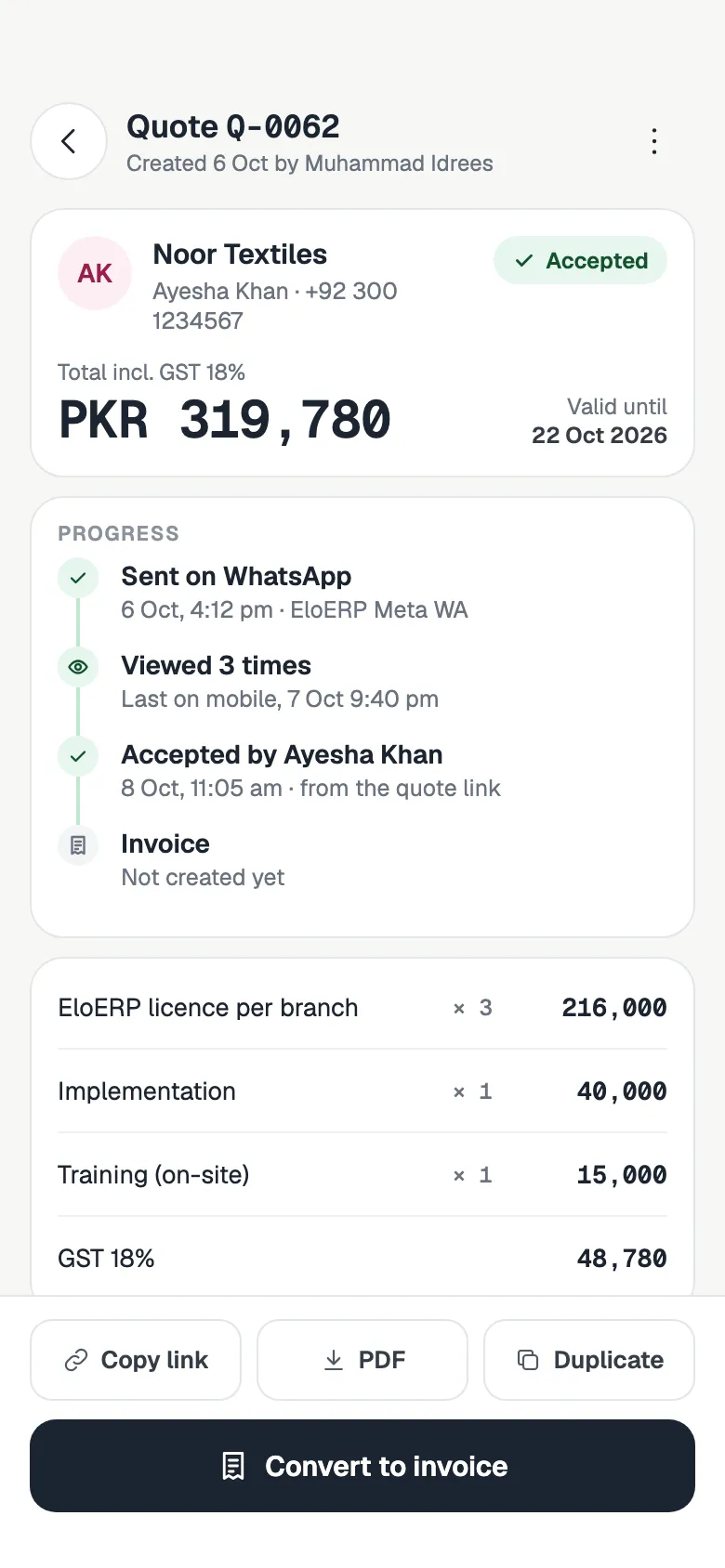
Not every sale needs a multi-page proposal. For a straight price list, use a quote. It goes out the same way on WhatsApp or email, and once the customer accepts it you can turn it into an invoice.
See quotes and invoices, or make a one-off quotation with the free quotation generator.
- Itemised quotes with tax and discounts, built from your product list
- Accepted online, then converted to an invoice in one click
- Invoices with Stripe or PayPal payment links and reminders
A proposal tool that knows the deal
Standalone proposal tools stop at the signature. FOXAF keeps the proposal next to the client, the conversation and the deal.
Proposals on the deal
The client’s proposals show on their deal card in the pipeline, so you can see what was sent before a call.
Automations on open and sign
Start a workflow when a client first opens, accepts or declines a proposal, such as a WhatsApp follow-up, a tag or a thank-you message.
Everything on the timeline
Sent, opened, signed and declined are logged on the contact, with the decline reason if they gave one.
Proposal software, answered
What is proposal software?
Proposal software helps you put together a branded proposal with scope, pricing and terms, send it to a client and get it signed online. In FOXAF it sits inside your CRM, so each proposal is linked to the contact, the conversation and the deal.
Can I save my own proposal template?
Yes. Save any proposal as a template in one click, or build templates in the template editor with a default WhatsApp and email message for each. Keep one for each product line or service and start new proposals from it.
Can clients sign a proposal online?
Yes. The client opens the link on a phone or computer, types their name and draws their signature. FOXAF records the name, time and IP address, keeps a signed PDF and logs the signature on the contact. Clients can also decline and give a reason.
How do I send a proposal on WhatsApp?
Open the proposal, choose Send and pick your WhatsApp line. The PDF goes as a document with a link to view and sign, and the message appears in the client’s conversation in your inbox. On the official WhatsApp API, outside Meta’s 24-hour window you pick an approved template instead, or send by email.
Will I know when a client opens my proposal?
Yes. The status changes to Viewed and you can see how many times it was opened and when. Your own previews are not counted. You can also start a workflow the first time a client opens it, for example to send a follow-up message or tag the contact for your sales team.
Can AI write the proposal for me?
AI drafts the cover subtitle and a short intro paragraph, based on your recent conversation with the client, using your workspace’s own AI agent. You edit them. The scope, pricing and terms come from you or from your template.
Can clients choose optional extras?
Yes. Mark any pricing line as optional and the client can tick it on the proposal before signing. One-time and recurring totals are shown separately and update as they choose.
What is the difference between a proposal and a quote in FOXAF?
A proposal is a full document with a cover, scope, pricing, terms and a signature. A quote is a shorter itemised price list with tax and discounts that converts into an invoice once accepted. Both can be sent on WhatsApp or email.
Part of one CRM, not another app to log into
Send your next proposal on WhatsApp
Set up your brand kit, save a template and get your next proposal opened and signed from the client’s phone.