
Facebook and Instagram leads in your CRM and on WhatsApp within seconds
Connect your Facebook Page once and every Facebook lead ads form sends its leads straight into FOXAF. Each lead becomes a contact with a tag, a deal in your pipeline and, if you want, a WhatsApp message before they have put their phone down.
- Leads pushed in by Meta, not downloaded
- Map each form field once
- Tag, deal and owner on arrival
- Instant WhatsApp through a workflow
FOXAF collects the leads from your lead forms. You keep creating and running your ads in Meta Ads Manager.
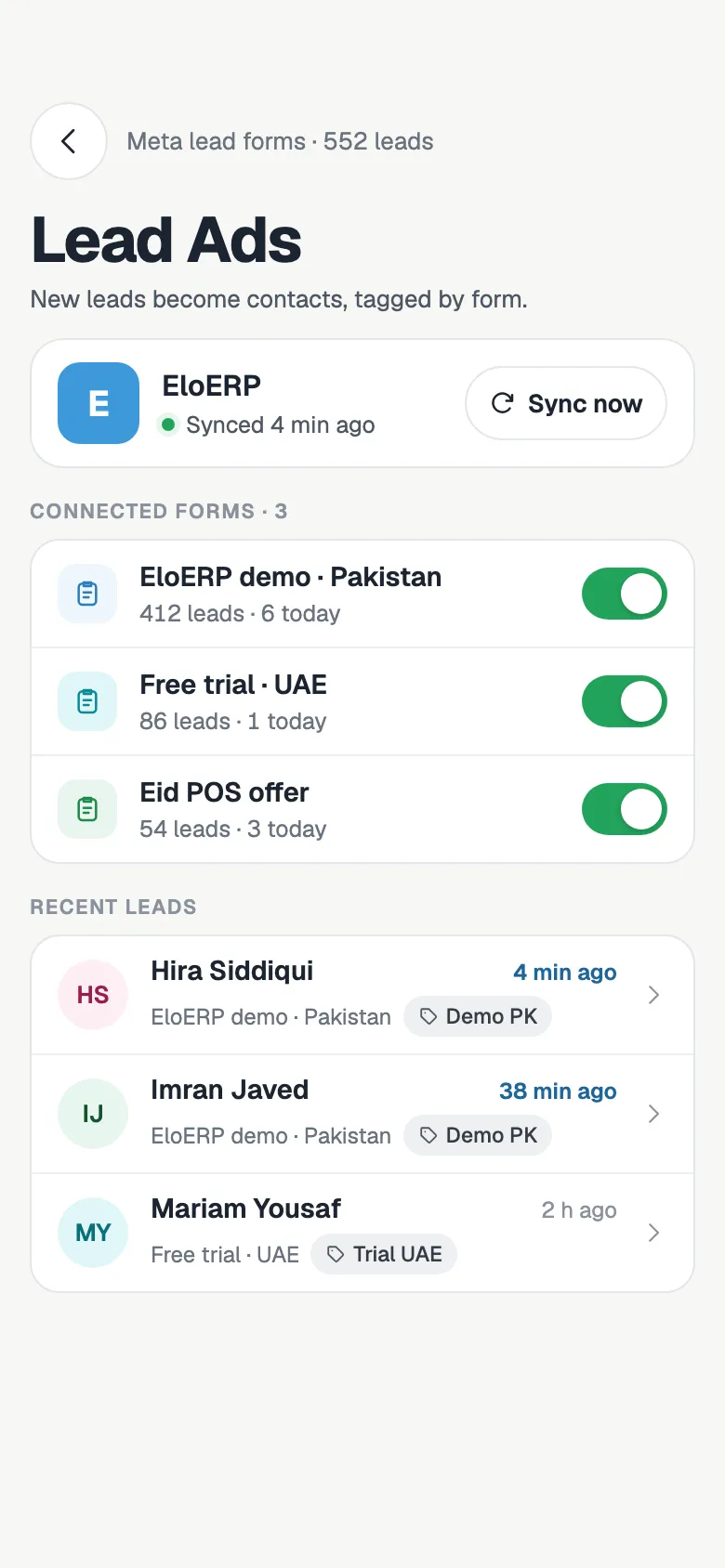
Every lead, the second it lands
Downloading a CSV from Ads Manager every evening means the lead has gone cold by the time you call. FOXAF subscribes to your Page's lead events, so each new lead is fetched and saved as a contact as soon as Meta sends it.
A lead ad is handled exactly like a submission from a form on your website: same contact rules, same tags, same automations. Your team works one list, wherever the lead came from.
- Meta notifies FOXAF the moment someone submits your form
- Leads from Instagram and Facebook are marked with where they came from, plus the campaign and ad
- A returning lead is matched by email or phone and updated, not duplicated
- The same lead is never imported twice
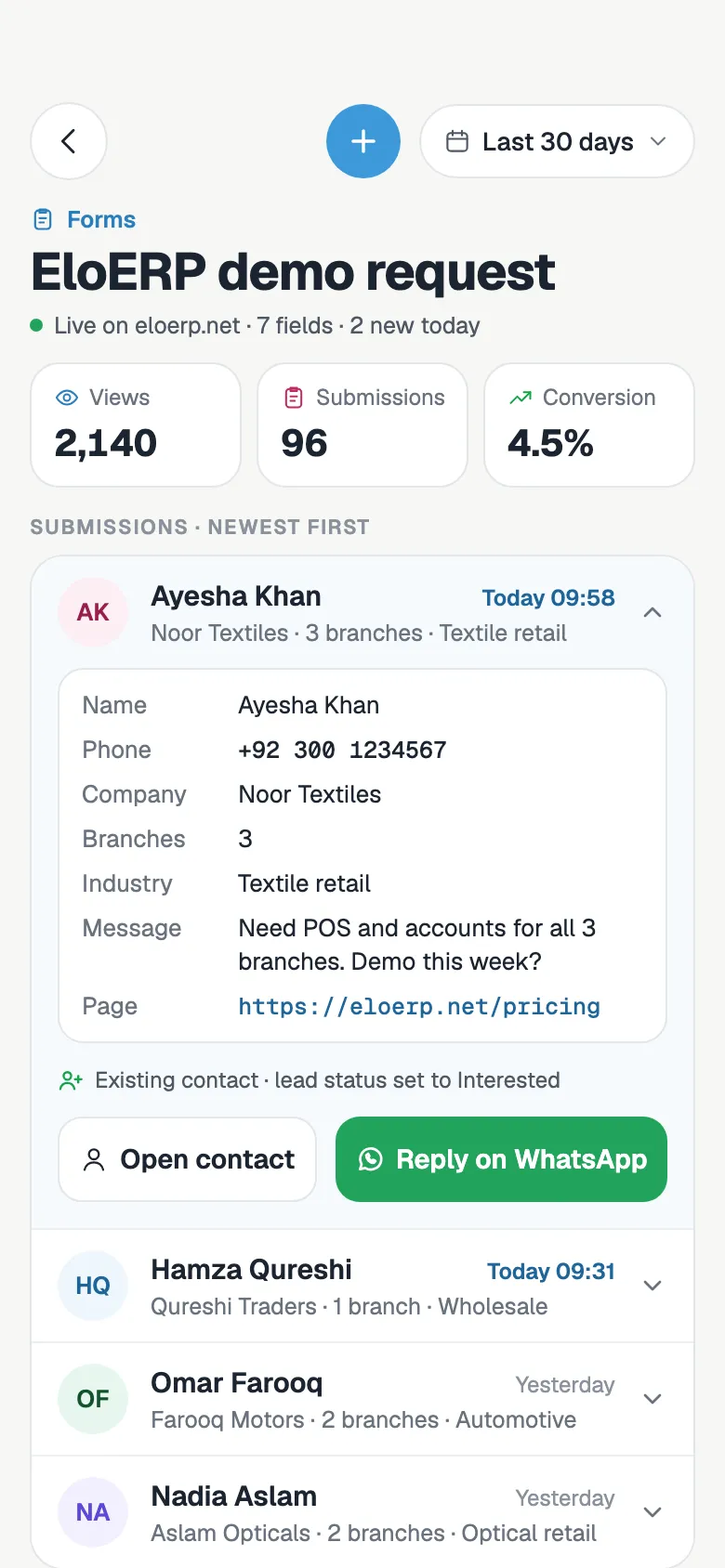
Map fields once, then forget about it
Most of the work is done for you. Standard questions like name, email and phone are matched automatically.
- Step 1
Connect your Facebook Page
Log in with Facebook and pick your Pages. FOXAF lists every lead form on them.
- Step 2
Choose the forms to sync
Switch on the forms you want. Pause one any time and its leads stop coming in.
- Step 3
Map the fields
Send each question to a contact field. Anything else, like budget or city of interest, becomes a custom field.
- Step 4
Decide what happens next
Pick a tag, a pipeline stage for the deal and, with the Sales team tools, round-robin to your reps.
Route each lead to the right rep
A lead who waits an hour for a call often talks to someone else first. With the Sales team tools switched on, a new lead goes straight to an available rep, so nobody has to sit and hand leads out.
Without them, leads still arrive tagged and in your pipeline, and you assign them yourself from the contact list.
- Round-robin among the reps who are available, with the Sales team tools
- Reps in manual mode, or whose rules the lead does not match, are skipped
- The deal, the conversations and the follow-up tasks all go to the same owner
- The contact timeline shows which lead form each lead came from
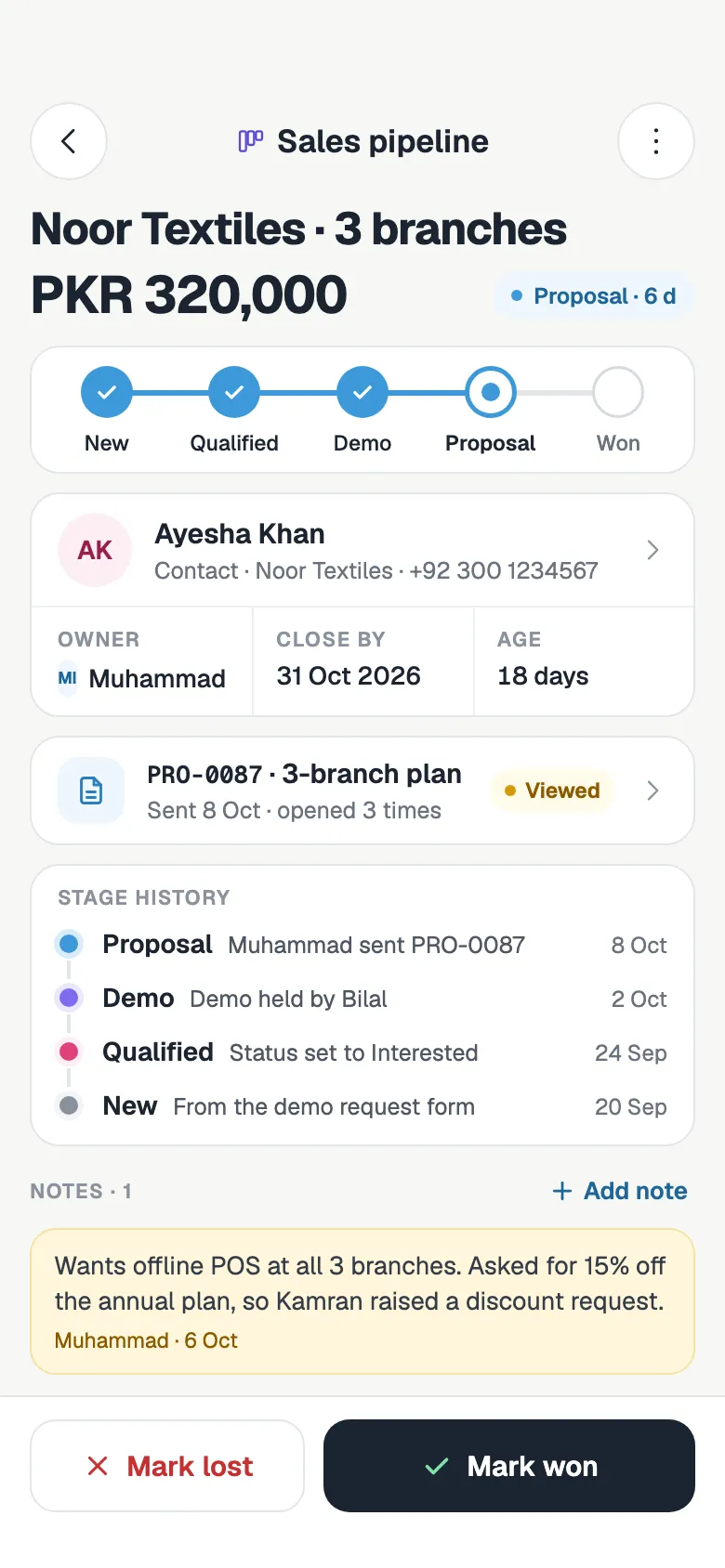
Reply on WhatsApp in seconds
People who fill in a lead form expect to hear back quickly. A workflow sends the first message for you.
- Step 1
A lead arrives
The new submission, or the tag the form adds, starts a workflow you built once.
- Step 2
FOXAF sends your WhatsApp template
An approved template goes out with the lead's name filled in.
- Step 3
The reply lands in your inbox
When they answer, the chat sits on the contact, next to the form answers, ready for your team.
A deal in the right stage, not a row in a spreadsheet
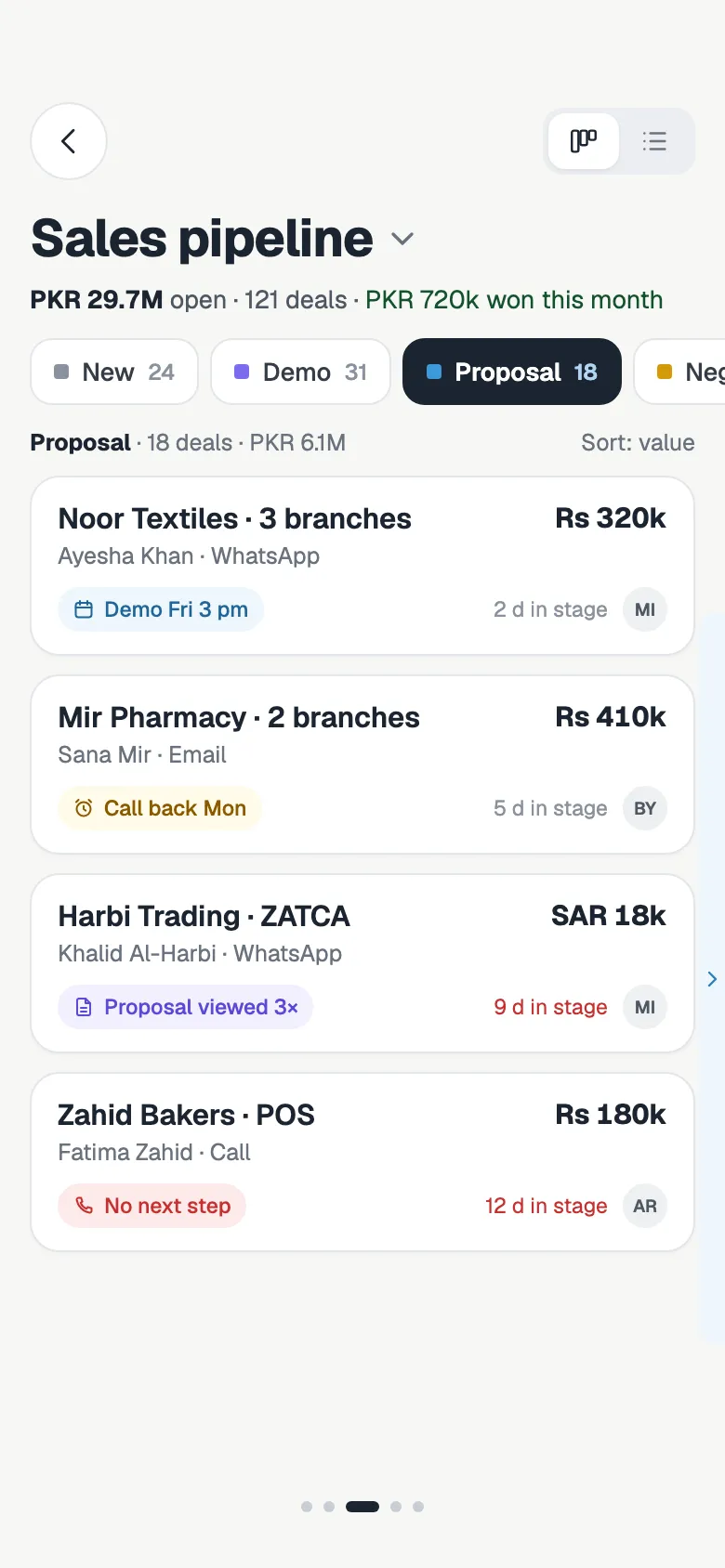
Each form can open a deal in the pipeline and stage you pick. A "Free site visit" form can land in Viewing booked while a "Price list" form lands in New, so your board shows what each lead actually asked for.
- Open a deal in the stage you choose for each form
- One open deal per lead, so a second submission does not clutter the board
- Different forms can feed different pipelines
- See every deal's value and contact on the board
The details that keep lead data clean
Import the last 90 days
Switching from spreadsheets? Pull the last 90 days of leads from any form in the background. Leads you already have are skipped.
Custom fields made for you
Map a question to a new custom field and FOXAF creates it with the question as its label when the first lead arrives.
Facebook or Instagram
Each lead records whether it came from Facebook or Instagram, with the campaign and ad, so you can see which ads bring buyers.
Your team hears about it
Every new lead can trigger an alert through your notification rules, so nobody has to watch the screen.
Duplicates merged
A lead who already exists is matched by email or phone. Their record is updated and the new answers are added.
Built for enquiry-heavy businesses
Real estate, education, clinics and local services: anyone whose ads bring in more enquiries than the team can call by hand.
Facebook lead ads, answered
What are Facebook lead ads?
Lead ads are Facebook and Instagram ads with a built-in form. People tap the ad and send their name, phone, email and answers to your questions without leaving the app. FOXAF picks up those form submissions and turns each one into a CRM contact.
How do Facebook lead ads get into FOXAF?
You connect your Facebook Page once. FOXAF subscribes to the Page's lead events, so Meta tells it about every new submission and FOXAF saves the lead as a contact straight away. There is no CSV to download and no third-party connector to pay for.
Does FOXAF create or run my ads?
No. You keep creating, targeting and paying for your ads in Meta Ads Manager. FOXAF collects the leads from your lead forms and handles the follow-up.
Do Instagram lead ads work too?
Yes. Instagram lead ads use the lead forms on your connected Facebook Page, so their leads come in the same way. Each lead records whether it came from Facebook or Instagram, along with the campaign and ad.
How do I map my form questions to CRM fields?
Standard questions such as name, email, phone, company and city are matched automatically. For anything else, choose a contact field or a custom field. A new custom field is created for you, named after the question, when the first lead arrives.
Can FOXAF send a WhatsApp message to every new lead?
Yes, through a workflow. Start it when the form is submitted or when the form's tag is added, and add a step that sends an approved WhatsApp template. Replies land in your shared inbox on the lead's contact.
Can leads be assigned to my sales reps automatically?
With the Sales team tools switched on, each form can share its leads round-robin among the reps who are available. Without them, leads still arrive tagged and in your pipeline, and you assign them yourself.
Can I import leads I already have?
Yes. For any connected form you can import the last 90 days of leads in the background. Leads already in FOXAF are skipped, and existing contacts are matched by email or phone instead of being duplicated.
Part of one CRM, not another app to log into
Stop downloading lead CSVs
Connect your Facebook Page, switch on your lead forms and let FOXAF send the first WhatsApp for you.