
Call from your CRM: every call recorded, summarised and logged
FOXAF is a CRM with calling built in. Your team makes and takes calls in the browser, sees who is calling before they answer, and every call lands on the contact with its recording, transcript, notes and outcome.
- Browser softphone, no desk phone
- Click to call from any contact
- Ring groups and voicemail
- Outcomes that update the lead
Works in the browser. Local numbers in supported countries are bought inside FOXAF.
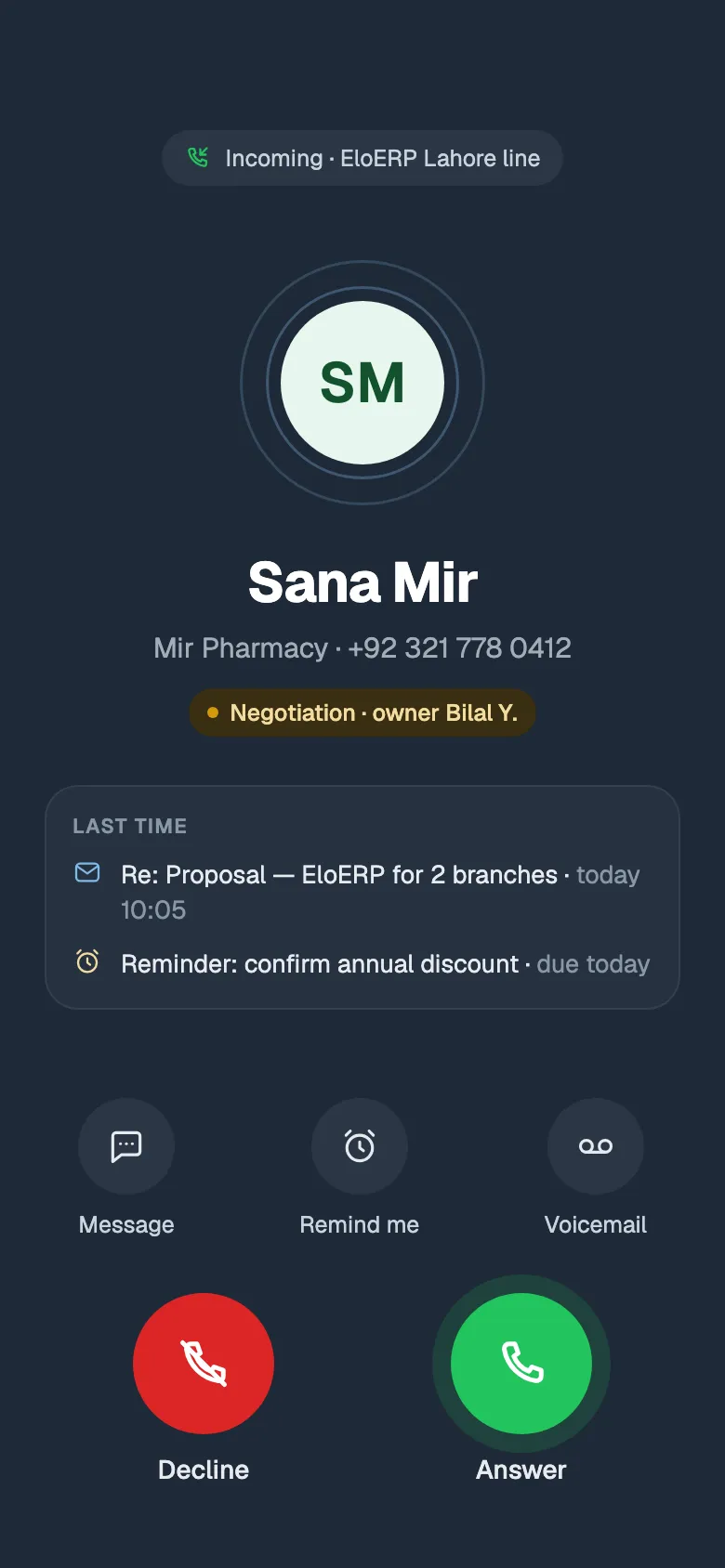
Call from the browser, one click from any contact
The softphone lives in the FOXAF tab you already have open. Press call on a contact and you are talking, with their history on the same screen. No second app, no copying numbers, no typing up notes afterwards.
- Click to call from a contact, the inbox or the contacts list
- See the contact's local time before you dial
- Hold, and transfer warm or cold to a teammate, another line or an outside number
- A Calls tab with filters for missed, voicemail, AI and recorded calls
Ring groups and voicemail, set per number
Each number works like a well-run front desk. You set the rules once and FOXAF follows them on every call.
- Step 1
Business hours
Set the days and hours for each number, in its own time zone. Out of hours goes straight to the fallback.
- Step 2
Owner first
A caller who is already a contact rings their owner first, so customers reach the person they know.
- Step 3
Ring group
Ring the group all at once or one after another. Busy and unavailable people are skipped.
- Step 4
Voicemail or AI
Nobody free? The caller leaves a voicemail, which is transcribed, or the AI receptionist answers.
Outcomes that update the pipeline
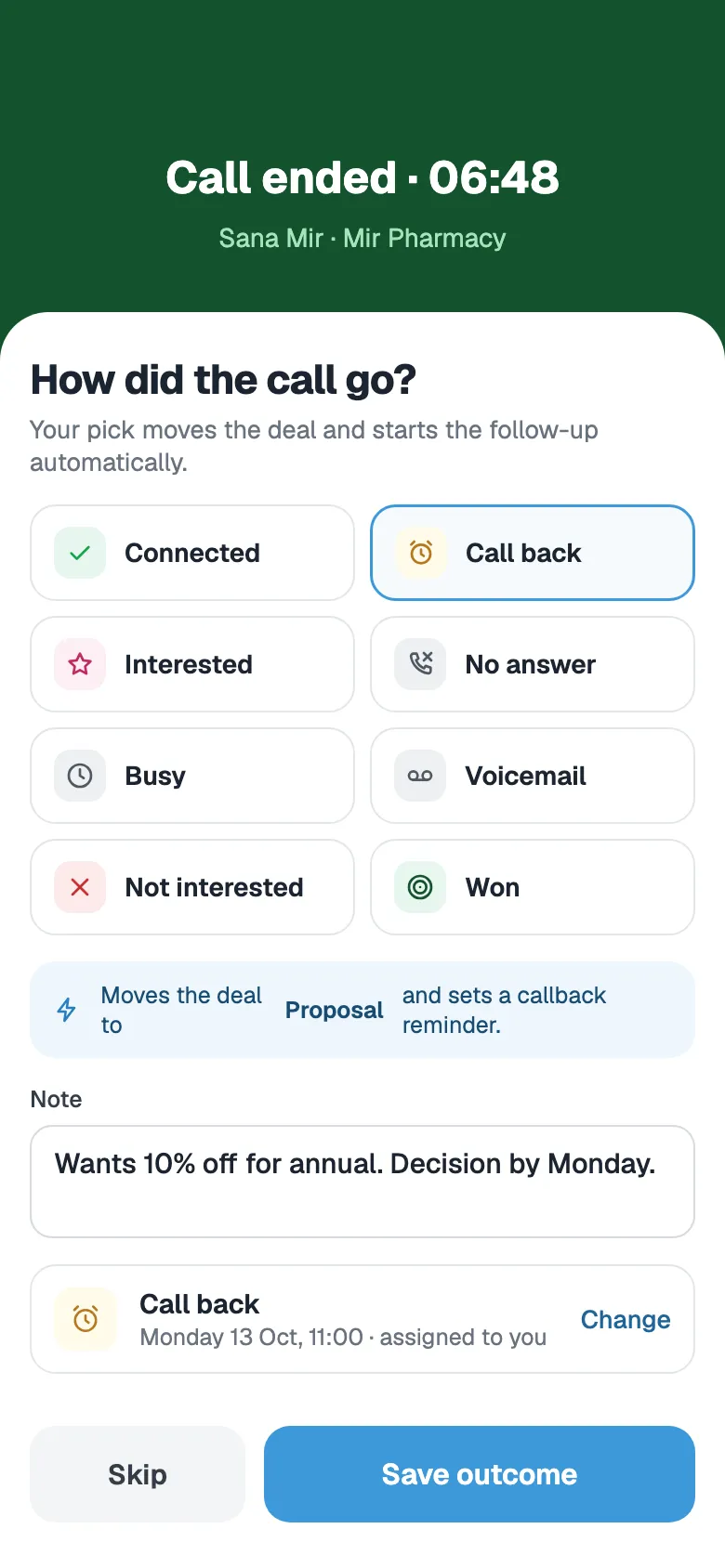
When the call ends, FOXAF asks how it went. Your answer is saved on the contact's timeline and the next step is set for you, so the pipeline matches what was actually said on the phone.
- Pick an outcome and add a note in a few seconds
- An outcome that matches a lead status moves the contact there
- Set a reminder to call back before you move on
- In the sales workspace, outcomes move the deal and schedule the follow-up
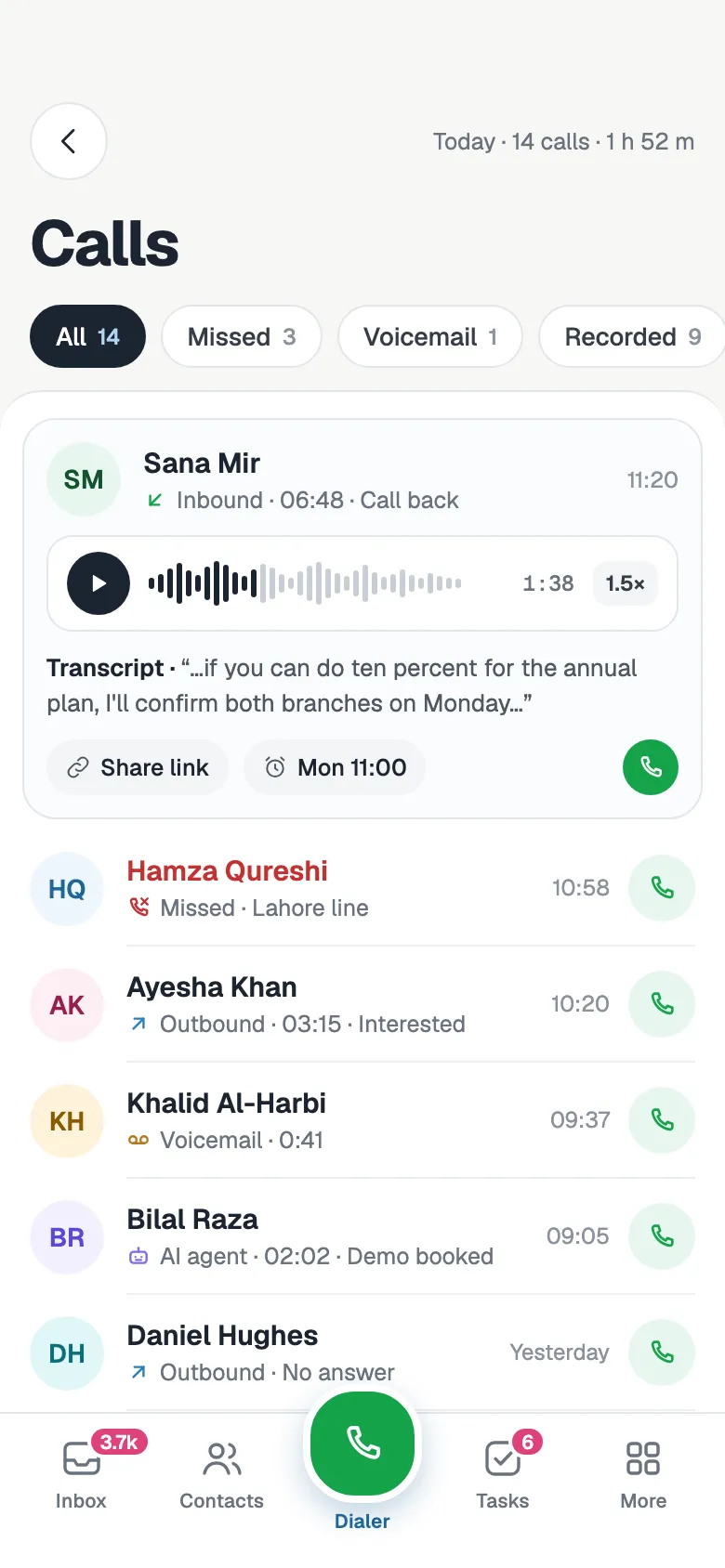
Every call on the record
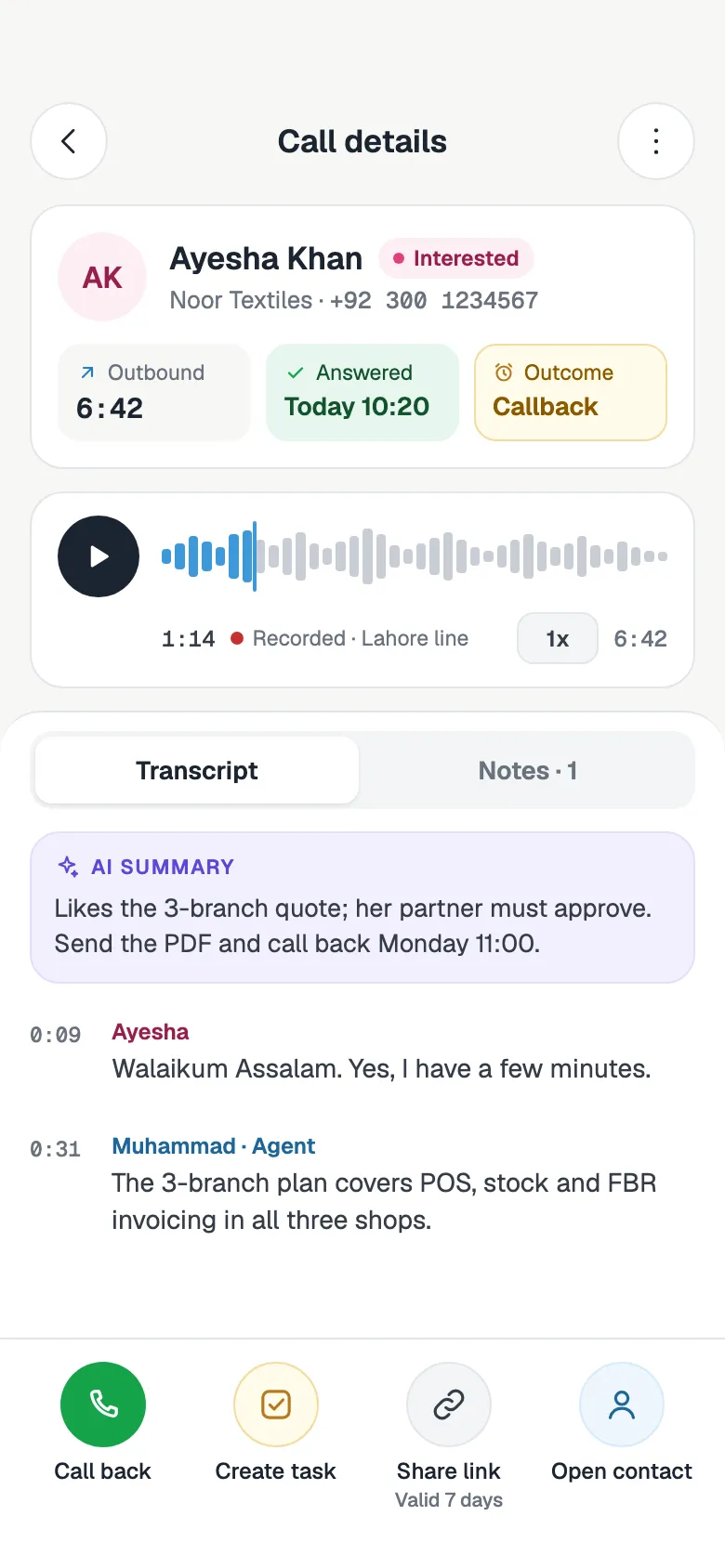
Inbound, outbound, missed and voicemail calls all sit on the contact, with who handled them and how long they took. A manager can listen back, read the summary and coach from real calls.
- Recordings, with an optional "This call may be recorded" notice
- A transcript and an AI summary with the caller's sentiment
- Voicemails transcribed so you can read them
- Share a recording with a link that expires after 7 days
Small things that save every call
Decline with a text
Can't talk? Decline with a quick reply, sent on WhatsApp or SMS.
Missed-call follow-up
Send each missed caller an automatic WhatsApp or SMS, and give the owner a call-back task.
AI receptionist backup
Out of hours, or when no one answers, the AI receptionist can take the call for you.
Local numbers
Search and buy local numbers in supported countries inside FOXAF. You are not charged if setup fails.
Texts in the shared inbox
SMS to your number lands in the same inbox as WhatsApp and email.
Blocked numbers
Block a caller and the call is refused before anyone's phone rings.
CRM phone system, answered
What is a CRM with calling?
It is a CRM where calls happen inside the customer record. In FOXAF you call and answer from the browser, and every call lands on the contact's timeline with its recording, notes and outcome, so nobody has to log it by hand.
Do I need a desk phone or a separate softphone app?
No. The softphone runs in the FOXAF tab in your browser. A headset gives the best sound, but your computer's microphone and speakers work too.
Can several people answer the same number?
Yes. Put people in a ring group and ring them all at once or one after another, with the contact's owner first. Anyone already on a call or marked unavailable is skipped. If nobody answers, the call goes to voicemail or to the AI receptionist.
Are calls recorded and transcribed?
Calls can be recorded, and callers can hear a "This call may be recorded" notice first. Recordings get a transcript and an AI summary with the caller's sentiment, and voicemails are transcribed too. You can share a recording with a link that expires after 7 days.
Can I transfer a call to a colleague?
Yes. Switch on hold and transfer in settings, then put the caller on hold and transfer them warm (you talk first) or cold, to a teammate, another of your lines or an outside number.
What happens when we miss a call?
The call is logged as missed on the contact. The owner gets an alert and a call-back task, and FOXAF can send the caller a WhatsApp or SMS straight away. If you can't pick up, you can also decline with a quick text.
Which countries can I get phone numbers in?
You search for and buy local numbers inside FOXAF, in supported countries. The search shows which numbers you can get today. If a number can't be set up, you are not charged.
How do call outcomes update the pipeline?
When a call ends you pick an outcome and add a note. It is saved on the contact's timeline, an outcome that matches a lead status moves the contact there, and you can set a reminder to call back. In the sales workspace, outcomes also move the deal and schedule the follow-up.
Part of one CRM, not another app to log into
Put your phone calls where your customers already are
Get a number, add your team to a ring group and make the first call from a contact today.