WhatsApp Business API vs WhatsApp Business App
The WhatsApp Business app is free for one user; the Business API powers teams, automation and broadcasts at scale. Here's a clear comparison to pick the right one.
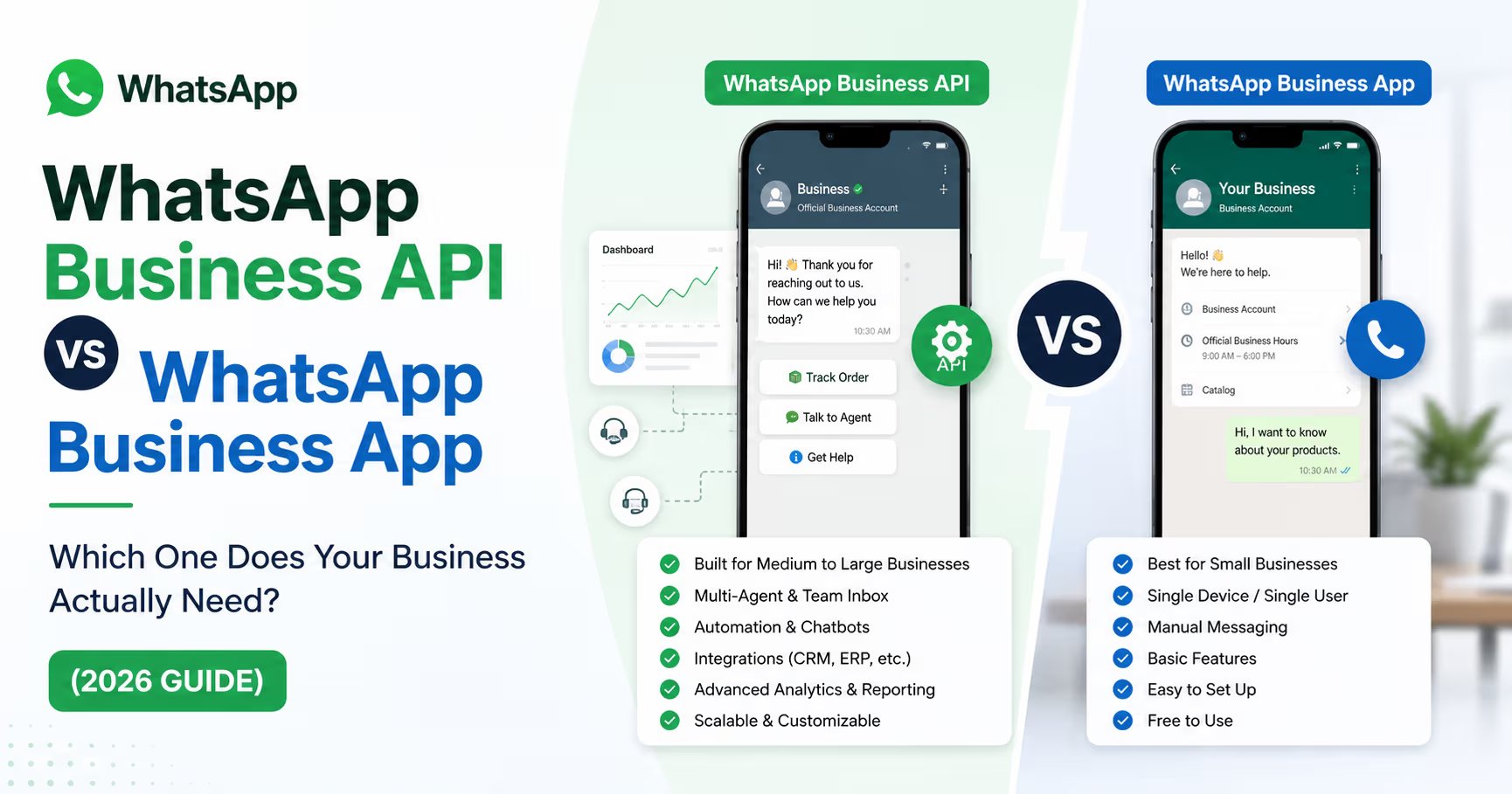
The WhatsApp Business app is a free mobile app for a single person or a very small shop. The WhatsApp Business API (Cloud API) is for teams and businesses that need multiple agents on one number, automation, chatbots, and large opt-in broadcasts. If you're one person answering chats on a phone, use the app; if you have a team or you're scaling, you need the API — usually through a CRM.
The quick comparison
| WhatsApp Business App | WhatsApp Business API | |
|---|---|---|
| Best for | 1 user / micro-business | Teams, scaling businesses |
| Cost | Free | Meta's per-message fees for template messages (via a provider) |
| Users on one number | 1 device (a few via linked devices) | Many agents simultaneously |
| Automation / chatbots | Very limited | Full automation, chatbots, CRM integration |
| Broadcasts | Capped, manual | Large opt-in template broadcasts |
| Green tick (verified) | No | Possible (with approval) |
| Interface | The phone app | Any connected software / CRM inbox |
| Setup | Install & go | Through a CRM / Business Solution Provider |
When the Business app is enough
- You're a solo founder or a one-person shop
- Volume is low and one device can keep up
- You don't need automation, multiple agents, or big broadcasts
It's free and instant — a perfectly good starting point.
When you need the Business API
- Multiple team members must answer the same number at once
- You want automation: auto-replies, follow-up sequences, chatbots
- You send broadcasts to opted-in customers (offers, updates) at scale
- You want the verified green tick and a professional setup
- You need reporting and integration with your sales pipeline
The API has no interface of its own — you use it through software. That software is usually a WhatsApp CRM, which gives you the shared inbox, pipeline, and automations on top of the API.
How API pricing works (in plain terms)
Unlike the free app, the API has usage fees. Since 1 July 2025, Meta charges per delivered template message, with rates that vary by message category (marketing, utility, authentication) and the recipient's country. Free-form replies inside the 24-hour customer service window are free, as are utility templates sent while that window is open. Current rates are on Meta's pricing page. The practical advice: pick a CRM with transparent, flat platform pricing so the only variable is Meta's own message fee — not per-contact penalties. (See Foxaf pricing for flat, no-per-contact pricing.)
The usual upgrade path
Most businesses start on the app, outgrow it the moment a second person needs to reply, and move to the API via a CRM. The friction is switching tools midway — so if you expect to grow, choose a WhatsApp CRM that supports both QR (your existing number) and the Cloud API in one inbox from day one. That way you start today and scale without migrating. (Foxaf is built this way.)
Want both QR and the official API in one inbox? See the Foxaf WhatsApp CRM.
Frequently asked questions
Can I use the WhatsApp Business app and the API on the same number?
No — a number is registered to one or the other at a time. Moving a number from the app to the API is possible but is a deliberate migration, so plan it.
Is the WhatsApp Business API free?
The API access itself has no licence fee, but Meta charges per delivered template message (free-form replies inside the 24-hour customer service window are free), and you pay your CRM/provider for the software. The Business app is fully free.
Do I need a developer to use the API?
Not if you use a CRM. A WhatsApp CRM handles the API connection for you — you get a normal inbox, no code required.
Which should a growing eCommerce store choose?
The API through a CRM. You'll need multiple agents, order-update automation, and broadcasts — none of which the free app supports well. Start on a QR connection if you want to launch today, then upgrade.