How to Set Up WhatsApp Broadcast Campaigns That Get Read
Step-by-step guide to WhatsApp broadcast campaigns that actually get opened. Template approval, audience segmentation, timing, compliance, and avoiding bans.
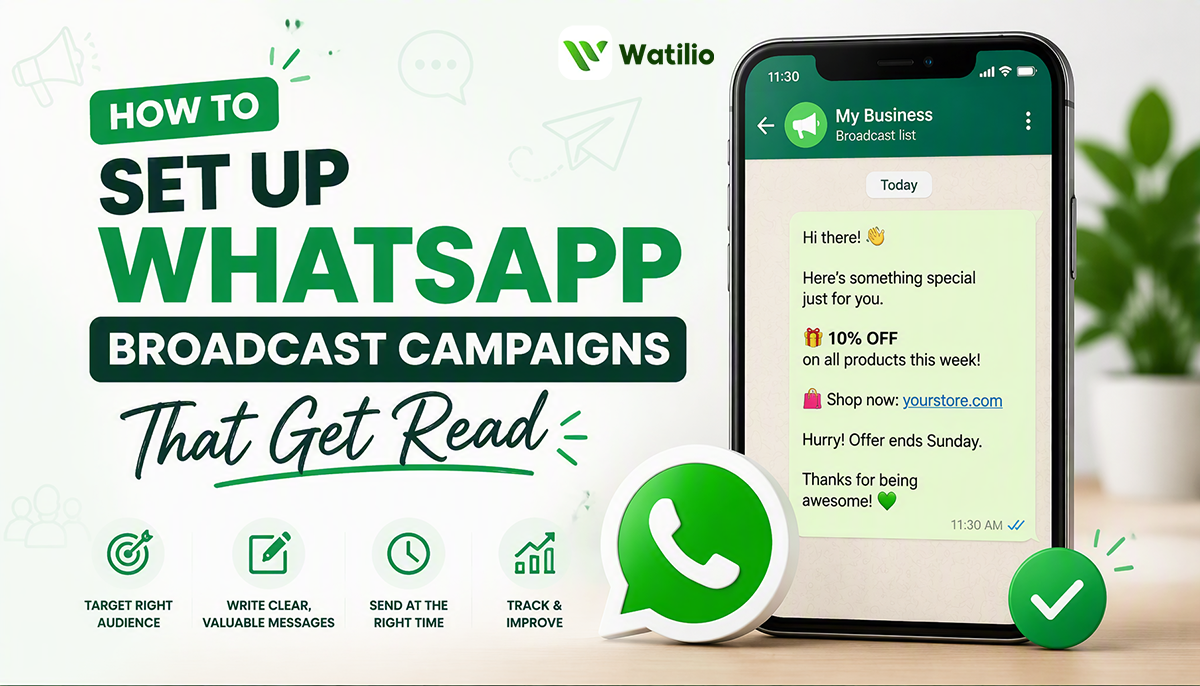
A WhatsApp broadcast campaign sends a single approved message to hundreds or thousands of opted-in contacts at once, without creating a group chat. Each recipient sees the message as a private one-to-one conversation. With 90%+ open rates and 15–30% click-through rates, WhatsApp broadcasts consistently outperform email (20% open) and SMS (30% open) for every category of business message.
This guide walks you through the entire process: getting approved for the WhatsApp Business API, building templates Meta will approve, segmenting your audience so messages stay relevant, timing your sends, measuring results, and staying compliant so your account never gets restricted.
What is a WhatsApp broadcast campaign?
A broadcast campaign lets you send one pre-approved message template to a list of contacts who have opted in to hear from you. Unlike a WhatsApp group, recipients do not see each other, cannot reply to each other, and experience the message as a normal private chat from your business number.
There are two ways to send broadcasts, and only one scales:
| Feature | WhatsApp Business App | WhatsApp Business API |
|---|---|---|
| Max recipients per broadcast | 256 | Unlimited (scales with messaging tier) |
| Template approval required | No (but limited features) | Yes — Meta reviews every template |
| Automation and scheduling | Manual only | Fully automated via CRM/platform |
| Analytics | Basic (sent/delivered) | Full (delivered, read, clicked, replied, converted) |
| Multi-agent access | No (one phone, one person) | Yes — team inbox with role-based access |
| Cost | Free (but limited) | Per-message pricing for templates (varies by category and country) |
If you are sending more than a few dozen messages, or want to track results and automate follow-ups, you need the WhatsApp Business API. A WhatsApp CRM like Foxaf connects to the API and gives you the broadcast tools, segmentation, analytics, and compliance controls in one platform.
Step 1 — Get set up on the WhatsApp Business API
Before you can send your first broadcast, you need:
-
A verified Meta Business Manager account. This is your business identity with Meta. You need a registered business name, website, and business documents for verification.
-
A WhatsApp Business Account (WABA). Created inside Meta Business Manager or through an official BSP (Business Solution Provider) like 360dialog, Gupshup, or your CRM platform.
-
A dedicated phone number. This number becomes your WhatsApp business number. It cannot be currently registered on WhatsApp Business App — you will need to migrate it or use a new number.
-
A connected CRM or messaging platform. The API does not have its own interface. You need a platform to compose messages, manage contacts, send broadcasts, and view analytics. Foxaf handles this end-to-end.
Setup typically takes 1–3 business days, depending on how quickly Meta verifies your business. Most BSPs and CRM platforms walk you through the process. For a detailed setup guide specific to Pakistan, see our WhatsApp Business API setup guide.
Step 2 — Understand message templates and get them approved
Every message you send outside the 24-hour customer-service window must use a message template that Meta has reviewed and approved. This is the single most important concept in WhatsApp broadcast campaigns.
Template categories
Meta classifies templates into three categories, and each has different rules and pricing:
Marketing — Promotional messages, product launches, offers, abandoned cart reminders, re-engagement campaigns, anything designed to drive a sale or action. These are the most common broadcast templates. They cost the most per message and are subject to the strictest frequency controls.
Utility — Non-promotional updates the customer expects: order confirmations, shipping notifications, payment reminders, appointment reminders, account updates. Lower cost, higher approval rate, but you cannot sneak promotional content into utility templates — Meta reclassifies them.
Authentication — One-time passwords and verification codes. Not relevant for broadcast campaigns.
What gets approved (and what gets rejected)
Templates are typically approved within minutes to 24 hours. Here is what Meta looks for:
Approved — templates that:
- Have a clear, specific purpose (one message, one action)
- Use proper grammar and formatting
- Include a clear opt-out option (e.g., "Reply STOP to unsubscribe")
- Match the declared category (do not submit a promotion as "utility")
- Use variables correctly (e.g., {{1}} for customer name, {{2}} for order number)
Rejected — templates that:
- Contain misleading or deceptive content
- Request sensitive information (passwords, financial details, government IDs)
- Use threatening or abusive language
- Violate Meta's Commerce Policy (prohibited goods/services)
- Mix promotional and transactional content in a utility template
- Are too vague or generic (e.g., "Hello {{1}}, we have exciting news!")
Example templates that work
Product launch (Marketing):
Hi {{1}}, we just launched {{2}} — and early-bird pricing is live for 48 hours. Check it out here: {{3}}
Reply STOP to unsubscribe.
Abandoned cart (Marketing):
Hey {{1}}, you left {{2}} in your cart worth {{3}}. Complete your order in 2 taps: {{4}}
Need help? Just reply to this message. Reply STOP to unsubscribe.
Order shipped (Utility):
Hi {{1}}, your order #{{2}} has shipped! Track it here: {{3}}
Expected delivery: {{4}}. Reply if you have questions.
Re-engagement (Marketing):
Hi {{1}}, it has been a while! We have added new features since you last checked in — including {{2}}. Take a quick look: {{3}}
Reply STOP to unsubscribe.
Pro tip: submit templates before you need them
Template approval can take up to 24 hours. Do not wait until campaign day. Submit your templates a week in advance, get them approved, then schedule the campaign. If a template is rejected, you have time to revise and resubmit.
Step 3 — Build your audience (the right way)
The most common reason WhatsApp broadcast campaigns fail is not bad copy — it is sending to the wrong people, or people who never asked to hear from you.
Opt-in is mandatory
WhatsApp requires that every person on your broadcast list has explicitly opted in to receive messages from your business. This is not optional. Meta monitors opt-in compliance, and sending to non-opted-in contacts can result in:
- Low quality rating on your WABA
- Reduced messaging limits (your tier drops)
- Temporary or permanent account restrictions
How to collect opt-ins:
- Checkbox on your website forms ("Receive updates on WhatsApp")
- WhatsApp click-to-chat ads (the click itself counts as opt-in for that session)
- In-store QR codes linking to a WhatsApp opt-in flow
- Existing customers who message you first (they have opted in by initiating)
- An opt-in confirmation message during the first interaction
What does NOT count as opt-in:
- Buying a contact list
- Scraping phone numbers from social media
- Adding people from your phone's contact list without consent
- Having someone's number from a past transaction without explicit WhatsApp consent
Segment your audience
Sending the same message to your entire list is the fastest way to get ignored and reported. Segment by:
- Purchase history — what they bought, when they last bought, average order value
- Engagement level — active customers vs dormant vs never-purchased
- Location — city or country (relevant for localised promotions, PKR pricing, events)
- Product interest — what pages they visited, what they asked about
- Lifecycle stage — new lead, first-time buyer, repeat customer, churned
A WhatsApp CRM stores these attributes alongside your contacts and lets you create dynamic segments. In Foxaf, you can filter contacts by tags, custom fields, pipeline stage, last activity, and more — then send a broadcast to just that segment.
Messaging tiers and limits
WhatsApp limits how many unique contacts you can message in a 24-hour period. New accounts start at Tier 1 (1,000 contacts/day) and can scale up:
| Tier | Unique contacts/24h | How to reach it |
|---|---|---|
| Tier 1 | 1,000 | Default after verification |
| Tier 2 | 10,000 | Maintain high quality rating + reach 50% of Tier 1 limit |
| Tier 3 | 100,000 | Maintain high quality rating + reach 50% of Tier 2 limit |
| Tier 4 | Unlimited | Maintain high quality rating + reach 50% of Tier 3 limit |
If your quality rating drops (too many blocks or reports), your tier can decrease. The way to scale is: start small, send relevant messages, maintain quality, and your limits expand automatically.
Step 4 — Time your campaigns for maximum reads
WhatsApp messages are read quickly — most within the first hour. But timing affects whether your message arrives when the recipient is paying attention or gets buried.
Best practices for timing
- Business hours work best — 10am–12pm and 2pm–5pm local time consistently show the highest read rates. Avoid early morning (before 9am) and late night (after 9pm).
- Tuesday through Thursday outperform Monday (inbox overload) and Friday (weekend mode).
- Consider time zones — if your audience spans Pakistan and the UAE, segment and stagger sends. Foxaf lets you schedule by recipient timezone.
- Avoid Fridays during Juma prayer hours (12pm–2pm) for Muslim-majority markets — open rates drop sharply.
- Post-payday timing (1st–5th of the month) works better for promotional campaigns in price-sensitive markets.
Frequency: less is more
The data is clear: one to two promotional broadcasts per week is the ceiling for most businesses. Beyond that:
- Unsubscribe and block rates climb
- Your quality rating drops
- Your messaging tier shrinks
- Customers start ignoring all your messages, including the useful ones
Utility messages (order updates, reminders) do not count against this frequency guideline — customers expect and want those. The frequency limit is about marketing messages.
Step 5 — Write messages that get read (and replied to)
You have 90%+ open rates. What you do with that attention determines your ROI.
Message structure that works
- Personalise the greeting — use the recipient's first name. "Hi Sarah" always outperforms "Dear Customer."
- Lead with value, not your brand — "Your exclusive 20% discount is live" beats "We at [Company] are excited to announce..."
- One message, one action — do not cram three offers into one broadcast. One clear CTA per message.
- Keep it short — 60–100 words maximum for marketing messages. WhatsApp is a chat app, not an email newsletter.
- Use rich media — images, videos, PDFs, and catalogue cards increase engagement by 20–40% over plain text.
- End with a clear CTA — a button ("Shop Now", "Book a Demo", "Claim Offer") outperforms a plain text link.
- Always include opt-out — "Reply STOP to unsubscribe" at the end. It is required by policy, and it builds trust.
What not to do
- Do not use ALL CAPS or excessive exclamation marks
- Do not send messages in one language to contacts who speak another
- Do not use URL shorteners that look spammy (bit.ly links get lower trust than your own domain)
- Do not send the same message template repeatedly without variation — recipients will block you
Step 6 — Measure what matters
After every broadcast campaign, review these metrics:
| Metric | What it tells you | Good benchmark |
|---|---|---|
| Delivery rate | Messages that reached the recipient's phone | 95%+ |
| Read rate | Messages that were opened | 85–95% |
| Click-through rate | Recipients who clicked your CTA/link | 15–30% |
| Reply rate | Recipients who responded | 5–15% (varies by CTA type) |
| Conversion rate | Recipients who took the desired action (purchase, booking, etc.) | 2–8% |
| Block/report rate | Recipients who blocked or reported you | Below 2% (critical) |
| Opt-out rate | Recipients who unsubscribed | Below 1% per campaign |
The metric that matters most: your quality rating. Meta assigns your WABA a quality rating (Green, Yellow, Red) based on recipient feedback. If it drops to Red, your messaging limits are reduced and your templates may be paused. Monitor this daily during campaign periods.
If your block rate exceeds 2% on any campaign, stop and reassess. Either your audience was not properly opted in, your message was not relevant, or you are sending too frequently.
Step 7 — Stay compliant and avoid account restrictions
WhatsApp is strict about compliance. Getting restricted means your campaigns stop — and recovery can take weeks.
The non-negotiable rules
- Opt-in before broadcast. Every recipient must have explicitly agreed to receive messages from you on WhatsApp.
- Respect opt-outs immediately. When someone replies STOP, remove them from all broadcast lists — do not send a follow-up asking them to reconsider.
- Categorise templates correctly. Do not submit a promotional message as "utility" to save on costs. Meta catches this, reclassifies the template to marketing, and it hurts your quality rating.
- Include an opt-out mechanism in every marketing template.
- Do not buy contact lists. Purchased lists have near-zero opt-in compliance. You will get blocked and reported.
- Do not send more than 2 marketing messages per week to the same contact.
- Do not send outside local business hours unless it is a time-sensitive utility message.
- Follow Meta's Commerce Policy — no prohibited products, no misleading claims, no financial scams.
What to do if your quality rating drops
- Yellow: Pause non-essential broadcasts. Review the last 3 campaigns for high block/report rates. Fix the audience segment or message before sending again.
- Red: Stop all marketing broadcasts immediately. Send only utility messages (order updates, etc.) to rebuild quality. It typically takes 7–14 days of good behaviour for the rating to recover.
How Foxaf handles WhatsApp broadcast campaigns
Foxaf is a WhatsApp-native CRM with broadcast campaign tools built into the core platform — not bolted on as an afterthought.
What you get:
- Template manager — create, submit, and track template approval status directly in Foxaf, no need to log into Meta Business Manager separately.
- Smart segmentation — filter contacts by tags, pipeline stage, custom fields, purchase history, last activity date, and more. Build segments once, use them across campaigns.
- Scheduled sends — choose the date, time, and timezone for your broadcast. Foxaf staggers delivery to stay within your messaging tier limits automatically.
- Real-time analytics — delivery, read, click, reply, and conversion rates for every campaign, with per-contact detail so you can see exactly who engaged.
- Automated follow-ups — trigger a different message or move contacts to a new pipeline stage based on whether they read, clicked, or replied. Automate your follow-up sequences without manual work.
- Compliance built in — opt-out handling, opt-in tracking, frequency caps, and quality rating monitoring are automatic.
Pricing starts at $29/month with no per-message markup on WhatsApp's official API rates. Compare that with platforms that add a markup on top of Meta's message fees. See pricing.
Frequently asked questions
How many people can I send a WhatsApp broadcast to?
With the WhatsApp Business App, the limit is 256 contacts per broadcast list. With the WhatsApp Business API (which Foxaf uses), there is no hard limit — your capacity depends on your messaging tier. New verified accounts start at 1,000 unique contacts per 24 hours and can scale to unlimited by maintaining a high quality rating.
Do recipients know they received a broadcast message?
No. Each recipient sees the message as a private one-to-one conversation with your business. They do not see other recipients, cannot reply to each other, and have no indication that the message was sent to multiple people.
How much does a WhatsApp broadcast campaign cost?
Since 1 July 2025, Meta charges per delivered template message, not per conversation. Broadcasts use marketing templates, charged at Meta's marketing rate for each recipient's country — multiply the number of delivered messages by that rate (see Meta's pricing page for current rates). Free-form replies inside the 24-hour customer service window that a reply opens are free. With Foxaf, you pay Meta's rates with no added markup, plus your CRM subscription starting at $29/month.
Can I send images, videos, or documents in a broadcast?
Yes. WhatsApp API templates support rich media including images, videos, PDFs, and product catalogue cards. Rich media messages consistently get 20–40% higher engagement than plain text.
How do I avoid getting my WhatsApp business account restricted?
The three most important things: only message opted-in contacts, keep your block/report rate below 2%, and correctly categorise your templates (do not submit marketing as utility). Also maintain a reasonable frequency — one to two promotional broadcasts per week maximum.
What is the difference between a WhatsApp broadcast and a WhatsApp group?
A broadcast sends a private message to each recipient individually — they do not see other recipients. A group creates a shared conversation where all members can see and message each other. Broadcasts are for business communication at scale; groups are for community conversations.
How long does template approval take?
Most templates are approved within minutes to a few hours. Some take up to 24 hours. Rejection is usually due to unclear purpose, missing opt-out, or mismatched category. You can revise and resubmit immediately.
Can I personalise broadcast messages with customer data?
Yes. Templates support variables (e.g., {{1}} for name, {{2}} for product, {{3}} for URL). Your CRM fills these with the correct data for each recipient at send time. In Foxaf, you can map any contact field to a template variable.
What happens if someone replies to my broadcast?
Their reply opens a 24-hour customer-service window. During this window, you can send free-form messages (no template required). This is a major advantage of WhatsApp broadcasts — replies become real sales conversations.
Is WhatsApp broadcast legal in Pakistan?
Yes. WhatsApp broadcasting via the official Business API is legal in Pakistan and globally. You must comply with WhatsApp's Business Policy and local data protection regulations. The key requirement is opt-in consent — do not send unsolicited messages.
Frequently asked questions
How many people can I send a WhatsApp broadcast to?
With the WhatsApp Business App, the limit is 256 contacts per broadcast list. With the WhatsApp Business API (which Foxaf uses), there is no hard limit — your capacity depends on your messaging tier. New verified accounts start at 1,000 unique contacts per 24 hours and can scale to unlimited by maintaining a high quality rating.
Do recipients know they received a broadcast message?
No. Each recipient sees the message as a private one-to-one conversation with your business. They do not see other recipients, cannot reply to each other, and have no indication that the message was sent to multiple people.
How much does a WhatsApp broadcast campaign cost?
Since 1 July 2025, Meta charges per delivered template message, not per conversation. Broadcasts use marketing templates, charged at Meta's marketing rate for each recipient's country — multiply the number of delivered messages by that rate (see Meta's WhatsApp pricing page for current rates). Free-form replies inside the 24-hour customer service window that a reply opens are free. With Foxaf, you pay Meta's rates with no added markup, plus your CRM subscription starting at $29/month.
Can I send images, videos, or documents in a broadcast?
Yes. WhatsApp API templates support rich media including images, videos, PDFs, and product catalogue cards. Rich media messages consistently get 20–40% higher engagement than plain text.
How do I avoid getting my WhatsApp business account restricted?
The three most important things: only message opted-in contacts, keep your block/report rate below 2%, and correctly categorise your templates (do not submit marketing as utility). Also maintain a reasonable frequency — one to two promotional broadcasts per week maximum.
How long does template approval take?
Most templates are approved within minutes to a few hours. Some take up to 24 hours. Rejection is usually due to unclear purpose, missing opt-out, or mismatched category. You can revise and resubmit immediately.
Can I personalise broadcast messages with customer data?
Yes. Templates support variables (e.g., {{1}} for name, {{2}} for product, {{3}} for URL). Your CRM fills these with the correct data for each recipient at send time. In Foxaf, you can map any contact field to a template variable.
What happens if someone replies to my broadcast?
Their reply opens a 24-hour customer-service window. During this window, you can send free-form messages (no template required). This is a major advantage of WhatsApp broadcasts — replies become real sales conversations.
Is WhatsApp broadcast legal in Pakistan?
Yes. WhatsApp broadcasting via the official Business API is legal in Pakistan and globally. You must comply with WhatsApp's Business Policy and local data protection regulations. The key requirement is opt-in consent — do not send unsolicited messages.