All-in-One WhatsApp CRM: Replace 13 Tools With One Platform
An all-in-one WhatsApp CRM replaces your inbox, pipeline, funnels, booking, forms and campaign tools with one platform. Here's what it does and what it replaces.
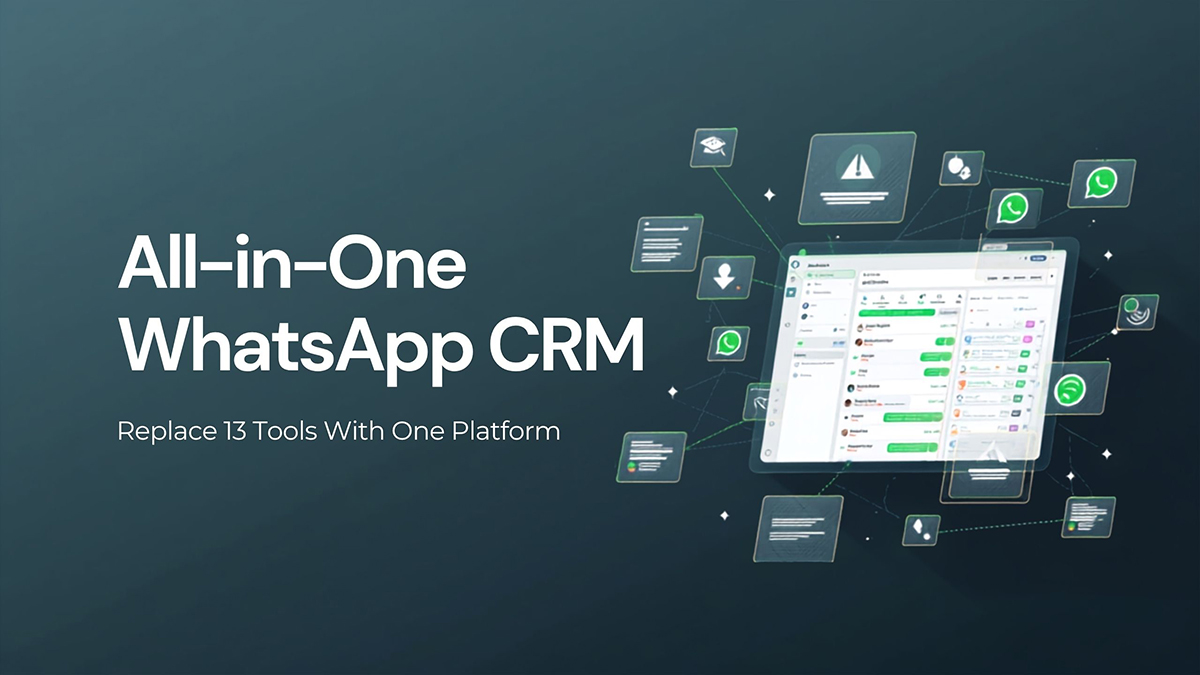
An all-in-one WhatsApp CRM is a single platform that runs your entire sales and marketing engine on WhatsApp — shared inbox, contact records, sales pipeline, funnels, booking, forms, and broadcast campaigns — instead of stitching together a dozen disconnected apps. In short: one login, one contact database, one bill, and every customer conversation flowing through tools that actually talk to each other.
The hidden cost of a 13-tool stack
Most growing businesses don't choose a messy tool stack on purpose — it accumulates. You start with the WhatsApp Business app, add a separate inbox tool, bolt on a landing-page builder, pay for a form tool, sign up for a scheduler, buy an email/SMS sender, and so on. Before long you're paying for and logging into a dozen subscriptions that don't share data.
That fragmentation costs you in three ways:
- Money — a dozen monthly fees add up fast, and many tools charge per contact or per message on top.
- Time — your team copies leads between apps by hand, and information falls through the gaps.
- Lost leads — when a form submission never reaches your pipeline, or a WhatsApp reply lands in a tool nobody checks, that lead goes cold.
An all-in-one WhatsApp CRM collapses that stack into one place so the data stays connected and nothing slips.
What an all-in-one WhatsApp CRM replaces
Here's a typical stack and the single Foxaf equivalent for each category. Your exact tools will differ, but the pattern is the same.
| # | Separate tool you might pay for | Category | Replaced by Foxaf |
|---|---|---|---|
| 1 | WhatsApp Business app | Messaging channel | WhatsApp-native inbox (QR or Cloud API) |
| 2 | Shared inbox / helpdesk | Team inbox | Shared inbox with assignment and notes |
| 3 | Standalone CRM | Contact records | Built-in contact management |
| 4 | Sales pipeline / deal tracker | Pipeline | Drag-and-drop WhatsApp pipeline |
| 5 | Landing-page / funnel builder | Funnels | Funnel builder |
| 6 | Form builder | Lead capture | Native forms |
| 7 | Appointment scheduler | Booking | Built-in booking |
| 8 | Broadcast / bulk-messaging tool | Campaigns | Compliant WhatsApp campaigns |
| 9 | Chatbot builder | Automation | AI chatbots and flows |
| 10 | Follow-up / drip automation tool | Sequences | Automated follow-ups |
| 11 | Quick-reply / canned-response app | Templates | Templates and quick replies |
| 12 | Reporting / analytics dashboard | Reporting | Built-in analytics |
| 13 | Zapier-style connector to glue it together | Integration | Not needed — it's one platform |
The last row is the quiet win: when everything lives in one system, you stop paying for the connective tissue that holds a fragmented stack together.
Why "all-in-one" beats "best-of-breed" for WhatsApp selling
"Best-of-breed" — picking the single best tool in each category — sounds smart, but it assumes your tools will share data cleanly. In WhatsApp-first selling they rarely do, because the conversation is the deal. When a lead messages you, qualifies in chat, books a call, and pays — all on WhatsApp — splitting that journey across five apps means five places where context is lost.
An all-in-one keeps the whole journey in one record: the chat, the pipeline stage, the form they filled, the call they booked, and the campaign that brought them in. Your team sees the full story without alt-tabbing, and your automations can act on any of it.
AI-first, not AI-bolted-on
A modern all-in-one CRM also bakes AI into the core: drafting replies, summarising long threads, qualifying leads, and triggering the right follow-up automatically. That's far more useful than an AI feature glued onto one app in your stack that can't see the rest of your data.
Built for Pakistan and emerging markets
All-in-one matters even more where WhatsApp is the primary business channel. Across Pakistan, South Asia, the Middle East and Latin America, customers expect to buy in chat — often cash on delivery (COD). Foxaf is built for that reality:
- Flat pricing at $47/mo — no per-contact or per-message markup, so growth doesn't punish you. [PKR: confirm]
- COD-friendly workflows for confirming orders and cutting returns.
- QR or official Cloud API connection in one inbox, so you start fast and scale without switching tools.
See how the pieces fit on the Foxaf WhatsApp CRM page.
How to switch without the chaos
Migrating off a stack sounds painful, but it's manageable:
- List what you pay for today and map each tool to a category above.
- Import contacts into the all-in-one so there's one source of truth.
- Rebuild your pipeline stages to match how you actually sell.
- Move automations one at a time — start with your highest-value follow-up.
- Cancel the duplicates once each function is live in the new platform.
Done in order, you cut cost and complexity in days, not months. Compare an all-in-one approach against a heavyweight alternative on our Foxaf vs GoHighLevel page.
Tired of paying for thirteen tools? Run your whole sales engine on the Foxaf all-in-one WhatsApp CRM.
Frequently asked questions
What does "all-in-one WhatsApp CRM" actually mean?
It means one platform handles every part of WhatsApp selling — inbox, contacts, pipeline, funnels, forms, booking, campaigns, and automation — instead of separate apps for each. One login, one database, one bill.
Will an all-in-one tool be weaker than specialist apps?
For WhatsApp-first businesses, the connected data usually outweighs marginal extra features in any single app. You lose the gaps and manual copying that quietly cost you leads, and you keep the full customer journey in one record.
How much can I save by consolidating tools?
It depends on your current stack, but replacing many subscriptions — several of which may charge per contact or per message — with one flat plan typically lowers total cost. Foxaf is $47/mo flat with no per-contact fees. [PKR: confirm]
Is it hard to migrate from my current tools?
No. Import your contacts, rebuild your pipeline stages, move your most important automation first, then cancel the duplicates one by one. Most teams switch in days.
Does the all-in-one connect via QR or the WhatsApp API?
Both. Foxaf lets you start by scanning a QR code with your existing number, then upgrade to the official WhatsApp Cloud API for higher volume and multiple agents — all in the same inbox.