How to Get More Google Reviews on WhatsApp (Without Breaking Google's Rules)
Ask for Google reviews on WhatsApp the right way: get your review link, send a short message after a real interaction, follow up once, and stay inside Google's and Meta's rules. Templates included.
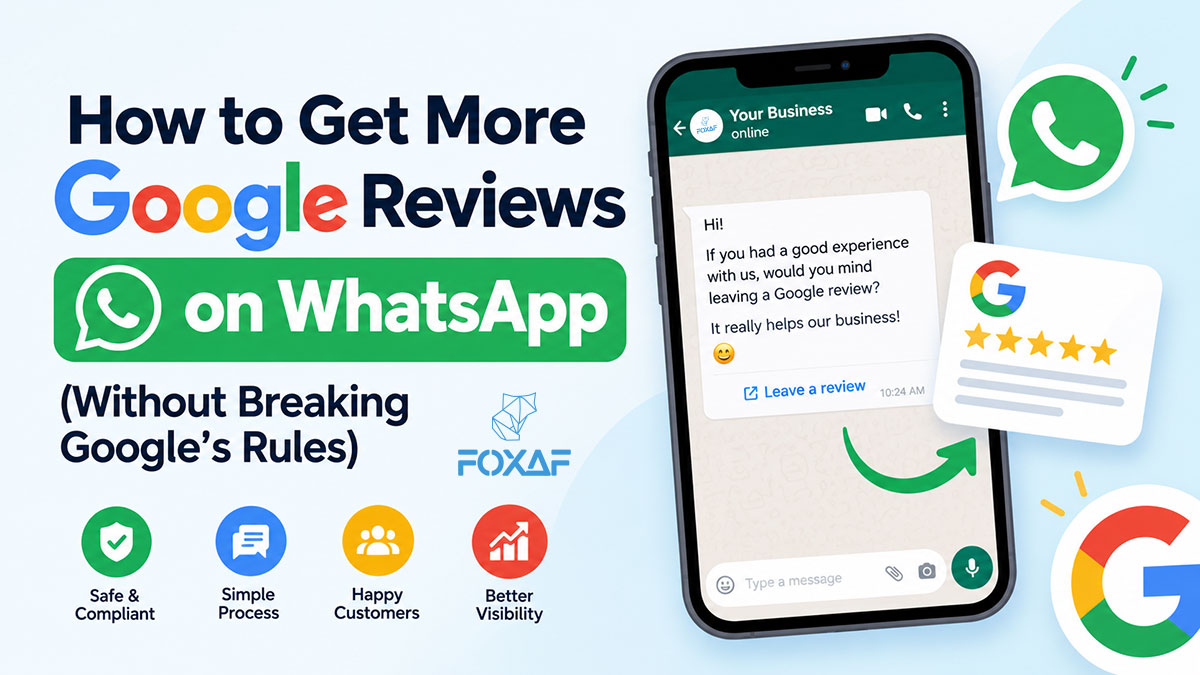
Short answer: To get more Google reviews on WhatsApp, copy your review link from your Google Business Profile, then send it to every customer in a short, personal WhatsApp message right after a real interaction: a delivered order, a finished appointment, a paid invoice. Send one polite follow-up if they don't respond. Don't offer anything in return, and don't ask only the customers you think are happy. Google prohibits both. Then reply to the reviews you get.
That's the whole method. The rest of this guide covers getting the link, when to ask, message templates you can copy, the Google and Meta rules that trip businesses up, and how to automate it once it works by hand.
Why ask for Google reviews on WhatsApp instead of email?
Because that's where the conversation already is. If your customers booked, ordered or asked questions on WhatsApp, a review request there arrives in a chat they recognise, from a name they've already spoken to. An email from a no-reply address is easy to ignore. A message in a live chat is easy to answer.
It also matters for search. Google's own guidance on local ranking says: "More reviews and positive ratings can help your business's local ranking." Reviews are part of what Google calls prominence, alongside relevance and distance. Google also says "there's no way to request or pay for a better local ranking". So reviews have to be earned one customer at a time, and asking well is most of that work.
How do I get my Google review link?
- Sign in to your Google Business Profile (search your business name on Google while logged in, or open the Business Profile Manager).
- Look for "Ask for reviews" or "Get more reviews".
- Copy the short link Google gives you. It opens the review box for your business directly.
Test it on your own phone before you send it to anyone. If you have more than one location, each location has its own link, so make sure each branch sends its own.
Tip: For customers who visit in person, turn the same link into a QR code for the counter, the receipt or the delivery slip. Our free WhatsApp QR code generator handles WhatsApp chats. For a review link, any QR tool that encodes a plain URL works.
When is the best time to ask for a review?
Ask when the experience is complete and fresh. Not before, and not weeks later.
| Business | Good moment to ask |
|---|---|
| E-commerce / COD | 1–2 days after the order is delivered, not when it ships |
| Clinic / salon / repair shop | The same day the appointment or job is finished |
| Services / agencies | When the invoice is paid or the project is signed off |
| Real estate | After the viewing or the handover, not during negotiation |
| Restaurants / retail | Same day, via a QR code at the table or counter |
Two rules make timing work:
- Ask once per real interaction. A customer who bought twice can be asked twice, months apart. A customer who bought once should not get a monthly request.
- Ask everyone who completed the interaction. Don't pick who to ask by how they seemed. More on that below, because it's a Google policy, not a style choice.
What should a WhatsApp review request say?
Short, personal and specific. A good request has five parts:
- Their name. "Hi Ayesha," not "Dear Customer."
- What it's about. The order, appointment or job, so the message is clearly about them.
- A plain ask. "Would you share how it went on Google?"
- The link. Your Google review link, on its own line.
- A way out. "If anything wasn't right, just reply here." This is good service, and it gives unhappy customers a way to reach you. It must not replace the review link. Everyone still gets the link.
Example WhatsApp review request templates
Swap the {{1}}-style placeholders for your own fields. In the WhatsApp Business Platform these become template variables.
After a delivered order (e-commerce):
Hi {{1}}, your order {{2}} from {{3}} was delivered. Thank you for ordering with us! If you have a minute, would you share how it went on Google? It helps other customers find us. {{4}} If anything wasn't right with the order, just reply to this message and we'll sort it out.
After an appointment (clinic, salon, repair):
Hi {{1}}, thank you for visiting {{2}} today. We'd really value your honest feedback on Google. It takes about a minute: {{3}} Questions about your visit? Reply here anytime.
After a paid invoice (services):
Hi {{1}}, thanks for working with {{2}} on {{3}}. Your invoice is all settled. If you're happy to, could you leave a short review of your experience on Google? {{4}}
Roman Urdu (Pakistan):
Assalam o Alaikum {{1}}, {{2}} se order {{3}} ka shukriya! Agar aap ke paas ek minute ho, to Google par apna tajurba zaroor share karein: {{4}} Order mein koi masla ho to isi chat par reply karein.
One follow-up (3–5 days later, only if they haven't reviewed):
Hi {{1}}, just a gentle reminder in case you missed it. If you'd like to review {{2}} on Google, here's the link: {{3}} No worries if not. Thanks again!
Then stop. One request and one reminder is polite. A third message is pressure.
What are Google's rules for asking customers for reviews?
Google's prohibited-content policy for Maps reviews is explicit. Businesses may not:
- Offer incentives for reviews: "payment, discounts, free goods and/or services". That includes "10% off your next order for a review" and entry into a prize draw.
- Selectively ask for positive reviews, or discourage negative ones. Google's wording is: "Discourage or prohibit negative reviews, or selectively solicit positive reviews from customers."
- Set review quotas for staff ("each agent must get 10 reviews a week").
- Pressure customers on the premises to leave a review there and then.
What Google does allow is asking customers to share a genuine experience, which is everything in this guide.
What is "review gating", and why should you avoid it?
Review gating means asking the customer something like "How would you rate us out of 5?" first, then sending only the 4- and 5-star answers to Google and routing the rest to a private form. It is a popular trick, and it is exactly what Google means by "selectively solicit positive reviews". If you use a rating or feedback step before the Google link, show the Google link to everyone, whatever they answered.
The honest version also works better over time. A profile with a natural mix of ratings and thoughtful replies to the critical ones reads as real. A wall of identical 5-star reviews doesn't.
What are Meta's rules for review requests on WhatsApp?
If you send review requests through the official WhatsApp Business Platform (the API), each business-initiated message is a pre-approved template, and Meta assigns it a category:
- Utility templates must be non-promotional and tied to the customer's specific order, account or interaction. Meta's guidance says generic feedback requests are not approved as Utility.
- Anything with promotional content, such as a discount, a new product or "shop again", is Marketing. A Utility template with promotional content added gets treated as Marketing.
So a review request that names the specific order or appointment and contains nothing promotional has the best chance of being treated as Utility. Meta makes the final call, and categories and per-message rates change. Check Meta's current documentation and pricing page rather than relying on any figure quoted in a blog post, including this one.
Inside the 24-hour customer-service window (after the customer last messaged you), you can reply with a normal free-form message. "Thanks for your message! If you have a minute, here's our Google review link" is fine there.
Not sure whether you need the API at all? See WhatsApp Business App vs API and our page on the WhatsApp Business API.
Can I ask for reviews from the WhatsApp Business app instead?
Yes, by hand. Save the template text as a Quick Reply in the WhatsApp Business app (type / to insert it), paste your review link, and send it at the end of each finished conversation. That's a fine way to start if you have a few customers a day.
It stops working when:
- several people answer the same number and nobody knows who has already been asked,
- you have to remember who to follow up with,
- orders, bookings or invoices live in another system, so "delivered" or "paid" never reaches the person sending the message.
That's the point to automate. Our guide to automating WhatsApp follow-ups covers the general pattern. The next section applies it to reviews.
How do I automate Google review requests on WhatsApp?
Any automated setup needs the same four pieces:
- A trigger tied to a completed interaction: order delivered, appointment finished, invoice paid, deal won.
- An approved template with the customer's name, the specific order or visit, and your review link.
- One follow-up rule: if no review after N days, send the reminder once, then stop.
- A record per customer, so nobody is asked twice for the same interaction and replies reach a person.
Most review tools handle 2 and 3. The trigger and the record are where a CRM helps, because the CRM already knows when the order was delivered or the invoice was paid.
How do I set this up with FOXAF?
FOXAF has review requests built into the CRM. Here is what its Google review management feature does today:
- Send review request is a workflow step. Add it to a workflow you already run, for example when a deal moves to Won, an appointment is booked or an invoice is paid. You can also send requests by hand.
- Requests go out on WhatsApp, SMS or email, in your own words, with the customer's first name and a link to your review page.
- Follow-ups go to customers who haven't responded, after the number of days you choose.
- A QR code opens your review page, for the counter, receipts or delivery slips.
- Connect your Google Business Profile to sync its reviews into FOXAF and reply to them from there. The AI can draft a suggested reply, and nothing is posted until you choose to post it.
- If a customer answers a WhatsApp review request with a message, it lands in your shared inbox like any other chat, tied to their contact record.
- Analytics show your average rating, the spread of stars, your reply rate and how many requests became reviews.
Keep the rules above when you set it up. Send the request to everyone the trigger catches, don't add an incentive to the message, and if your flow asks for a star rating first, make sure every customer still reaches the Google link.
Plans and what each includes are on the pricing page. If you run a clinic, salon or repair shop, see FOXAF for local services. For the wider picture of a CRM for a small team, see our guide to CRM for small businesses in Pakistan.
Should I reply to every Google review?
Reply to as many as you can, the critical ones especially. Google's own guidance is that replying "shows that you value their feedback" and that "positive reviews and helpful replies can help your business stand out."
- Positive: thank them by name and mention something specific. Two sentences is plenty.
- Negative: thank them, apologise for the specific problem without arguing, and move it to a private channel: "Please message us on WhatsApp at … so we can put this right."
- Never offer anything to change or remove a review. That breaks the same incentive rule.
If you use AI to draft replies, read every draft before posting. A generic, slightly wrong reply under an angry review does more harm than no reply. Clinics and healthcare businesses should never confirm a patient relationship or treatment details in a public reply. See WhatsApp CRM for healthcare in Pakistan for the privacy side.
A simple 7-day plan to start
- Day 1: Copy your Google review link and test it. Write your request template and your one follow-up.
- Day 2: Send the request to every customer who completed an order or visit in the last 7 days. Not older, because a two-month-old purchase is too stale.
- Days 3–5: Reply to every new review the same day.
- Day 5: Send the single follow-up to anyone who hasn't reviewed.
- Day 6: Print the review QR code for your counter or delivery slips.
- Day 7: Count requests sent and reviews received. That's your baseline. Decide whether the manual Quick Reply is enough or whether to automate the trigger.
Frequently asked questions
How do I ask a customer for a Google review on WhatsApp?
Send a short, personal message after a completed order or visit: use their name, mention the specific order or appointment, ask them to share their experience on Google, and include your Google review link. Send one reminder a few days later if they haven't reviewed, then stop.
Where do I find my Google review link?
In your Google Business Profile, under "Ask for reviews" or "Get more reviews". Copy the short link and test it on your phone. Each location has its own link.
Can I offer a discount for a Google review?
No. Google's policy prohibits offering incentives such as payment, discounts, free goods or services in exchange for posting any review.
Can I ask only happy customers for reviews?
No. Google prohibits selectively soliciting positive reviews or discouraging negative ones. Ask every customer who completed the interaction, and if you use a rating step first, show everyone the Google link.
Is a WhatsApp review request a Utility or Marketing template?
Meta decides. Utility templates must be non-promotional and specific to the customer's order or interaction, and generic feedback requests are not approved as Utility. A request that names the specific order and contains nothing promotional has the best chance of being treated as Utility.
How many times should I remind a customer to leave a review?
Once. One request and one reminder a few days later is polite. More than that becomes pressure.
Do more Google reviews help local ranking?
Google says more reviews and positive ratings can help a business's local ranking, as part of prominence alongside relevance and distance. Google also says there is no way to request or pay for a better local ranking.
Can FOXAF send Google review requests on WhatsApp automatically?
Yes. FOXAF has a "Send review request" workflow step that can run when a deal is won, an appointment is booked or an invoice is paid, on WhatsApp, SMS or email, with follow-ups after the number of days you choose. It can also sync your Google reviews and draft replies that you approve before posting.