
WhatsApp appointment booking, with confirmations that land in the chat
Share a booking link in your WhatsApp chats, broadcasts and website. Customers pick a free slot, the booking goes onto your calendar and their contact in FOXAF, and a workflow can confirm it on WhatsApp straight away.
- Booking page and website embed
- Google Calendar with Meet links
- Reschedule and cancel links
- WhatsApp confirmations from a workflow
Calendar and booking are on every plan, including Free. 14-day free trial of the paid plans.
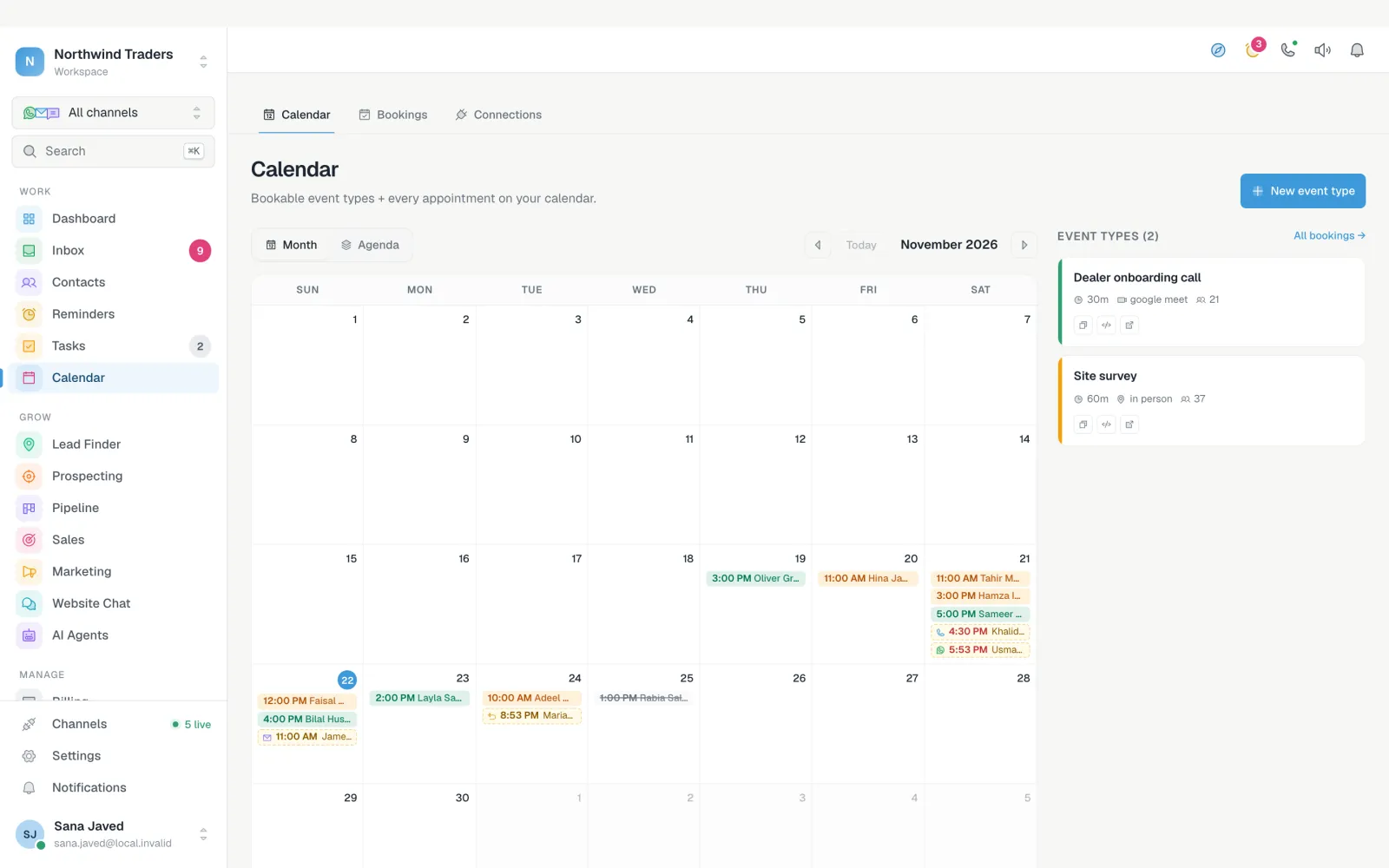
A booking page you can send on WhatsApp
WhatsApp booking works best when the customer does not have to ask "when are you free?" Send the link in the chat, and they choose a slot that really is free. The booking appears on their contact, next to the conversation, so whoever replies next has the full picture.
Use the hosted booking page, or embed it on any page of your website.
- Event types with their own length, location and host
- Weekly hours, days off, buffers before and after, minimum notice and how far ahead people can book
- A daily limit, so one day does not fill up with back-to-back calls
- Your own questions on the booking form, with the answers saved on the booking
- Times shown in the guest's own time zone
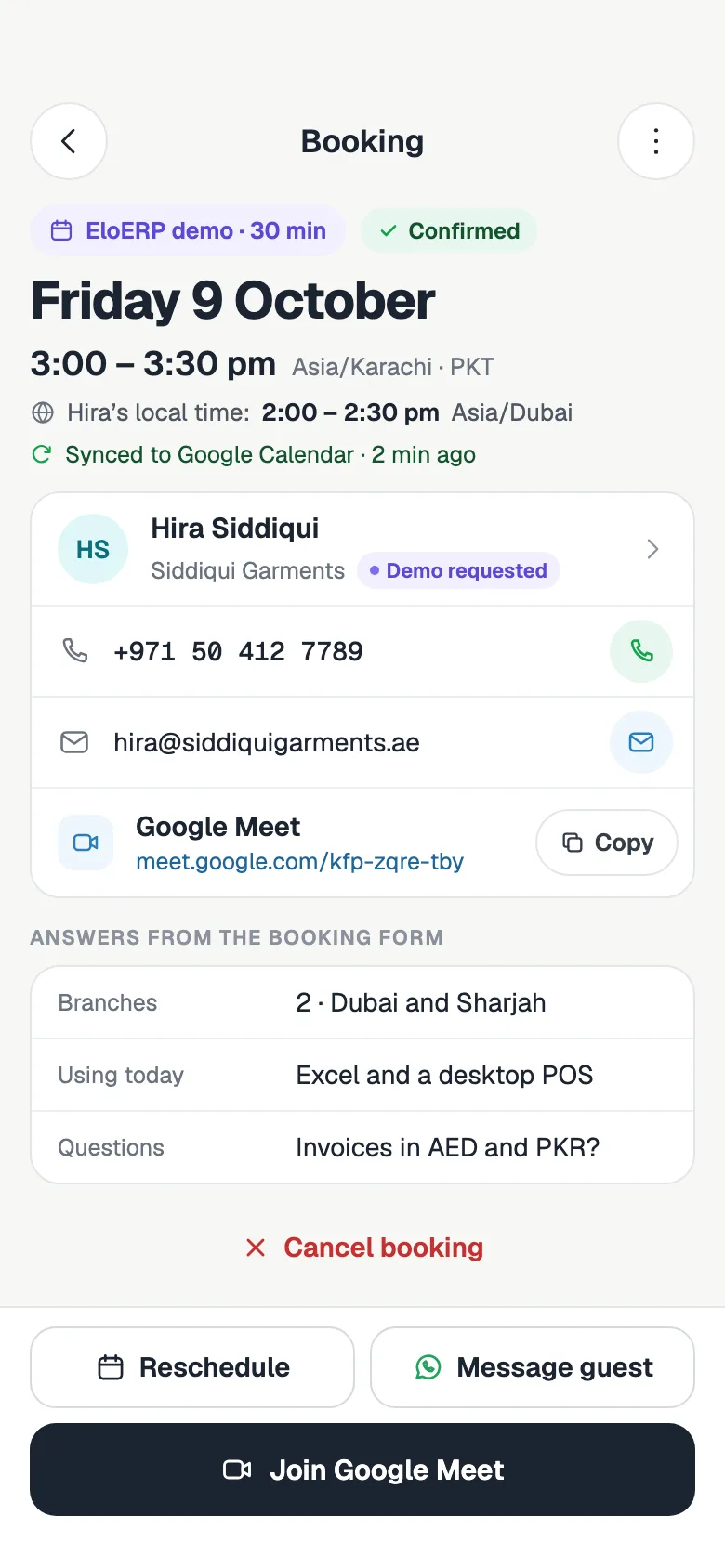
Google Calendar, Meet, iCloud and Zoom
No double bookings. FOXAF checks your calendar before it offers a slot, and keeps the event in step when the customer moves it.
- Each booking is added to your Google Calendar, with a Google Meet link if you want one
- Busy times in Google Calendar block those slots on your booking page
- iCloud calendar busy times can block slots too
- Zoom can create the meeting link instead
- Rescheduling or cancelling updates the Google Calendar event
Confirmations and reminders on WhatsApp
A booking or a cancellation can start a workflow. Build the follow-up your business needs, with WhatsApp templates, email and SMS.
- Step 1
Confirm on WhatsApp
The moment someone books, send an approved WhatsApp template to confirm it. The time and meeting link are in the confirmation email and calendar invite.
- Step 2
Follow up after a wait
Add a wait step and send the next message hours or days later. Waits count from when the booking is made.
- Step 3
Win back cancellations
When a booking is cancelled, a second workflow can offer a new time on WhatsApp or create a call task.
Reschedule and cancel without a phone call
Customers change plans. Let them move the appointment themselves, and keep your team's time for the conversations that need a person.
- The confirmation email has a calendar invite and links to reschedule or cancel
- Rescheduling offers only slots that are still free
- You and the customer both get notified of a cancellation
- Message the guest on WhatsApp from the booking
A Calendly alternative with a CRM inside
Every booking is part of a customer record, not a separate tool.
Booking on the contact
Each booking sits on the customer's contact next to their chats, deals and invoices.
Workflows on booking
Move a deal to the next stage, add a tag or create a preparation task when someone books.
One inbox for the follow-up
Replies about the appointment arrive in the shared inbox with the booking beside them.
Bookings list
Every booking with its status in one list, ready to export.
Bookings report
A ready-made bookings report, filterable by date and exportable to Excel like every FOXAF report.
In the mobile app
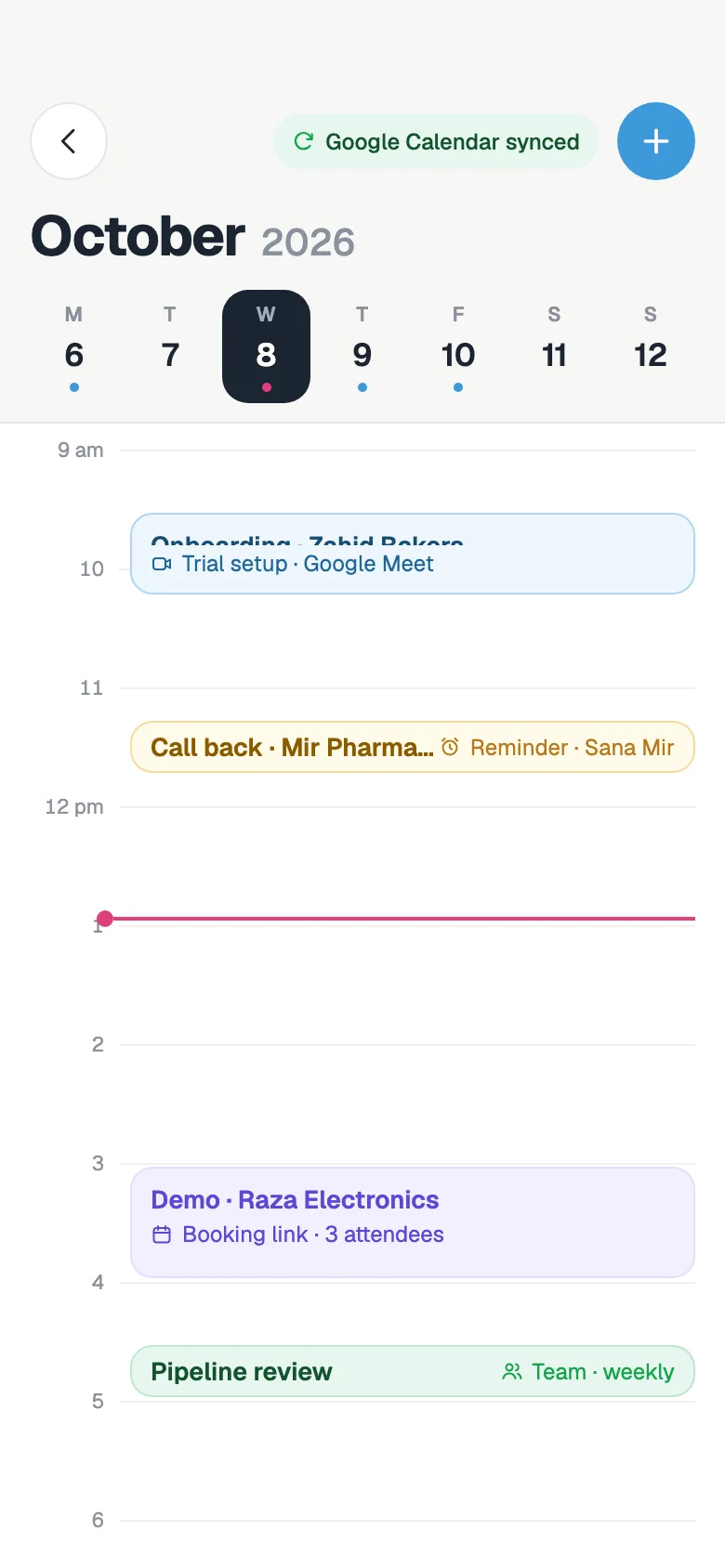
See the day's bookings, join the meeting, reschedule or cancel from your phone.
WhatsApp appointment booking, answered
How does WhatsApp appointment booking work in FOXAF?
Create an event type and share its booking link in WhatsApp chats, broadcasts, your website or your bio. The customer picks a free slot, the booking lands on their contact in FOXAF, and a workflow can confirm it on WhatsApp straight away.
Can FOXAF send appointment reminders on WhatsApp?
Yes, through a workflow started by the booking: a WhatsApp confirmation at once and follow-up messages after waits you set. Waits count from when the booking is made. The confirmation email also carries a calendar invite, so the appointment sits in the customer's own calendar.
Does it sync with Google Calendar?
Yes. Each booking is added to your Google Calendar, with a Google Meet link if you want one, and busy times in Google Calendar block those slots on your booking page. iCloud busy times can block slots too, and Zoom can create the meeting link.
Can customers reschedule or cancel?
Yes. The confirmation email has links to reschedule to another free slot or cancel. A cancellation can start its own workflow, for example to offer a new time on WhatsApp.
Is FOXAF a Calendly alternative?
For businesses that sell on WhatsApp, yes. FOXAF has event types, a booking page and calendar sync, and every booking also becomes part of the customer's record in a CRM with a shared inbox, workflows and pipeline.
Can I put the booking page on my website?
Yes. Use the hosted booking page link, or embed the booking page on any website with a short code snippet.
What is the best free app for booking appointments?
If your customers reach you on WhatsApp, pick one that sends the booking link and confirmation there. Calendar and booking are on every FOXAF plan, including Free, with a 14-day free trial of the paid plans.
Let customers book from the chat
Create an event type, share the link on WhatsApp and confirm every booking automatically.