
A CRM app with your WhatsApp inbox, in your pocket
The FOXAF mobile app for Android and iOS puts your whole CRM on your phone: every WhatsApp, email and website chat in one inbox, every contact's history, your tasks, deals, quotes and AI agents. It signs in with your FOXAF account, so the team sees the same workspace on the phone and on the web.
- One inbox for WhatsApp, email and chat
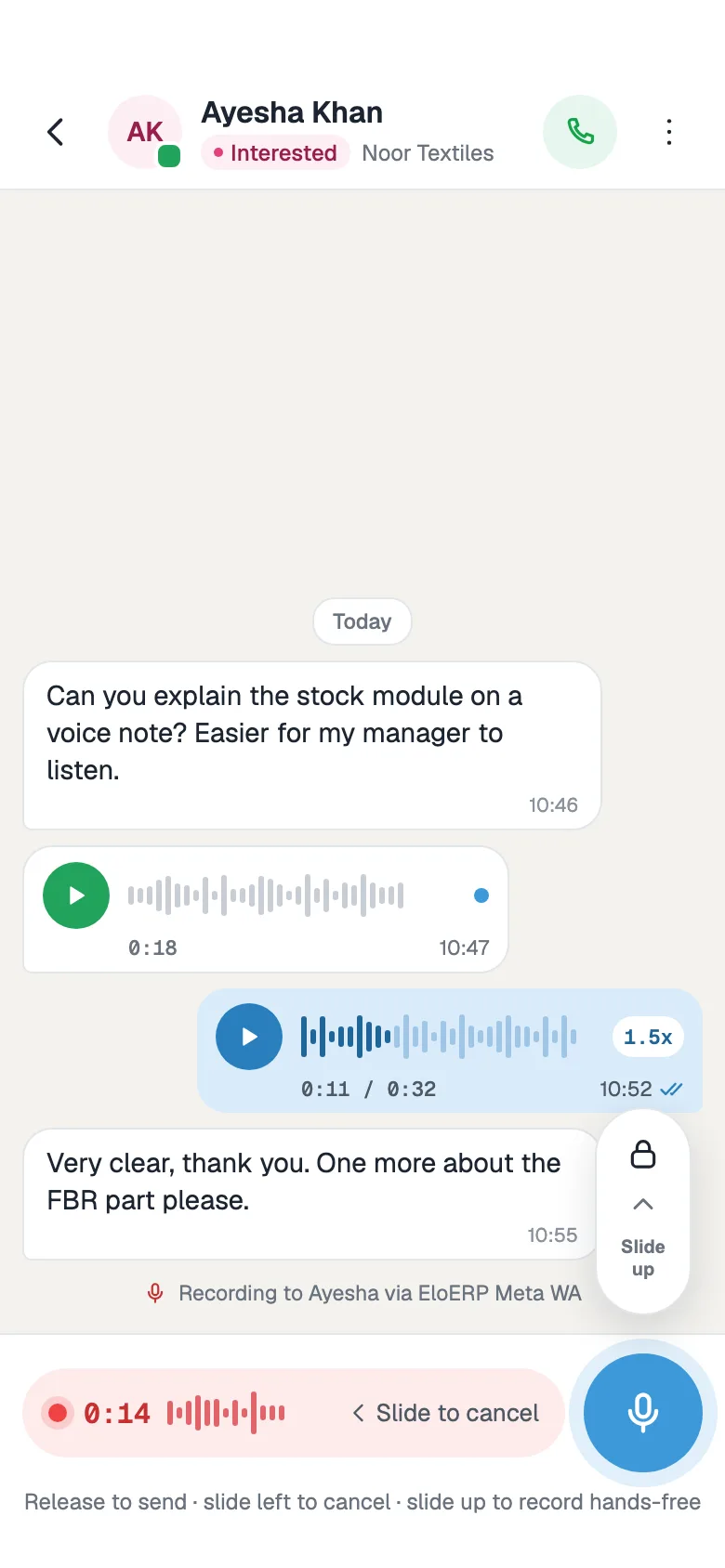
- Voice notes, photos and files
- Tasks, reminders and deals
- Urdu interface and dark mode
Ask us for access and we will set up the app for your team. It uses your FOXAF account and plan, and every paid plan has a 14-day free trial.
Reply to every channel from your phone
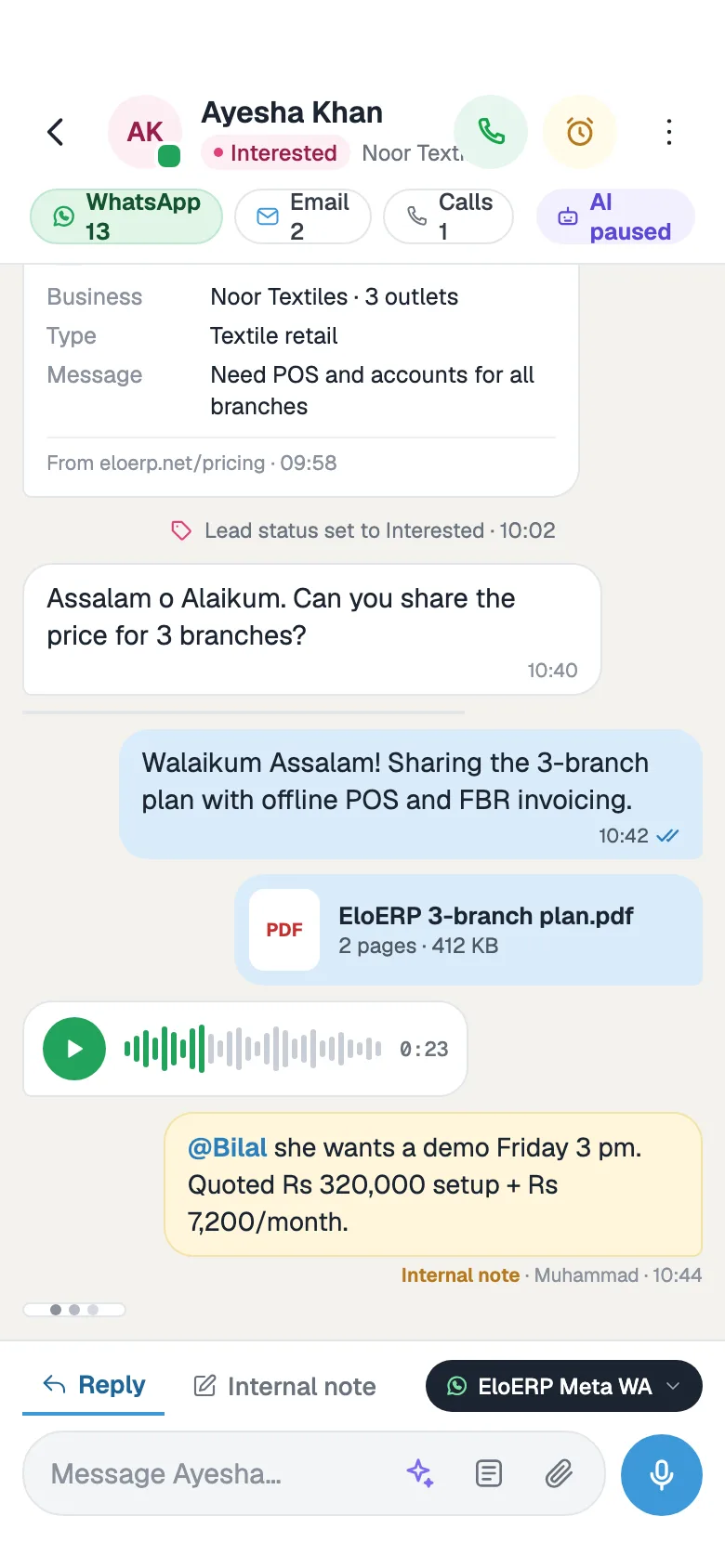
Customers do not wait until you are back at your desk. The CRM app shows the same shared inbox your team uses on the web, so you can answer a lead on WhatsApp from the shop floor, a site visit or the car.
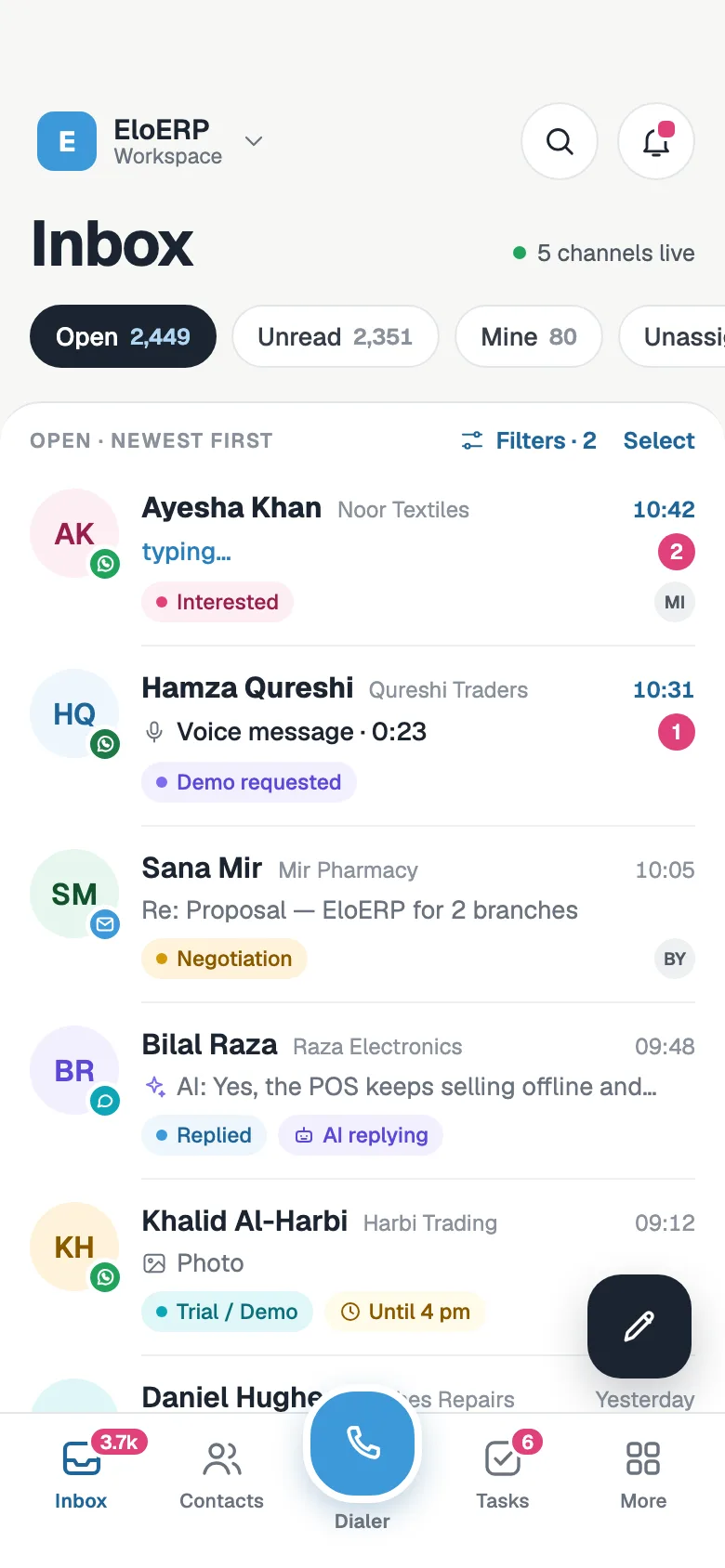
- WhatsApp, email and website chat in one list, with open, unread, mine and unassigned views
- Reply with text, photos, files and voice notes, or send an approved WhatsApp template
- Quick replies, internal notes and @mentions to loop in a teammate
- Assign, snooze and close conversations, and see when the AI agent is replying
Leads and follow-up reminders
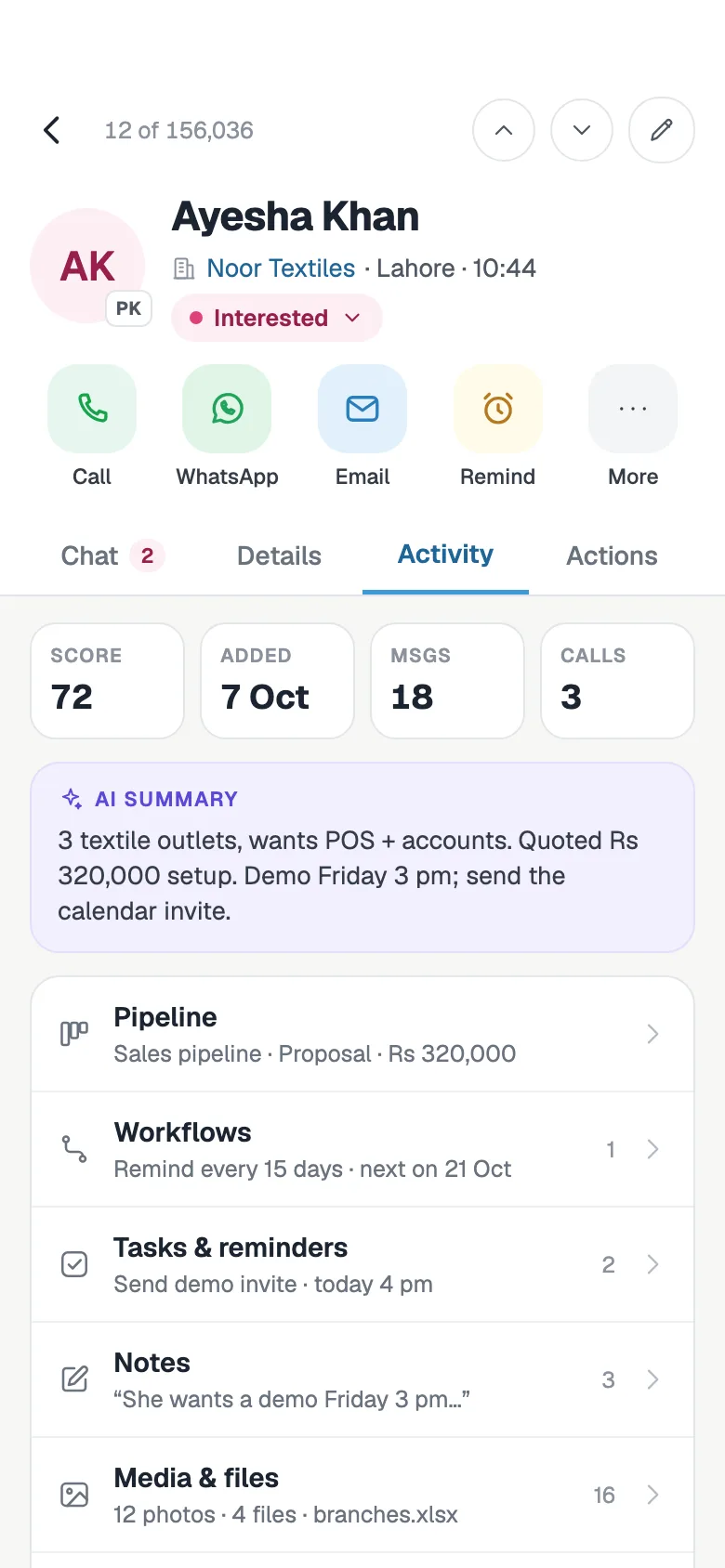
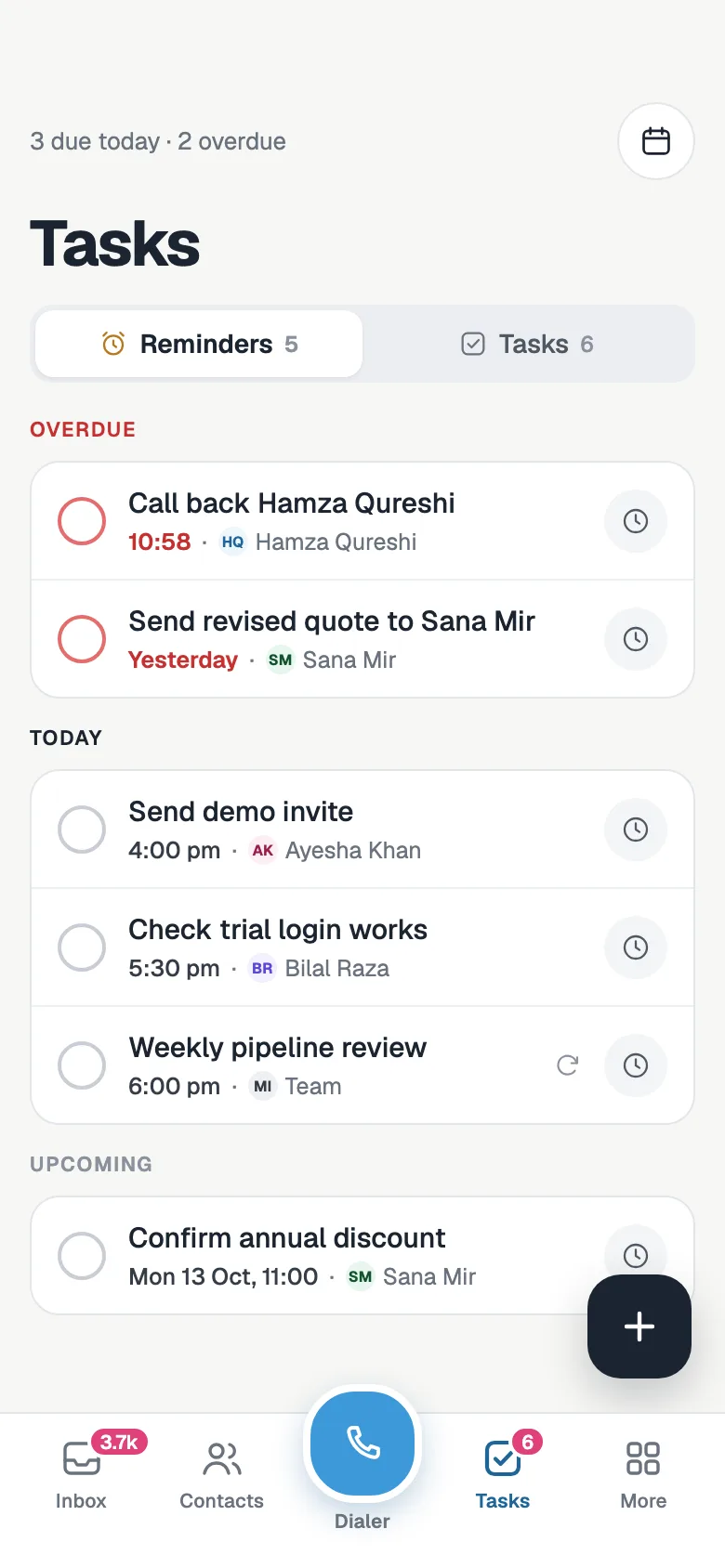
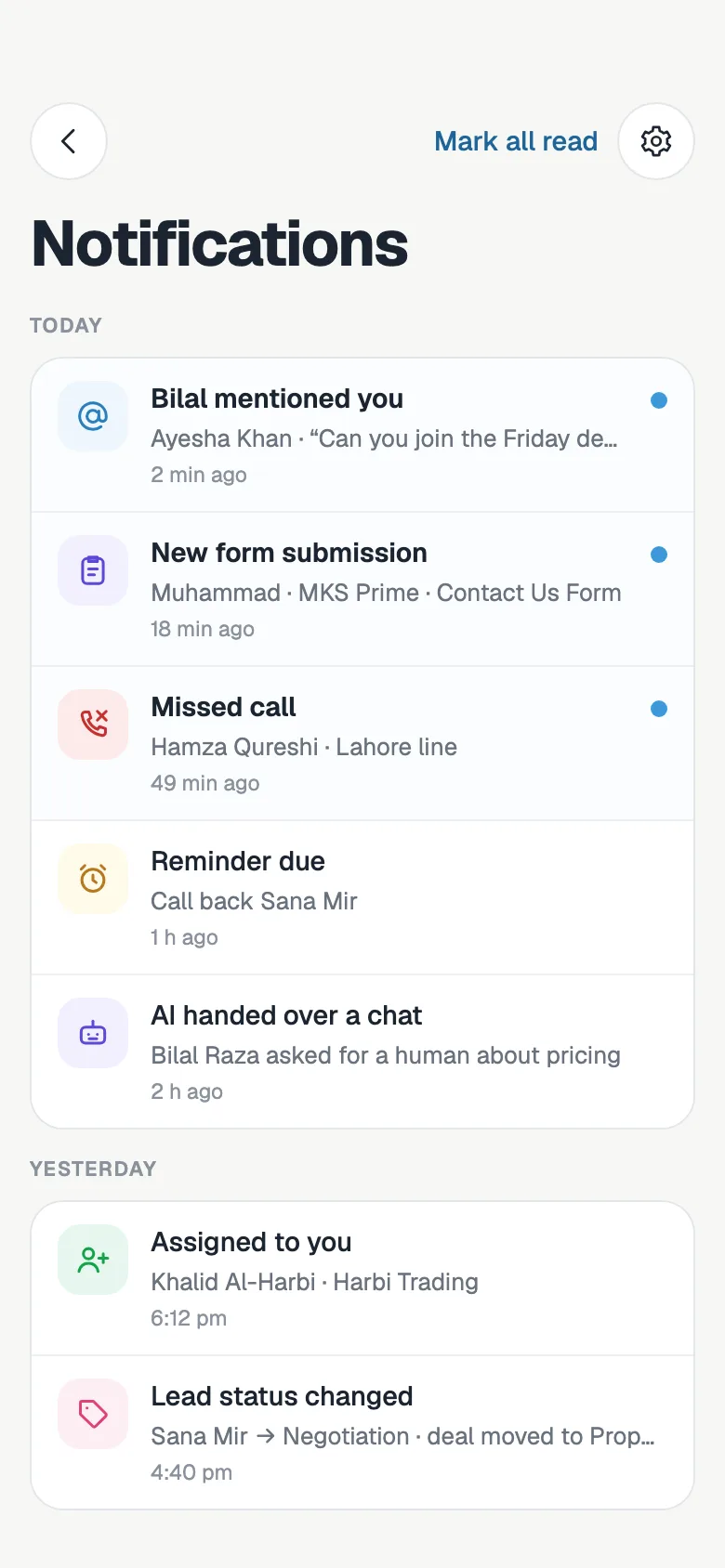
A mobile CRM is only useful if follow-ups do not slip. Set a reminder from the chat, see what is due today, and open the contact with one tap when it is time to call.
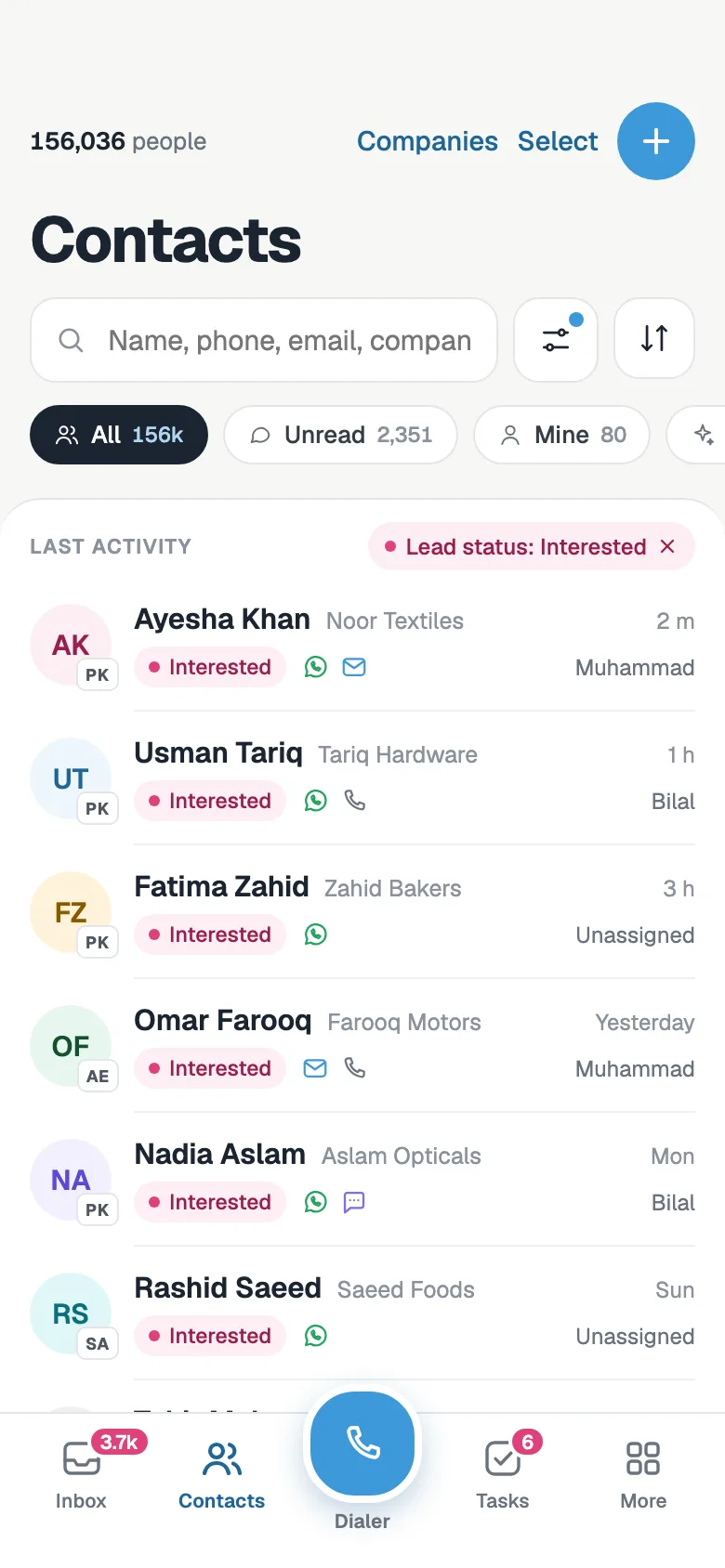
- Search contacts, companies and messages, and filter by lead status
- Every contact's chats, notes, tasks, deals, tags and files on one page
- Tasks and reminders for you and your team, with overdue ones on top
- Add a contact, task or deal in seconds
Call and log from the app
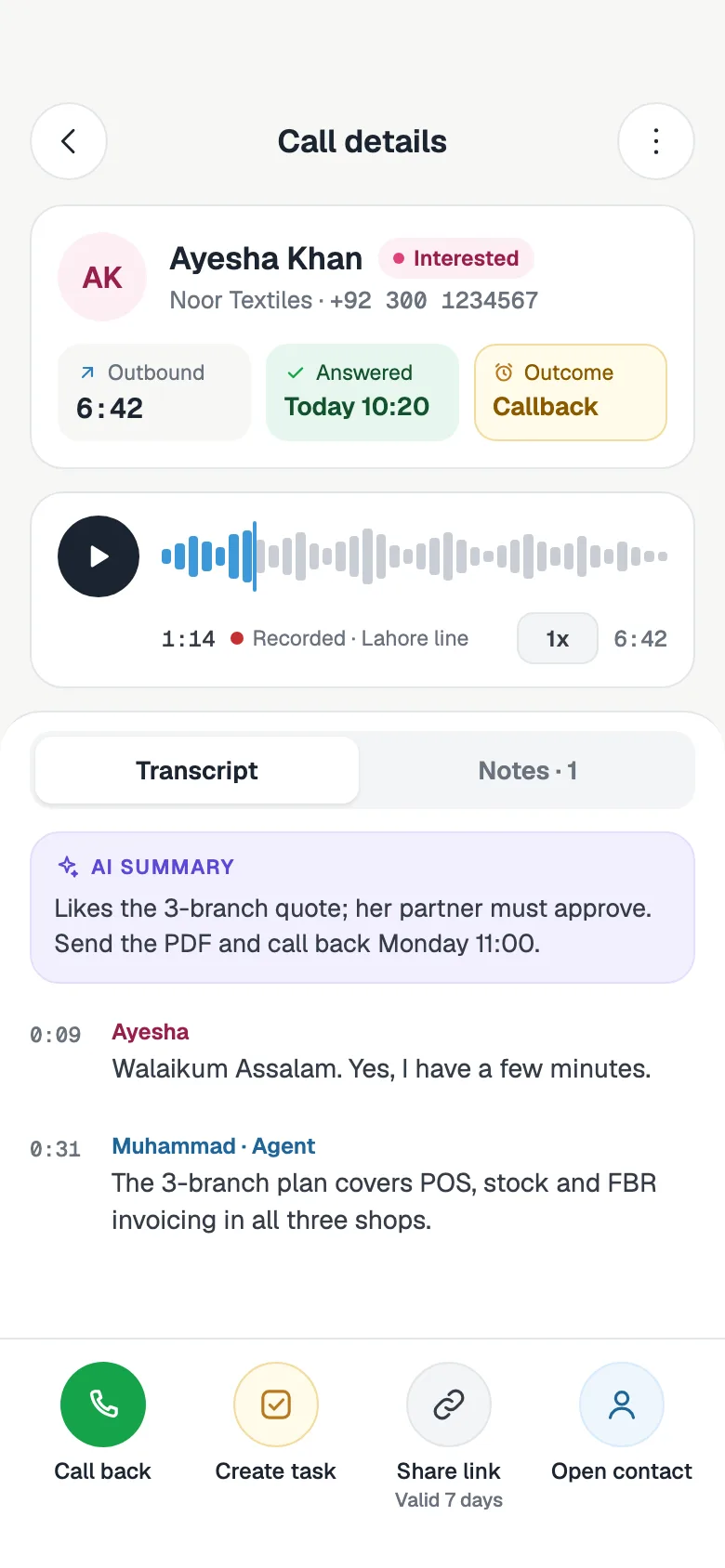
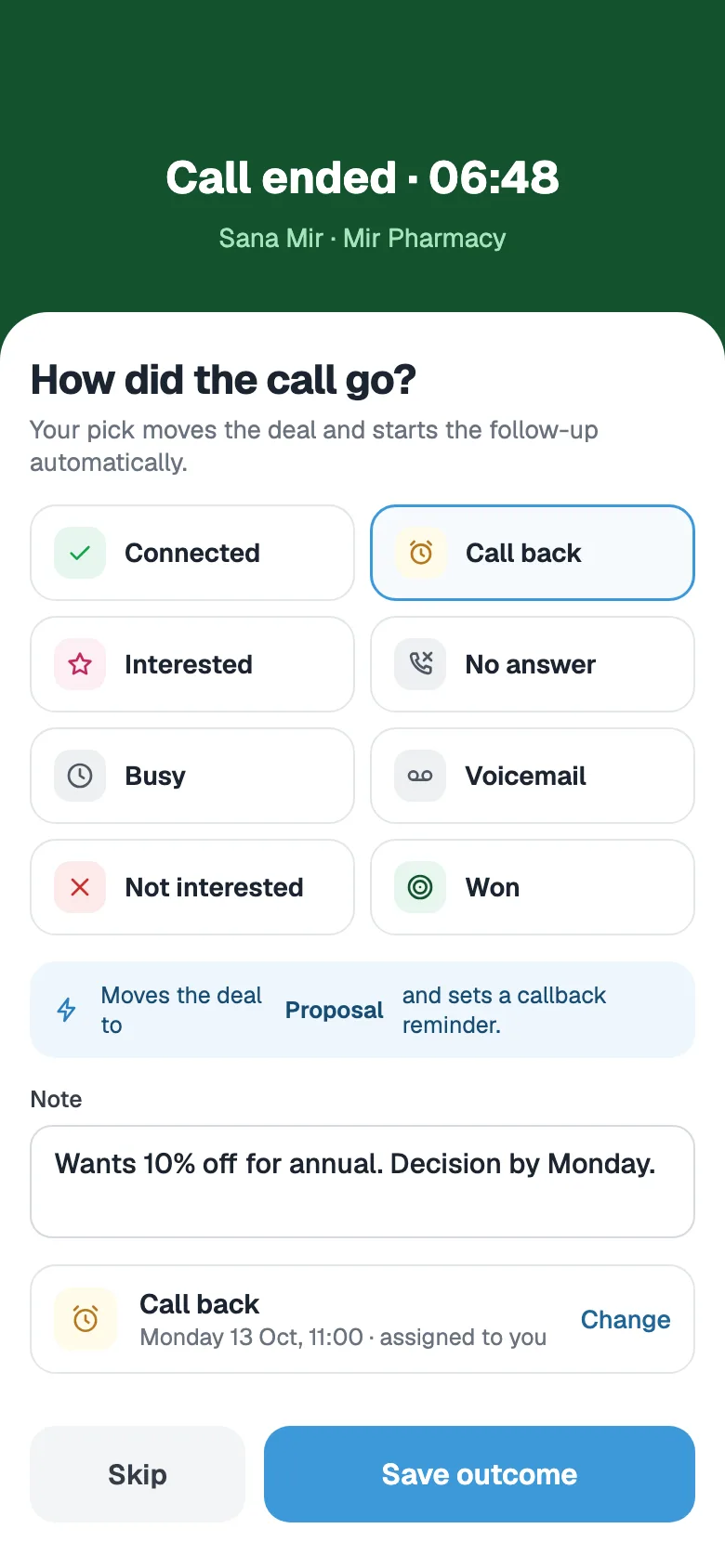
Every call your team makes through FOXAF is on the contact, wherever you open it. After a call, pick what happened and FOXAF sets the next step.
- Tap Call on a contact and your phone dials them
- Your FOXAF call log, with recordings, transcripts and AI summaries of calls made through the FOXAF phone system
- Log the outcome of a call and set the callback, and the deal moves for you
Pipeline on the go
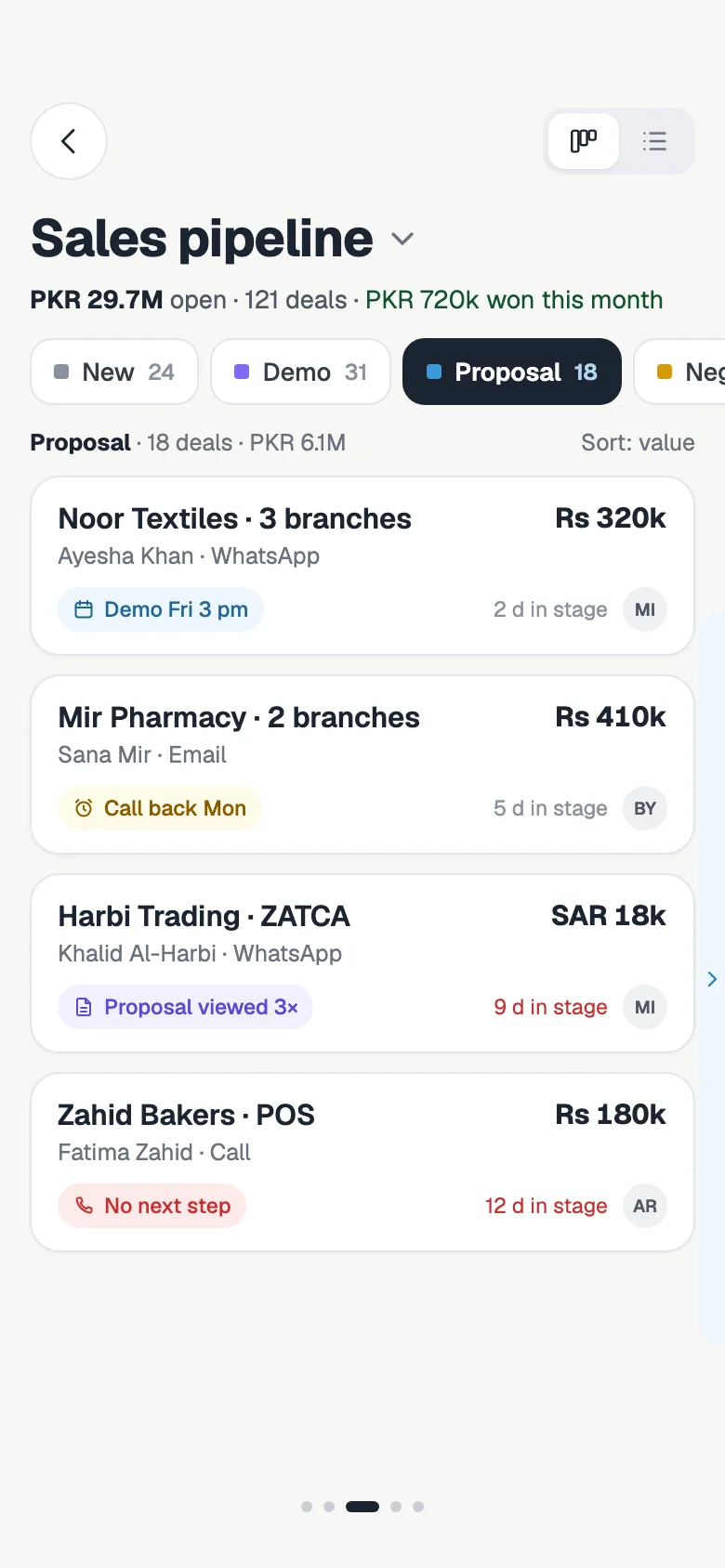
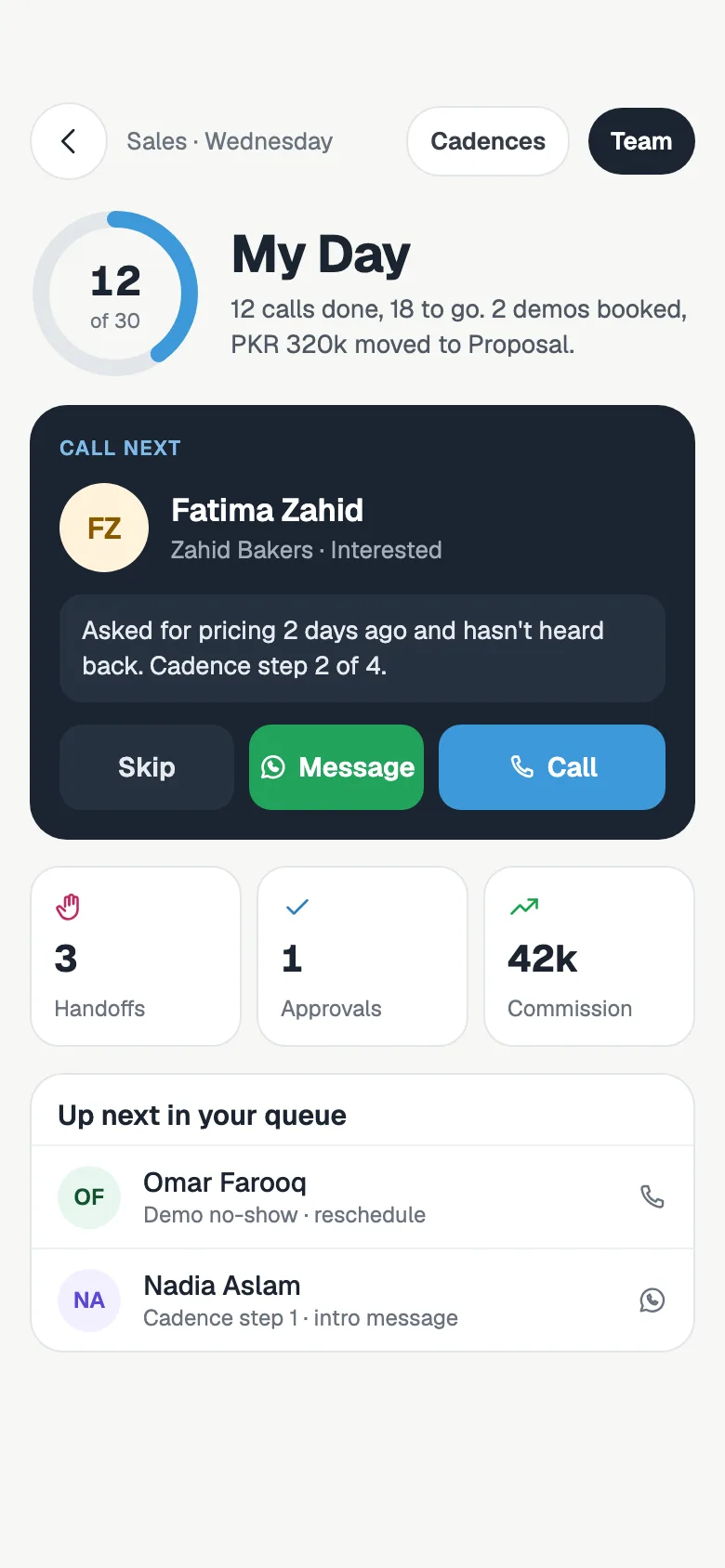
A sales app should answer one question: what do I do next? The pipeline shows where every deal stands, and My Day lines up the calls and follow-ups for each rep.
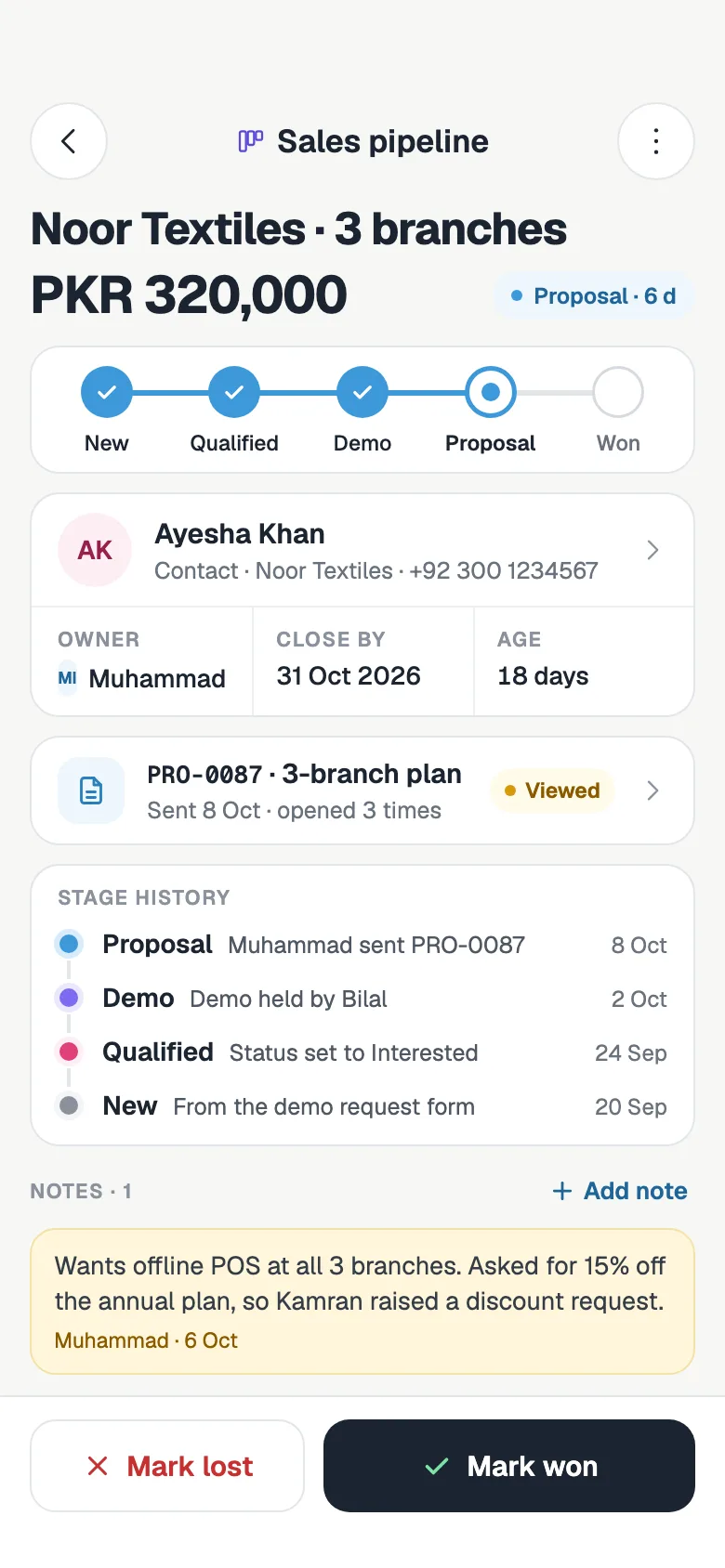
- Move deals between stages and mark them won or lost
- See each deal's value, owner, close date and stage history
- My Day: the next lead to call and the rest of your queue, for Pro sales teams
Quote, invoice and follow your campaigns
Send the price while the customer is still in the chat. Quotes, invoices and campaigns use the same data as the web, so nothing has to be typed twice. Quotes and invoices are on Starter and up.
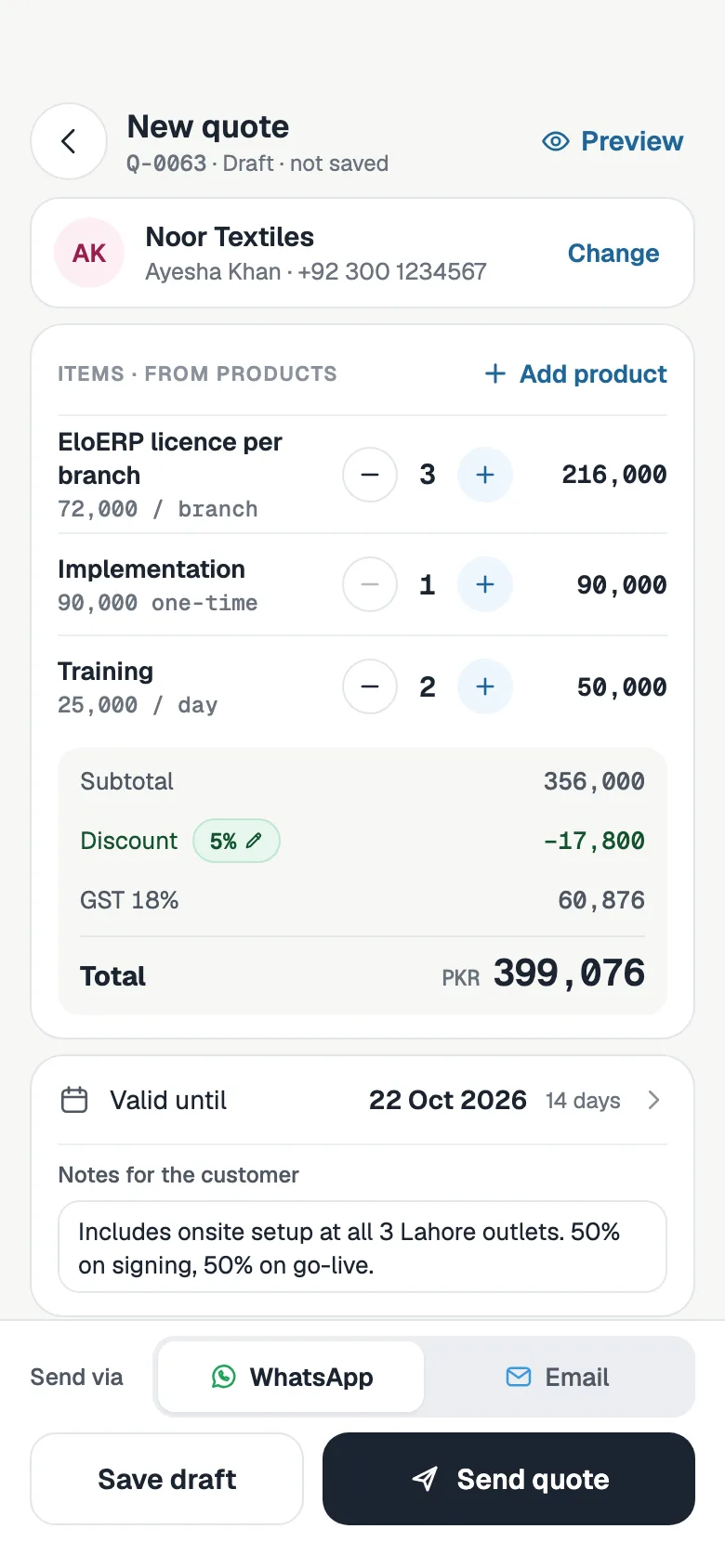
- Build a quote from your product list and send it on WhatsApp or by email
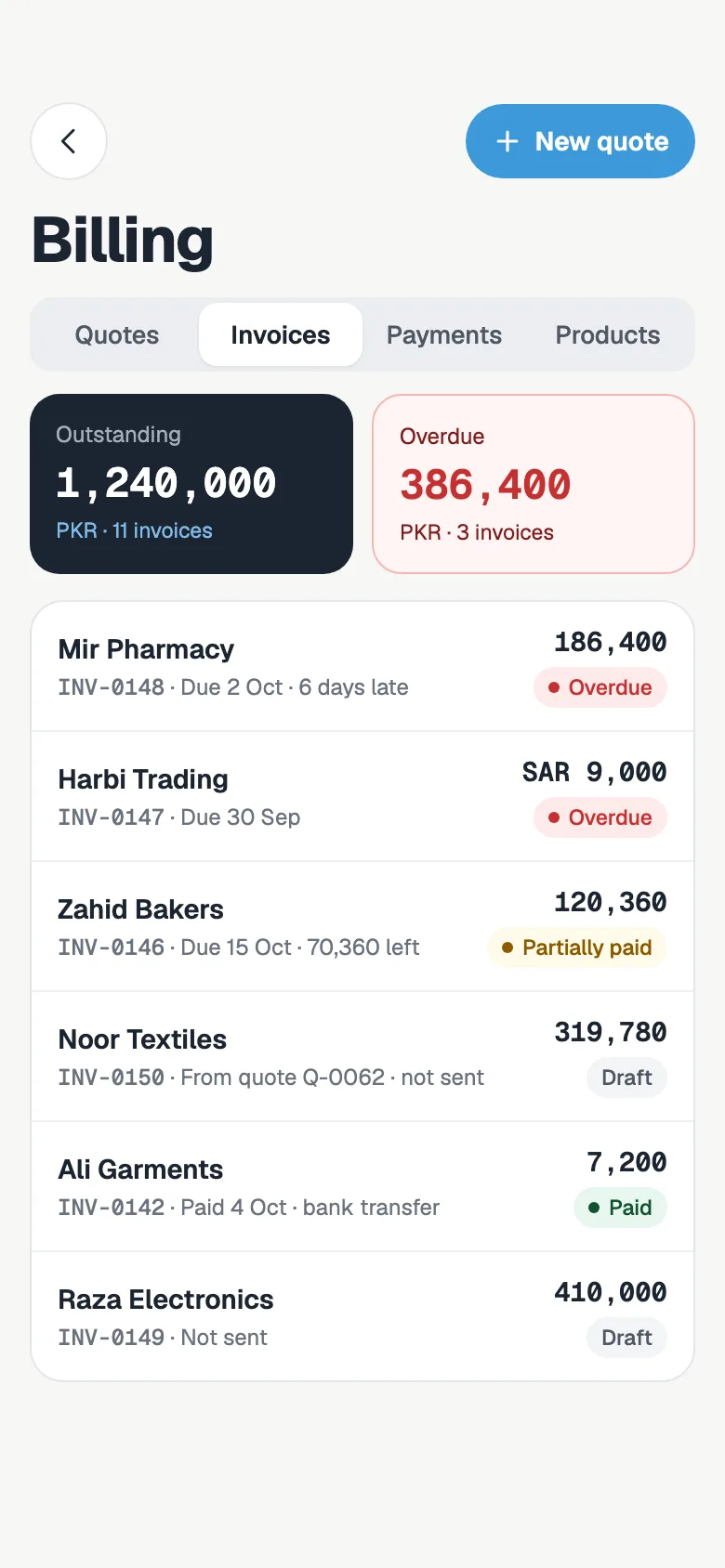
- See outstanding and overdue invoices and record a payment
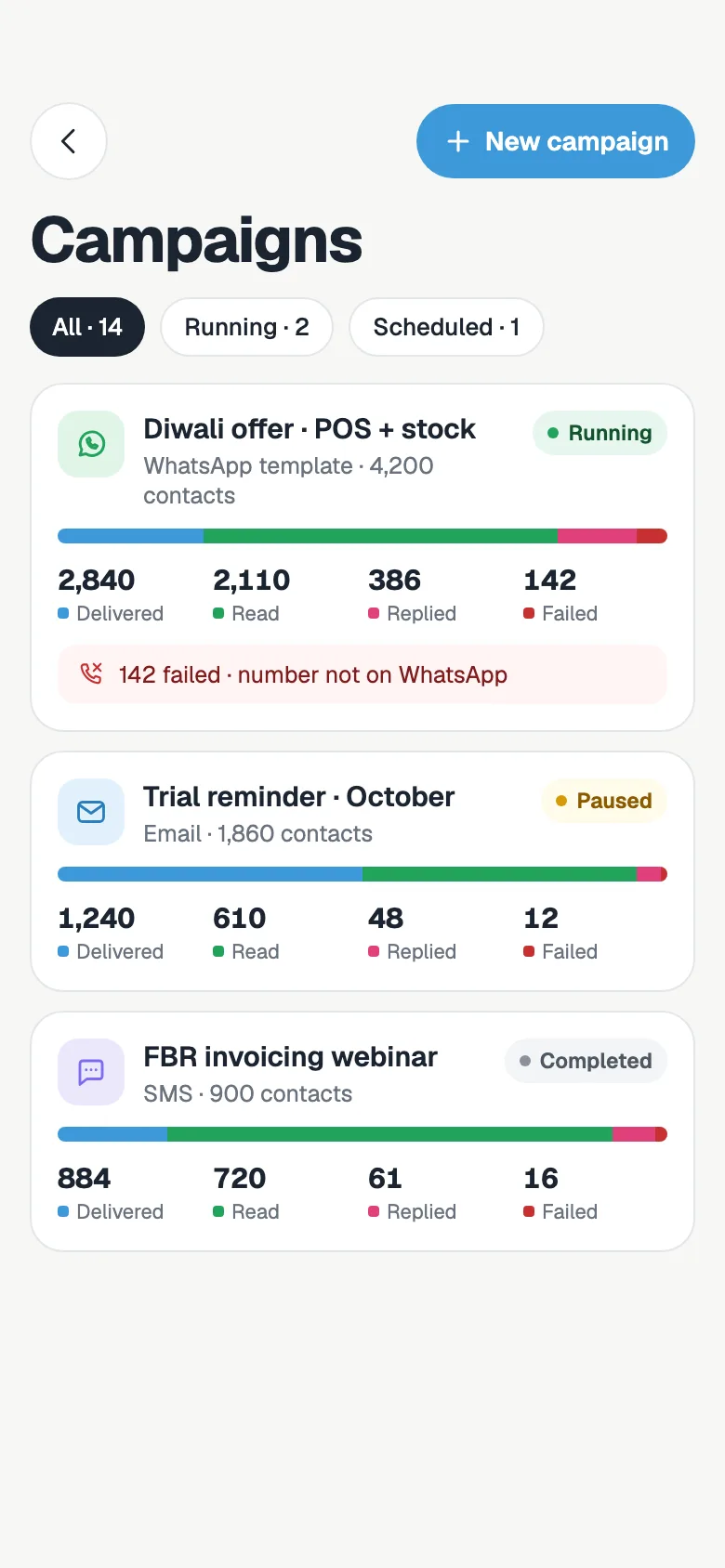
- Follow WhatsApp, email and SMS campaigns as they send, and pause or prioritise one
Take over from your AI agent
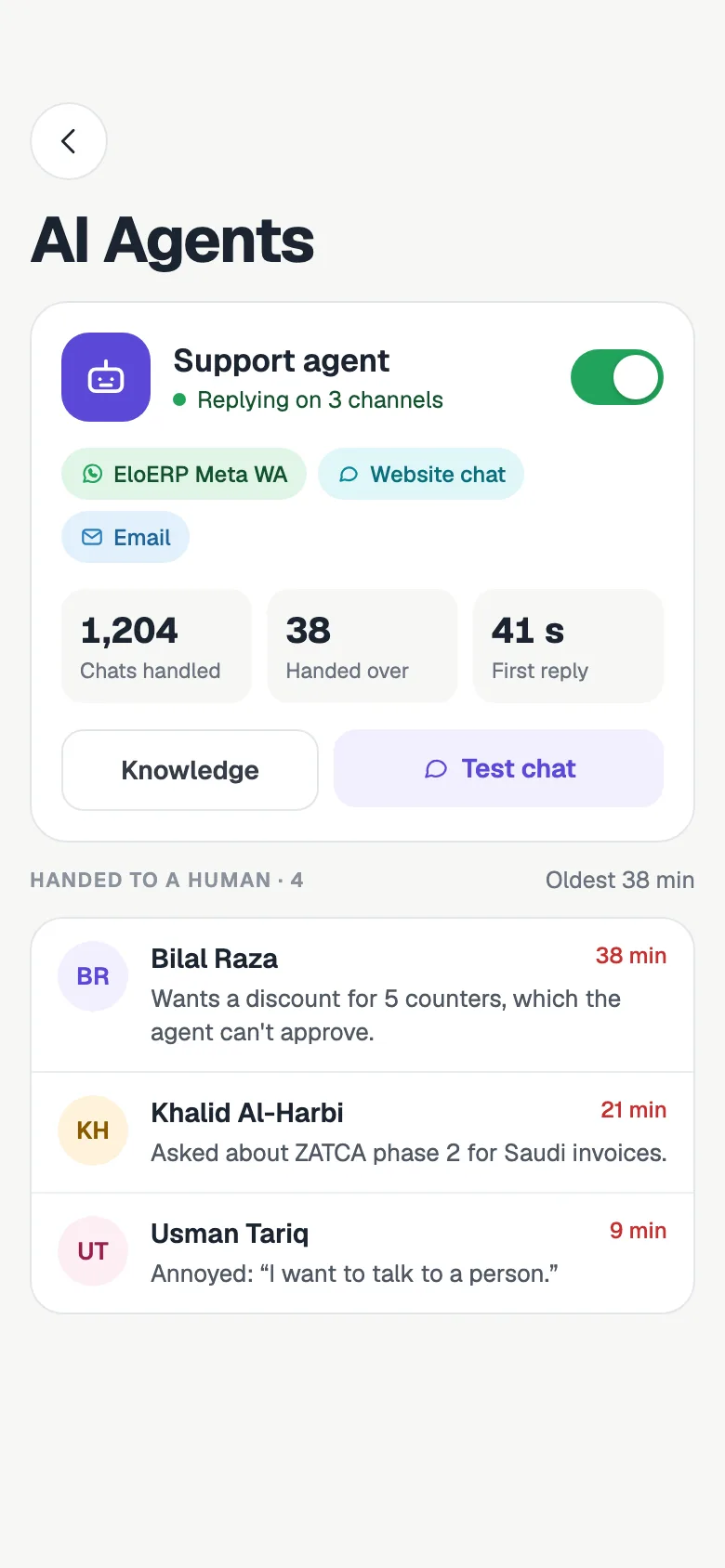
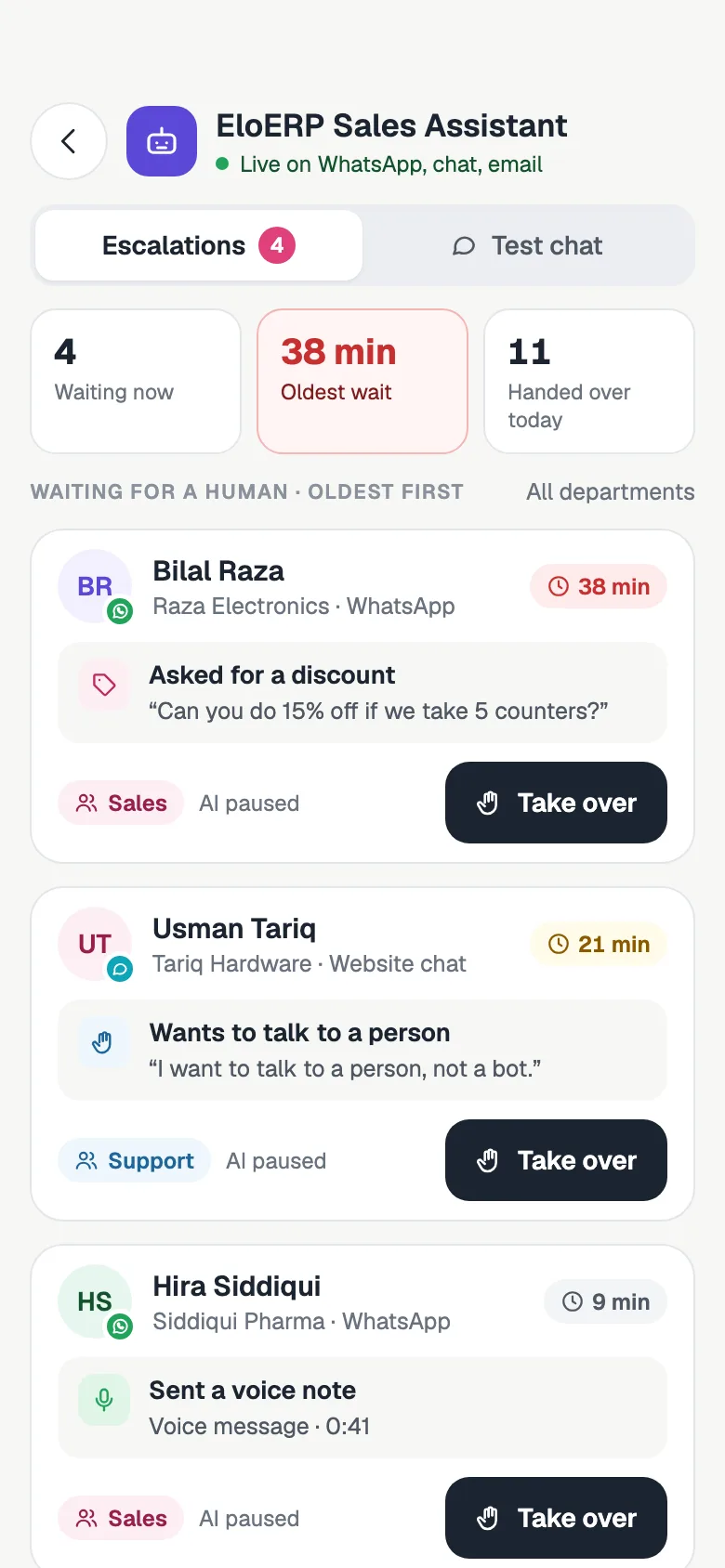
When the AI agent needs a person, the chat waits in a list on your phone. Take it over and reply yourself. AI agents are on Starter and up.
- See each AI agent's channels, chats handled and chats handed over
- Chats the agent handed to a person, oldest first, with the reason
- Take over with one tap, and switch an agent on or off
Your dashboard and reports, anywhere
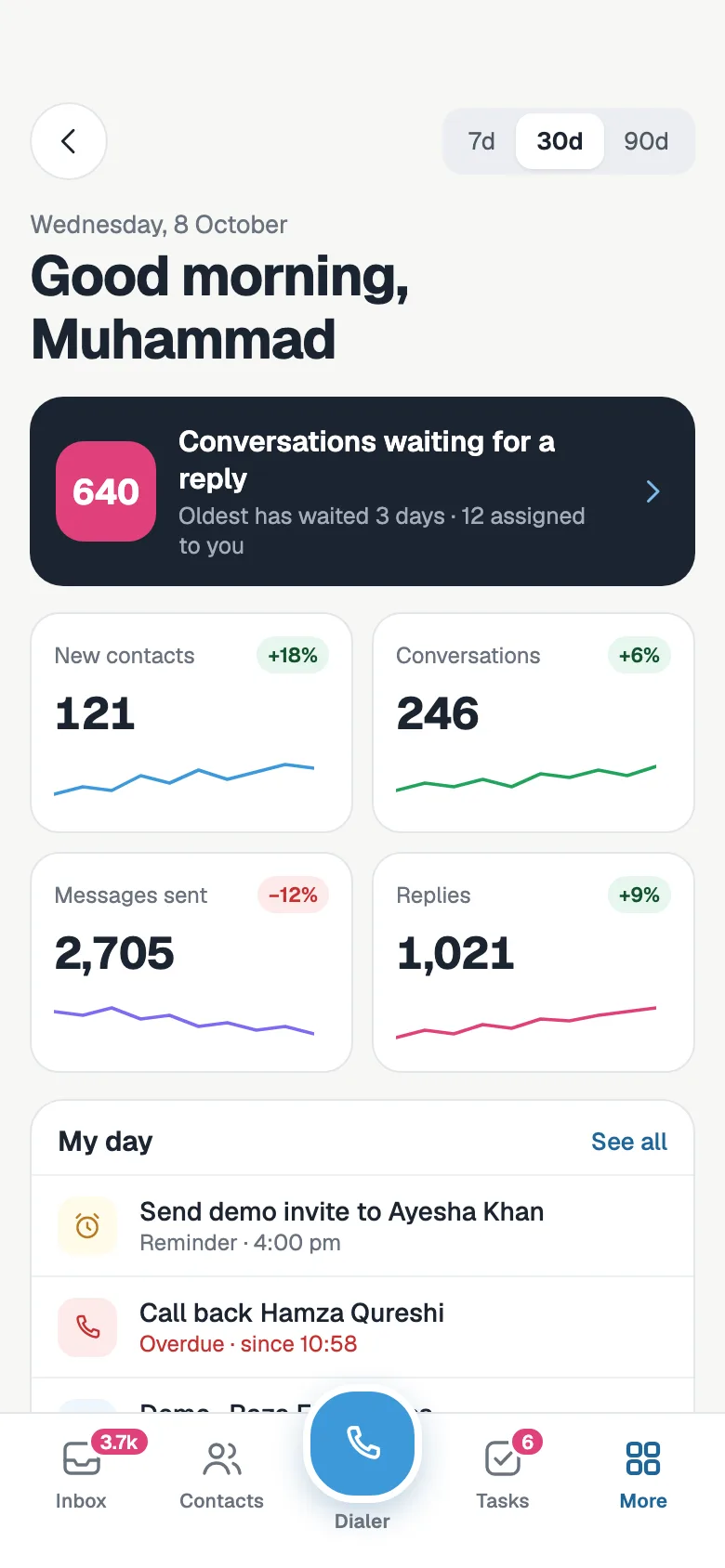
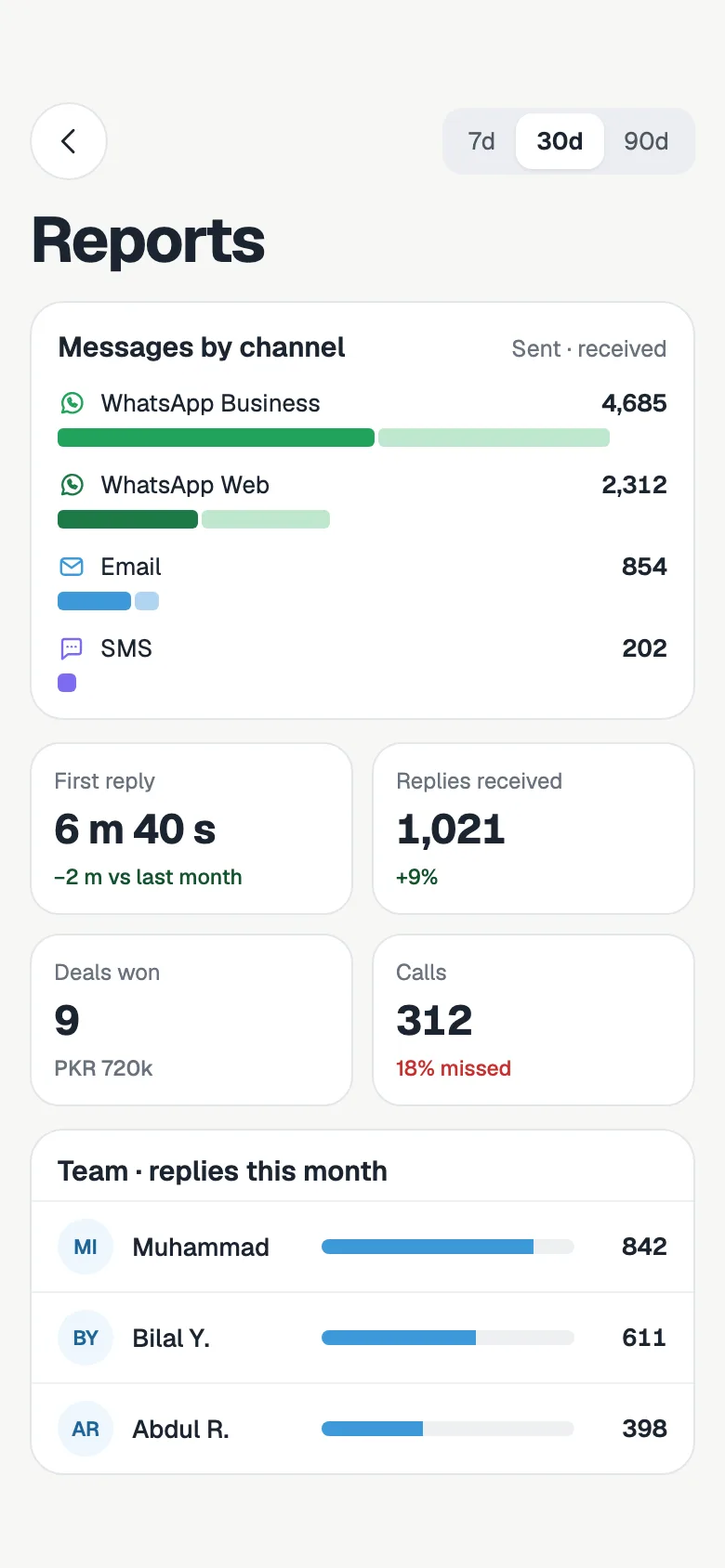
Start the day knowing who is waiting and how the team did yesterday, without opening a laptop.
- Conversations waiting for a reply, new contacts, messages and replies, with trends
- Reports for 7, 30 or 90 days: messages by channel, first reply time, deals won, calls and team replies
In Urdu, in dark mode, on phone and tablet
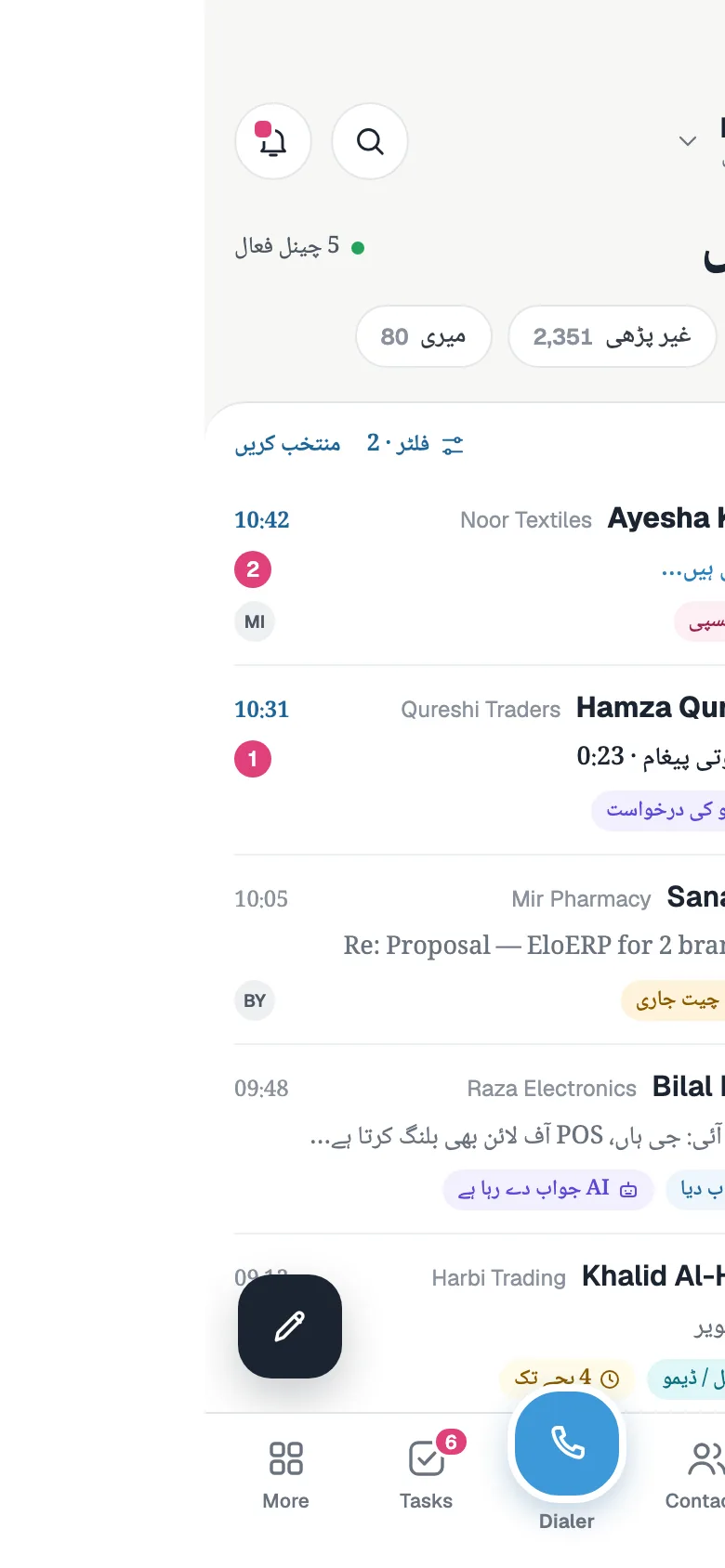
The app follows your phone's language, with an Urdu interface laid out right to left, and its light or dark setting. On a tablet the inbox, the conversation and the contact sit side by side.
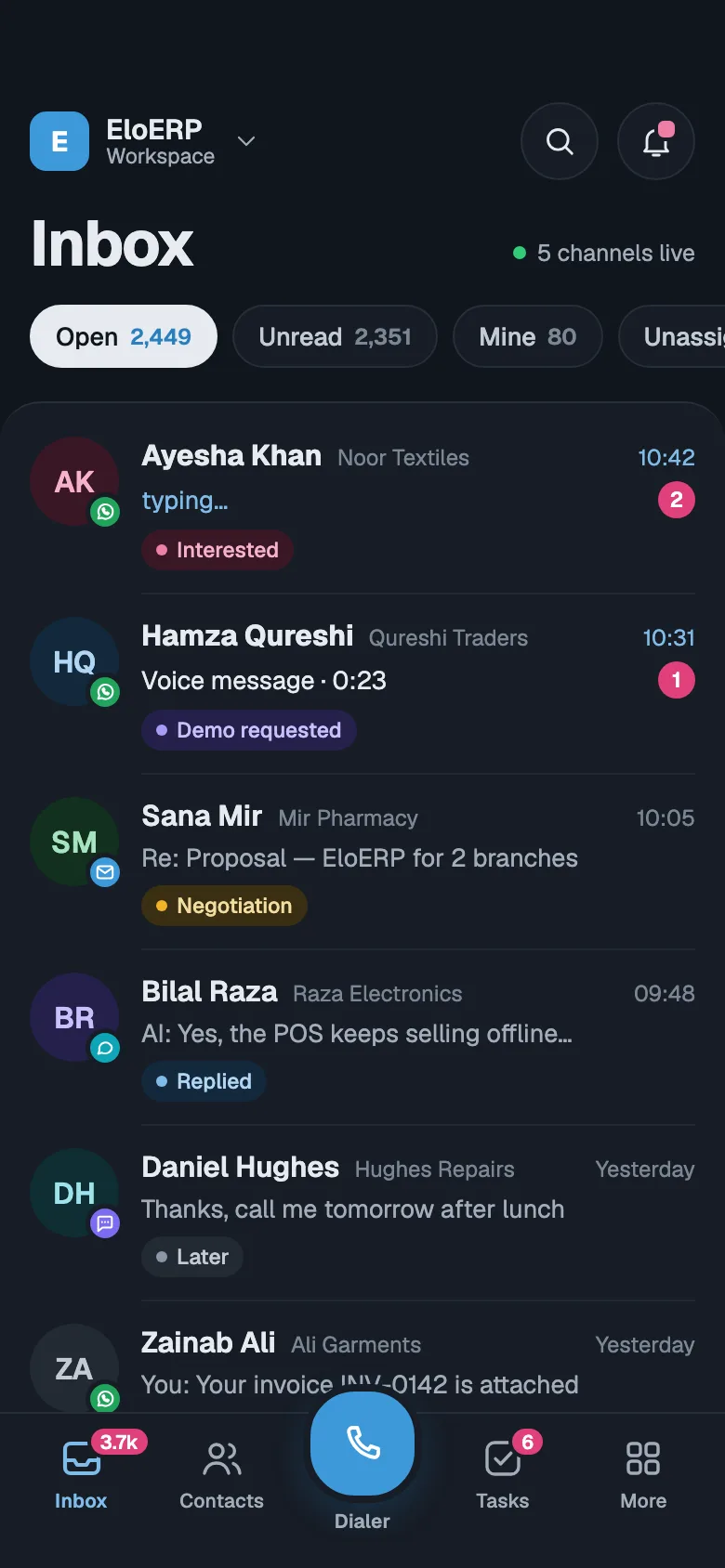
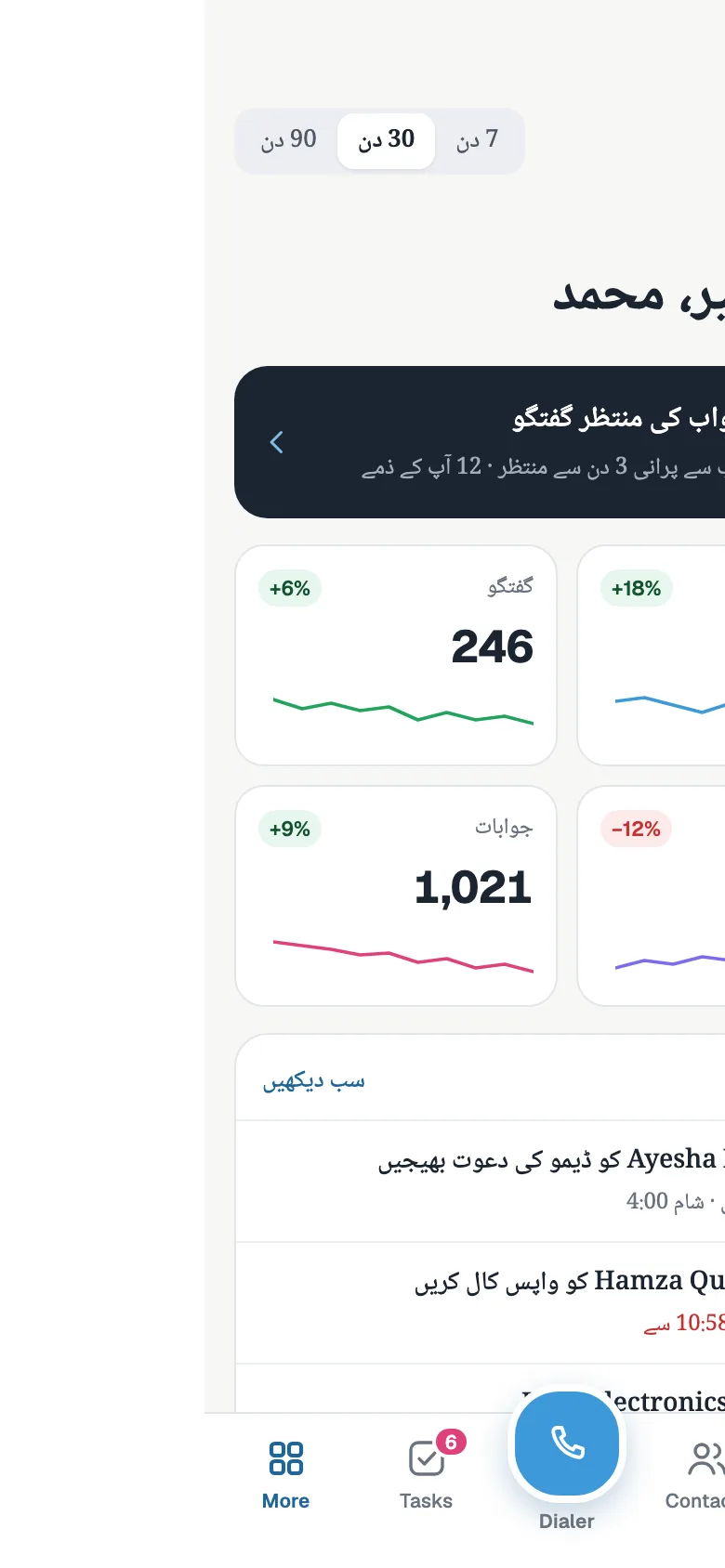
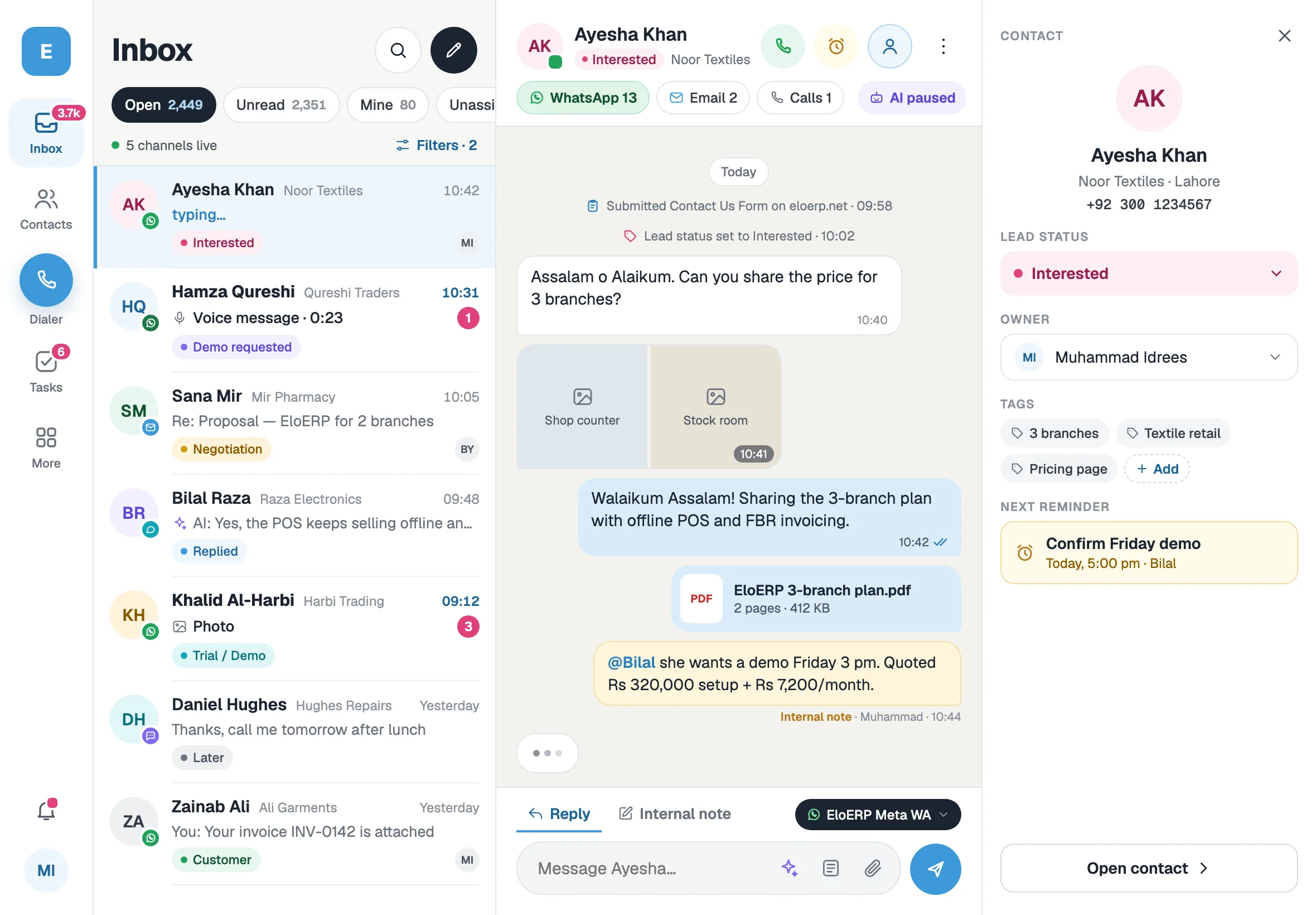
A CRM mobile app that keeps up with you
Works on a weak connection
Recent chats, contacts, tasks and reminders stay on the phone. Messages and notes you send offline go out when you reconnect.
Fingerprint or face unlock
Lock the app with your fingerprint or face, and see or sign out your other devices.
All your workspaces
Switch between the businesses you run or work for, each with its own inbox and contacts.
Calendar and bookings
Your bookings and reminders by day, with the guest's details, the meeting link and reschedule or cancel.
Workflows and forms
Check your workflows and their runs, switch them on or off, test-enrol a contact, and read new form submissions.
Search everything
Find any contact, company or message from one search box.
Get the FOXAF app for Android and iOS
The app uses your FOXAF account. Ask us for access and we will get your team set up on Android and iOS, or start free on the web today and add the app when you are ready.
The FOXAF CRM app, answered
Is there a FOXAF mobile app?
Yes. FOXAF has a mobile app for Android and iOS, phone and tablet. It signs in with your FOXAF account and shows the same workspace as the web. Ask us for access and we will set you up.
What can I do in the FOXAF CRM app?
Reply to WhatsApp, email and website chat from one inbox, send voice notes, photos and files, look up any contact, work your tasks and reminders, move deals, follow campaigns, create quotes, check invoices, take over chats from your AI agent and see your dashboard and reports.
Is the CRM app free?
The app comes with your FOXAF account at no extra cost. FOXAF has a Free plan and paid plans from $29 a month, each with a 14-day free trial. What you see in the app follows your plan and your role.
Does the app work on a weak connection?
Yes. Your recent inbox, contacts, tasks and reminders stay on the phone, and messages, notes and call outcomes you send while offline go out when you are back online.
Can I call customers from the CRM app?
Tap Call on a contact and your phone dials them. Your FOXAF call log is in the app too, with recordings, transcripts and AI summaries of calls made through the FOXAF phone system, and you can log a call's outcome and set the callback.
Is the app available in Urdu?
Yes. The app has an Urdu interface, laid out right to left, that follows your phone's language. It also has a dark mode.
Is my data safe on the phone?
You can lock the app with your fingerprint or face. Sign-in uses FOXAF's two-step check, and you can see and sign out your devices from the app.
What is a CRM app?
A CRM app puts your customer records, conversations and sales pipeline on your phone, so you can answer leads and follow up away from your desk. FOXAF's app is built around WhatsApp, where most of your customers already talk to you.
Part of one CRM, not another app to log into
Take your CRM with you
Ask for access to the FOXAF app, or start free on the web and bring your team along.