Missed-Call Text-Back on WhatsApp: How to Set It Up Within Meta's Rules
A missed phone call is not WhatsApp opt-in. Learn when you can WhatsApp a missed caller, which template category fits, the SMS and wa.me alternatives, and copy-ready messages.
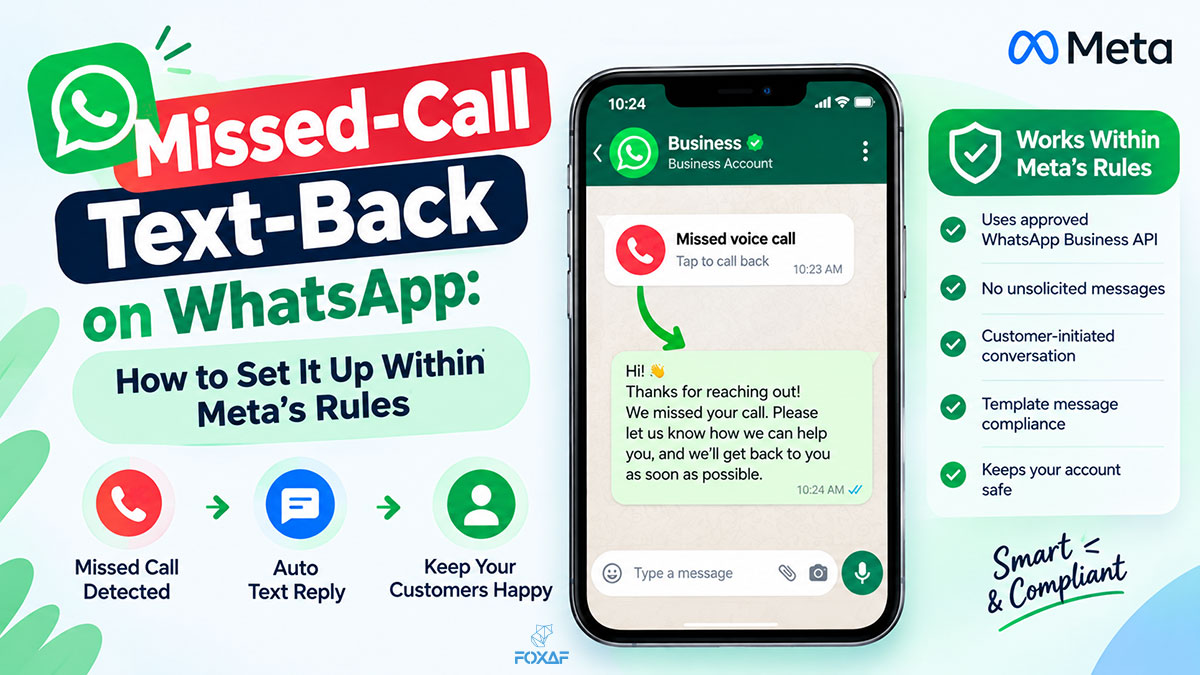
Short answer: Missed-call text-back sends an automatic message to anyone whose call you couldn't answer, so the lead doesn't ring a competitor. On WhatsApp there is one rule most guides skip: a missed phone call is not opt-in. Meta lets a business message someone on WhatsApp only if the person gave their number and agreed to hear from that business. So the setup that works is: text back on WhatsApp only to callers who have already opted in, and for everyone else, send an SMS (where local law allows) or a link that lets them start the WhatsApp chat.
This guide covers when you can WhatsApp a missed caller, which template type fits, how to collect consent on the call itself, and copy-ready messages.
Missed-call text-back at a glance
| Who missed you | Can you WhatsApp them? | What to send |
|---|---|---|
| An existing contact who opted in to hear from you | ✅ Yes | An approved WhatsApp template about their call |
| Someone who called your WhatsApp number (a WhatsApp call) | ✅ The 24-hour customer service window is open | A normal reply, if they opted in |
| A new caller on an ordinary phone line, no opt-in | ⚠️ Not on WhatsApp yet | An SMS (where allowed) with a link to start a WhatsApp chat |
| A caller who agreed on the call or in voicemail | ✅ Yes, once consent is recorded | A Utility template confirming the call-back |
| A caller who opted out | ❌ No | Nothing. Honour the opt-out |
What is missed-call text-back?
It's an automation that runs when a call goes unanswered. The phone system detects the missed call, looks up the caller's number and sends a short message: sorry we missed you, here's when we'll call back, or reply here. The call is saved on a contact record so someone follows up.
It matters most where the person who answers the phone is busy doing the work: trades, clinics, salons, estate agents, and any shop where the owner is also the receptionist. A caller who hears nothing often tries the next business on the list. A text back keeps the conversation with you.
Can you send a WhatsApp message to someone who missed-called you?
Only if they have opted in. Meta's opt-in guidance (updated 16 June 2026) says businesses may contact people on WhatsApp if "(a) they have given their mobile phone number; and (b) businesses have received opt-in permission from the recipient confirming that they wish to receive subsequent messages or calls from a particular business."
A missed call gives you (a), the number. It doesn't give you (b). Calling a business is not the same as agreeing to receive WhatsApp messages from it.
Meta's template guidelines make the same point for conversations that start somewhere else. Messages that move an interaction to WhatsApp "should not be initiated without a user having requested the conversation to be moved to WhatsApp."
So split your callers into two groups:
- Already opted in. Customers who agreed to hear from you, for example at checkout, on a booking form or in an earlier chat. You can WhatsApp them with an approved template about their call.
- Not opted in. New callers and anyone you have no consent record for. Don't WhatsApp them first. Use one of the options below.
The opt-in doesn't have to say "WhatsApp". Meta says it "can be general and not specifically for WhatsApp", but it must clearly say the person is opting in to hear from your business, and name your business. Local law still applies on top.
Does a missed call open the 24-hour customer service window?
It depends on what kind of call it was. Meta's pricing page says: "When a WhatsApp user messages you or calls you, a 24-hour timer called a customer service window starts."
- A WhatsApp call to your WhatsApp business number opens the 24-hour window. While it's open you can send ordinary (non-template) replies.
- An ordinary phone call to your business line doesn't. It happened outside WhatsApp, so no window is open, and Meta says that outside the window "businesses can only send template messages to reach out to users".
The same page adds: "you can only send messages to WhatsApp users who have opted in to receiving messages from you." The window opens the conversation; it doesn't replace opt-in.
Is a missed-call follow-up a Utility or Marketing template?
Meta decides the category when you submit the template. A Utility template "must be non-promotional" and must be "specific to or requested by the user". Meta's own Utility example for following up a call reads: "Hi {{name}}, we are following up on your call with customer service on {{issue}}."
A plain we missed your call, here's when we'll ring back message fits that pattern. Add an offer, a discount or while you're here, check out… and it becomes Marketing, because Meta treats templates that mix utility and promotional content as Marketing.
Meta charges for template messages, and rates vary by category and country. See Meta's pricing page for current rates, and keep the call follow-up plain.
How do you get consent from a caller you missed?
Get it before the call is missed, or during it. Meta's opt-in page lists four supported methods: SMS, website, by phone (using an interactive voice response flow), and in person or on paper. Five practical ways to use them:
- In your voicemail greeting or IVR. "Press 1 if you'd like us to reply on WhatsApp from [Business name]." Record the answer against the caller's number. This is the cleanest route for new callers.
- Let the caller start the chat. Put a WhatsApp click-to-chat link in your SMS, website and Google profile. A customer who taps it and messages you has started the conversation. Make your own with the free link generator.
- On printed material. Vans, shop counters and receipts can carry a WhatsApp QR code with the line "Scan to message [Business name] on WhatsApp."
- On every form. Booking, checkout and quote forms should carry a clear consent line naming your business. That covers future missed calls from the same customer.
- When someone answers. If a person or an AI receptionist picks up, ask: "Is it OK if we send updates on WhatsApp?" Write the answer on the contact.
Whatever the method, keep a record of who agreed, when and how. If someone asks you to stop, stop, and keep that on the contact too.
WhatsApp or SMS for missed-call text-back?
Both have a place. Most businesses end up using both.
| SMS | ||
|---|---|---|
| Reaches | People who use WhatsApp | Any mobile number |
| Before the first message | Opt-in required by Meta; a template unless a 24-hour window is open | Rules depend on your country and the message type |
| Rich replies | Buttons, links, media, read receipts | Plain text and a link |
| Best for | Customers who already chat with you on WhatsApp | New callers, and a first message with a WhatsApp link |
| Replies land | In your WhatsApp inbox | In your SMS inbox |
A sensible default is WhatsApp for opted-in contacts, SMS for everyone else, with the SMS offering a link to continue on WhatsApp. SMS has its own consent rules, which vary by country and are usually stricter for marketing texts. Check the rules where you operate. This guide isn't legal advice.
How to set up missed-call text-back, step by step
- Route every call through one system. You can't text back a call you can't see. Calls to personal mobiles are invisible to the business.
- Set business hours per number. Decide what happens out of hours and what happens when nobody answers during hours: voicemail, an AI receptionist, or both.
- Match the caller to a contact. A known customer should reach their usual contact person first and get a message that uses their name.
- Check consent before choosing the channel. Opted in → WhatsApp template. Not opted in → SMS (where allowed) with a click-to-chat link, or nothing.
- Write and submit the WhatsApp template. Keep it plain, name the business and say what happens next. Submit it for approval before you need it.
- Create a call-back task. The message buys time; the call-back closes the loop. Give the task an owner and a deadline. If you already automate WhatsApp follow-ups, add the missed call as a trigger.
- Keep the reply in the same place. When the caller answers your text, the reply should land on the same contact, next to the missed call and any voicemail.
- Review weekly. Count missed calls, texts sent, replies and call-backs done. If missed calls keep rising at the same hour, that's a staffing question, not an automation one.
Copy-ready missed-call messages
Keep them short, name the business, and don't sell. Replace the brackets before you submit.
WhatsApp template (opted-in contact), Utility style
Hi {{1}}, this is [Business name]. Sorry we missed your call at {{2}}. We'll call you back by {{3}}. If it's easier, reply here with what you need.
WhatsApp template, after-hours version
Hi {{1}}, thanks for calling [Business name]. We're closed right now and open again at {{2}}. Reply here with your question and we'll pick it up first thing.
SMS to a new caller (where allowed)
Sorry we missed your call, this is [Business name]. We'll ring you back today. Prefer WhatsApp? Message us here: [wa.me link]. Reply STOP to opt out.
Roman Urdu version (WhatsApp template, opted-in contact)
Assalam o Alaikum {{1}}, [Business name] se. Maazrat, hum aap ki call {{2}} par attend nahin kar sakay. Hum {{3}} tak aap ko call back karein ge. Chahein to yahin reply kar dein.
IVR or voicemail line (to collect opt-in)
Thanks for calling [Business name]. If you'd like us to reply on WhatsApp, press 1 now. Otherwise, leave a message after the tone and we'll call you back.
Common mistakes to avoid
- Treating a missed call as opt-in. It isn't. Meta asks for the number and permission.
- Adding an offer to the follow-up. A promotional line turns a call follow-up into a Marketing template.
- Sending a free-form WhatsApp message to an ordinary phone caller. With no 24-hour window open, only templates can be sent.
- No call-back owner. An automatic text with no human follow-up just delays the lost lead.
- Pretending the bot is a person. If an AI answers or texts, it should say so when asked.
- Messaging people who opted out. Keep opt-outs on the contact and check them before every send.
How does FOXAF handle missed calls?
FOXAF is a CRM with calling built in. On the CRM phone system page:
- Every missed call is logged on the contact, with voicemail transcribed so you can read it.
- The owner gets an alert and a high-priority call-back task, noting whether a voicemail was left.
- FOXAF can send each missed caller an automatic WhatsApp or SMS, a message you write. You choose who gets which, so the consent rules above stay in your hands.
- Can't talk right now? Decline with a quick text, sent on WhatsApp or SMS.
- Texts land in the shared inbox next to WhatsApp and email, on the same contact. WhatsApp runs on the official WhatsApp Business API.
The AI receptionist can take the calls your team can't. It answers out of hours or when nobody picks up, speaks English in a US, UK, Australian or Indian accent, answers from the facts you give it, books real times from FOXAF Calendar and saves a recording, transcript and summary on the contact. It never claims to be a person. From the Calls tab, you can also pick missed callers and have the AI agent ring each one back. For chat, see how to build a WhatsApp chatbot.
Local numbers in supported countries are bought inside FOXAF. If your phone company offers call forwarding, you can forward your existing number. Plans are on the pricing page.
Frequently asked questions
What is missed-call text-back?
An automation that sends a message to anyone whose call you couldn't answer, so they know you'll respond and don't call a competitor. The missed call is saved on a contact, and someone is given a task to call back.
Can I send a WhatsApp message to someone who missed-called me?
Only if they have opted in. Meta lets businesses contact people on WhatsApp when the person has given their number and agreed to receive messages or calls from that business. A missed phone call gives you the number but not the agreement.
Does a missed call open the WhatsApp 24-hour window?
Only a WhatsApp call does. Meta's pricing page says the 24-hour customer service window starts when a WhatsApp user messages or calls you. An ordinary phone call doesn't open it, so the only way to reach that caller first on WhatsApp is an approved template, and only with opt-in.
Is a missed-call follow-up a Utility or Marketing template?
Meta decides when you submit it. A plain message about the person's call, with no promotion, fits Meta's Utility rules, which include an example of following up on a customer's call. Any offer or promotional line makes it Marketing.
How do I get WhatsApp opt-in from callers?
Meta lists opt-in by phone through an IVR flow as a supported method. Ask callers to press a key to get WhatsApp replies, add a consent line to your forms, or let customers start the chat themselves with a click-to-chat link or QR code.
Should I use WhatsApp or SMS for missed-call text-back?
Use both. WhatsApp for contacts who have opted in, SMS for new callers where local rules allow, with a link to continue on WhatsApp. SMS consent rules vary by country.
What should a missed-call message say?
Your business name, an apology for missing the call, when you will call back, and an invitation to reply. Keep it under three lines and leave out offers.
Can FOXAF text back missed calls automatically?
Yes. FOXAF logs the missed call on the contact, gives the owner an alert and a call-back task, and can send the caller an automatic WhatsApp or SMS that you write. Replies land in the shared inbox on the same contact.