Facebook Lead Ads vs Click-to-WhatsApp Ads: Which Should You Run?
Lead ads collect a form; Click-to-WhatsApp ads start a chat. Compare cost after the click, Meta's free entry point window (now up to 7 days), opt-in rules and follow-up, and when to run both.
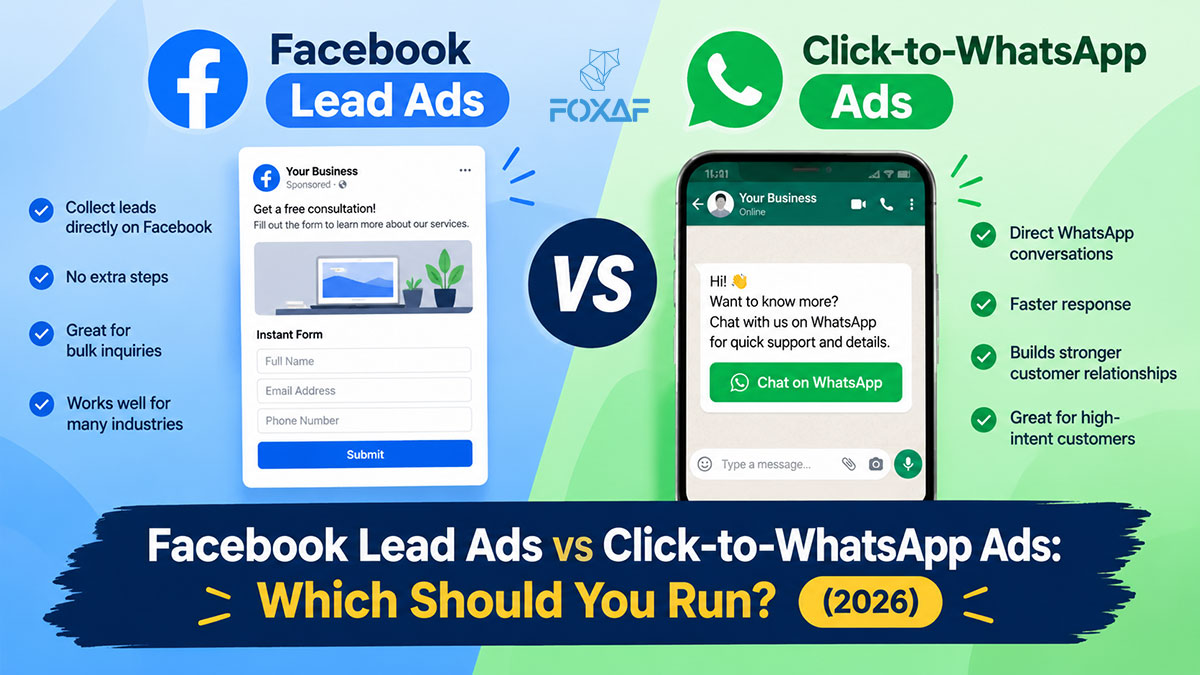
Short answer: Run Click-to-WhatsApp ads when you sell through conversation and want the customer to message you first: your reply opens Meta's free entry point window, which can stay open for up to 7 days. Run Facebook lead ads when you need structured details (budget, city, course) and a team to call or message back, and you're ready to pay for a first WhatsApp template. Many businesses run both.
Both ad types live in Meta Ads Manager and run on Facebook and Instagram. The difference is what happens after the tap: a lead ad opens a form inside the app, and a Click-to-WhatsApp ad opens a WhatsApp chat with your business. That one difference changes who speaks first, what WhatsApp costs you, which consent you need, and how your team follows up.
Facebook lead ads vs Click-to-WhatsApp ads at a glance
| Facebook lead ads (Instant Forms) | Click-to-WhatsApp ads | |
|---|---|---|
| What the tap opens | A form inside Facebook or Instagram | A WhatsApp chat with your business |
| Who speaks first | You do, after the form arrives | The customer does |
| What you get | Name, phone, email and answers to your questions | A message, plus the customer's WhatsApp number |
| First WhatsApp message from you | Needs an approved template | A normal reply inside the 24-hour customer service window |
| Meta's charge for your follow-up | Each delivered template is charged at Meta's rate | Your reply opens a free entry point window: no Meta charge for messages while it is open (up to 7 days), except Meta Business Agent messages |
| Opt-in for WhatsApp | Get it on the form (state your business name) | The customer started the chat. Get opt-in before you send marketing later |
| Lead data | Downloadable from Meta for 90 days, unless a CRM collects it | Lives in your WhatsApp inbox |
| Best for | Qualification, high volume, call-back sales | Questions, quick sales, conversational selling |
Sources: Meta's WhatsApp pricing page, opt-in guidance and lead download help, all read 22 October 2026.
What are Facebook lead ads?
Facebook lead ads are ads with a built-in form, which Meta calls an Instant Form. Someone taps the ad, the form opens pre-filled with details Meta already has (name, email, phone), they answer your questions and submit, all without leaving Facebook or Instagram.
What you receive is a lead: a row of data. Nobody has started a conversation yet. Someone on your side has to call or message that person, and on WhatsApp that first message has to be a template (more on that below).
Two practical points that catch teams out:
- Leads expire for download. Meta's help centre says lead data can be downloaded for 90 days from when the form was submitted. Teams that rely on weekly CSV exports lose older leads.
- The form is where you collect consent. If you plan to follow up on WhatsApp, the form is the place to say so (see the opt-in section).
What are Click-to-WhatsApp ads?
A Click-to-WhatsApp ad (Meta also calls them "ads that click to WhatsApp", or CTWA) has a button that opens a chat with your business on WhatsApp. The customer can send a pre-filled message or type their own. Your WhatsApp number has to be connected to the Facebook Page that runs the ad.
What you receive is a conversation. The customer has already written to you, so you can answer at once with a normal free-form reply: no template, no approval wait.
To test the same experience without an ad, a plain WhatsApp click-to-chat link does the job: you can build one with our WhatsApp link generator (we explain the link format in this guide). A plain link does not open a free entry point window, though. Only the ad does.
What does WhatsApp cost after the click?
This is the biggest practical difference, and Meta changed the rules on 1 October 2026, so older guides are often wrong.
After a lead ad: the person filled in a form but has not messaged you. To reach them on WhatsApp first, you must send an approved template. Meta charges per delivered template, by category and by the recipient's country. Meta decides the category: a template counts as Utility only if it is non-promotional and specific to something the user did or asked for. Anything promotional, or a mix of the two, is Marketing. A sales follow-up to a lead is usually Marketing. Current rates are on Meta's pricing page.
After a Click-to-WhatsApp ad: the customer messaged you first, which opens the 24-hour customer service window. Meta's pricing page says that if you reply within that window, your reply is not charged and opens a free entry point (FEP) window, starting from the time you replied. While it is open, Meta does not charge for marketing, utility, authentication or service messages. Meta's page says the FEP window "may remain open for up to 7 days". Meta Business Agent (Meta's AI) messages are still charged.
How long does the free entry point window last?
Up to 7 days, according to Meta. Many guides still say 72 hours, but Meta's own pricing page, read on 22 October 2026, says the window "may remain open for up to 7 days" and does not mention 72 hours. It also describes the window as starting from your reply, not from the customer's first message, and only for chats that came from an ad that clicks to WhatsApp on Meta's Android or iOS app. Check Meta's page before you plan a campaign around the exact length, because Meta changes these rules.
Your WhatsApp provider or CRM may charge its own fees on top of Meta's. Those are separate from Meta's charges.
Do I need opt-in to message Facebook leads on WhatsApp?
Yes. Meta requires businesses to get opt-in before messaging people on WhatsApp. According to Meta's opt-in guidance, the opt-in can be general rather than WhatsApp-specific, but it must:
- clearly state that the person is opting in to receive communication from your business;
- clearly state your business's name; and
- comply with the laws that apply to you.
For lead ads, put the consent on the form. Use the form's custom disclaimer or a clear line above the submit button, for example: "By submitting, you agree that [Business name] may contact you by phone and WhatsApp about your enquiry." Make sure the form asks for the phone number you'll actually message.
For Click-to-WhatsApp ads, the customer started the chat, and replying to their question is normal service. If you want to send them marketing templates later (a new offer next month), ask inside the chat whether they'd like updates from your business, and record the answer.
Either way, people can block or report a business, and Meta says it rate-limits businesses whose quality stays low. Consent you can point to protects the number you depend on.
When should you run Facebook lead ads?
Lead ads win when the details matter more than the conversation:
- You qualify before you talk. Budget, location, preferred course, property type, appointment date: a form collects them in one step.
- You call back. Real estate, education, clinics and local services often close on a phone call or a visit, not in chat. A tidy lead list suits a calling team. (We cover property follow-up in WhatsApp CRM for real estate in Pakistan.)
- You expect volume. A form is quicker for the customer than writing a message, so lead ads can produce more submissions. Some will be less committed, which is why fast follow-up matters.
- You need the email address as well as the phone number.
When should you run Click-to-WhatsApp ads?
Click-to-WhatsApp ads win when the conversation is the sale:
- Customers have questions first: price, size, stock, delivery time.
- The sale closes in chat: e-commerce, food, small-ticket services, cash-on-delivery orders.
- Your audience lives on WhatsApp. In markets like Pakistan, many customers would rather send a WhatsApp message than fill in a form.
- You want to keep messaging costs down after the click. Your reply opens the free entry point window, so the follow-up conversation costs nothing from Meta while it is open.
The trade-off: you get no structured data unless you ask for it in the chat, and every chat needs someone (or an automation) to answer it.
Can you run both?
Yes, and many businesses do: lead ads for a high-intent offer ("Book a free site visit") and Click-to-WhatsApp ads for quick questions ("Ask us about prices"). What breaks is the follow-up when the two arrive in different places, with form leads in a spreadsheet and chats on one phone.
The fix is to land both in one place:
- Form leads go straight into your CRM as contacts, with the form answers saved, instead of waiting for a CSV.
- An automation sends the first WhatsApp template to each new form lead, so nobody waits for a rep to notice.
- Every reply, from either ad type, lands in one shared inbox on the right contact, so the team sees the whole history.
- Each lead is tagged with its source (which form, which campaign) so you can see which ads bring buyers, not just leads.
For the follow-up sequence itself, see how to automate WhatsApp follow-ups, and for keeping leads organised once they arrive, how to manage WhatsApp leads.
Example first messages
Lead ad, first WhatsApp template (send as soon as the form arrives; Meta will likely treat it as Marketing):
Hi {{1}}, thanks for your enquiry about {{2}} with [Business name]. I'm {{3}} and I'll help you with it. When is a good time for a quick call, or would you like the details here on WhatsApp?
Same message in Roman Urdu (Pakistan):
Assalam o Alaikum {{1}}, [Business name] mein {{2}} ke baare mein enquiry ka shukriya. Main {{3}} hoon aur aap ki madad karunga. Kya aap ko call kar loon, ya details yahin WhatsApp par bhej doon?
Click-to-WhatsApp ad, first reply (a normal reply, no template needed):
Hi! Thanks for messaging [Business name] about {{product}}. Yes, it's available. Which size/option would you like, and which city should we deliver to?
Keep the first message short, name your business, and ask one question that moves the sale forward.
Common mistakes to avoid
- Treating "72 hours" as the rule. Meta's page now says up to 7 days, starting from your reply. Build campaigns on Meta's current page, not an old blog post.
- No consent line on the form. A lead who didn't expect a WhatsApp message is more likely to block or report you.
- Downloading leads by hand. Meta's 90-day download limit and a busy week mean leads get lost or go cold.
- Sending a promotional first template and expecting Utility pricing. Meta decides the category, and promotional content makes it Marketing.
- Leaving Click-to-WhatsApp chats unanswered. The customer is waiting in the chat, and the free entry point window only opens when you reply inside the 24-hour service window.
- Not tracking the source. Without the form or campaign on each contact, you can't tell which ad type is actually working for you.
How does FOXAF handle Facebook lead ads and WhatsApp follow-up?
FOXAF doesn't create or run your ads: you keep doing that in Meta Ads Manager. What it does is the follow-up. On the Facebook lead ads page:
- Connect your Facebook Page once and FOXAF subscribes to its lead events, so each new form submission is saved as a contact as soon as Meta sends it. No CSV.
- Choose which forms to sync and map each question to a contact field. Questions without a field become custom fields automatically.
- A workflow sends an approved WhatsApp template to each new lead, and replies land in the shared inbox on the lead's contact.
- Each lead records whether it came from Facebook or Instagram, with the campaign and ad.
- Each form can open a deal in the pipeline stage you choose, and with the Sales team tools switched on, leads can be shared round-robin among available reps (see Sales CRM).
- Import the last 90 days of leads from a connected form. Existing contacts are matched by email or phone, not duplicated.
Chats that start from your Click-to-WhatsApp ads arrive on your WhatsApp number like any other chat, so they land in the same inbox, on the official WhatsApp Business API. For businesses with heavy enquiry volume, such as real estate, that means form leads and chats are followed up in one place. Later, opted-in contacts can receive WhatsApp broadcast campaigns. Plans are on the pricing page.
Frequently asked questions
What is the difference between Facebook lead ads and Click-to-WhatsApp ads?
A lead ad opens a form inside Facebook or Instagram and gives you the person's details. You then contact them. A Click-to-WhatsApp ad opens a WhatsApp chat with your business, so the customer messages you first.
Which is cheaper to follow up on WhatsApp?
Usually Click-to-WhatsApp. Meta's pricing page says that when you reply within the customer service window to someone who came from an ad that clicks to WhatsApp, your reply is not charged and opens a free entry point window in which Meta doesn't charge for messages. To reach a lead-ad lead first on WhatsApp, you send a template, which Meta charges per delivered message. Ad costs are separate.
How long is the WhatsApp free entry point window?
Meta's pricing page, read on 22 October 2026, says the free entry point window "may remain open for up to 7 days", starting from the time you reply. Older guides that say 72 hours are out of date. Meta Business Agent messages are still charged in the window.
Do I need opt-in to message Facebook leads on WhatsApp?
Yes. Meta requires opt-in before you message people on WhatsApp. It can be general rather than WhatsApp-specific, but it must clearly say the person is opting in to hear from your business and name your business. The lead form is the easiest place to get it.
Is a first message to a Facebook lead a Utility or Marketing template?
Meta decides. Utility templates must be non-promotional and specific to something the user did or asked for. A sales follow-up or anything promotional is Marketing, and so is a template that mixes the two.
How long can I download Facebook lead ads data?
Meta's help centre says lead data can be downloaded for 90 days from the time the form was submitted. Connecting a CRM saves each lead as it arrives, so nothing expires.
Can I run lead ads and Click-to-WhatsApp ads at the same time?
Yes. Many businesses use lead ads for high-intent offers and Click-to-WhatsApp ads for quick questions. Land both in one CRM and one inbox so the follow-up doesn't split across a spreadsheet and a phone.
Can FOXAF send a WhatsApp message to every new Facebook lead?
Yes, through a workflow. FOXAF saves each lead-form submission from your connected Facebook Page as a contact, and a workflow step sends an approved WhatsApp template. Replies land in the shared inbox on the lead's contact. FOXAF does not create or run the ads themselves.